Review business details and availability
The business page can help customers confirm where they are ordering, when the business is available, and which fulfillment details apply before they choose products. The exact information shown depends on the business data, the current ordering context, the Website theme, and the type of experience configured.
The standard Website business header can include identity, fulfillment, information, and review controls. Single-store, franchise, kiosk, grocery-style, school, and professional-service experiences can arrange or omit parts of that standard presentation.
Review the business summary
When the corresponding data and theme sections are available, the business header can show:
- The business name, address, and business type or description.
- Configured social links.
- An aggregate customer rating and an Info button.
- The fee and estimated time associated with the customer's selected order type.
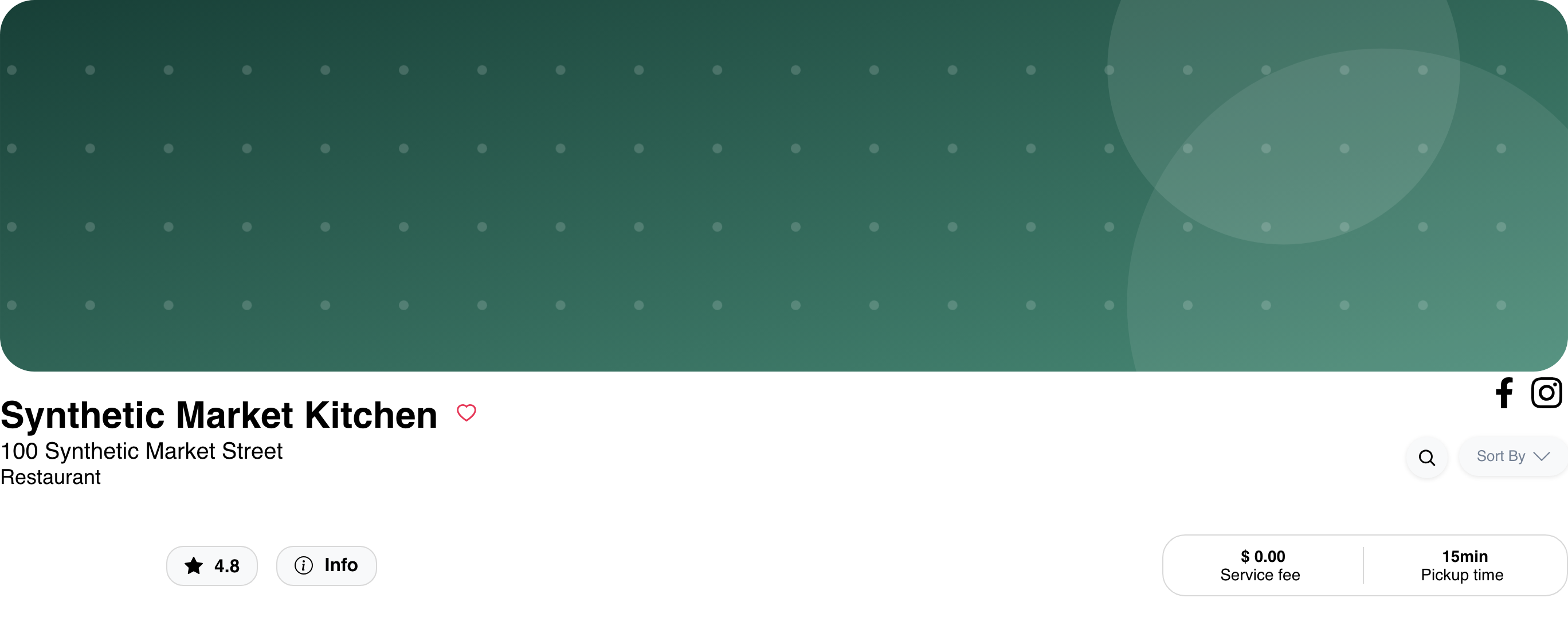
The number beside the star is a rating score on a five-point scale. It is not the number of submitted reviews.
For Delivery, the summary can show the delivery fee and delivery time. For another supported order type, the visible summary can instead use the service-fee and pickup-time presentation. Treat these values as the estimates displayed for the current ordering context; do not assume every non-delivery experience represents a pickup workflow.
Compare the mobile presentation
On smaller screens, Website stacks the location, order type, business identity, social links, rating, Info, fulfillment summary, and menu controls to fit the available width. The same information can therefore appear in a different order than on desktop.
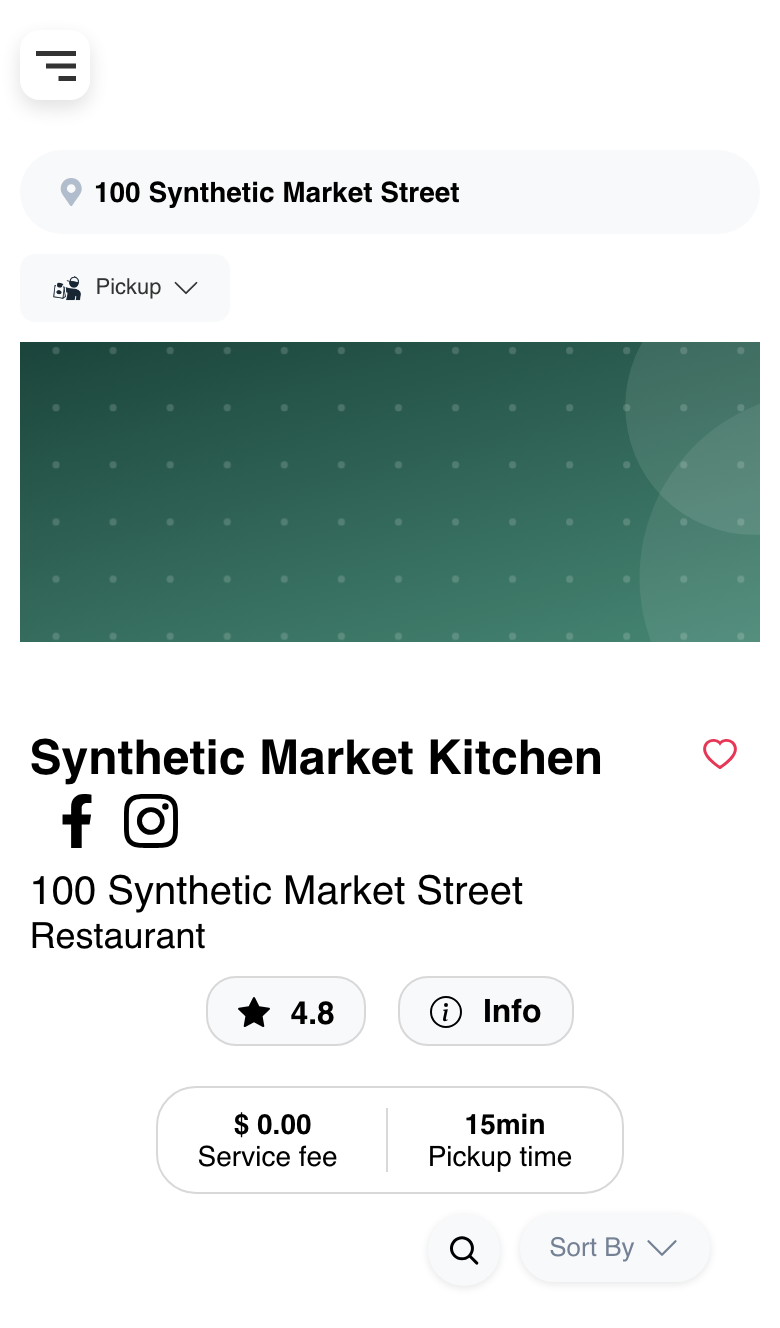
Logo and product-search placement can also change at the mobile breakpoint. Use the controls visible in the current Website instead of expecting the desktop header arrangement.
Open business information
Select Info to open the read-only information supplied for the current business. Depending on the available data and Website configuration, this dialog can include:
- Separate About and description text.
- A weekly schedule.
- Delivery and pickup estimates.
- An address and map.
- Configured photos or videos.
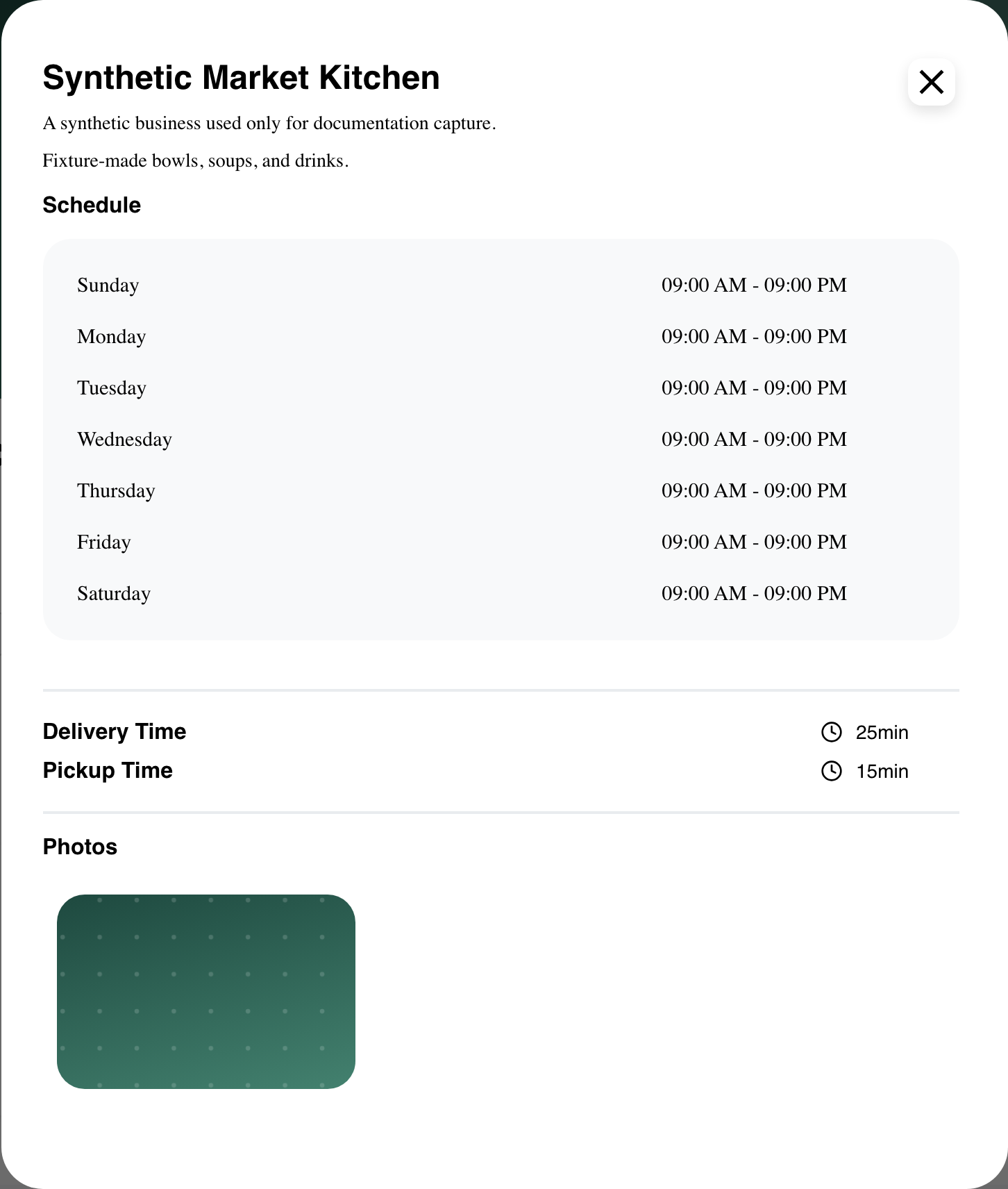
The summary in the header reflects the selected order type, while the Info dialog can include both delivery and pickup estimates. A section is omitted when its data is unavailable or the Website theme hides it.
Schedule times are presented using the Website's hour format and can reflect the business timezone and the viewer's context. Customers should use the schedule displayed in their current session when deciding when to order.
Configured photos can be selected to open a larger preview. Configured video media can also appear when supported by the Website. Media, map, and address content are conditional rather than guaranteed.
Use Info on mobile
The Info dialog adapts to the narrower viewport and keeps its close control available. Customers can scroll within the dialog to review the schedule, fulfillment estimates, and any additional sections that are present.
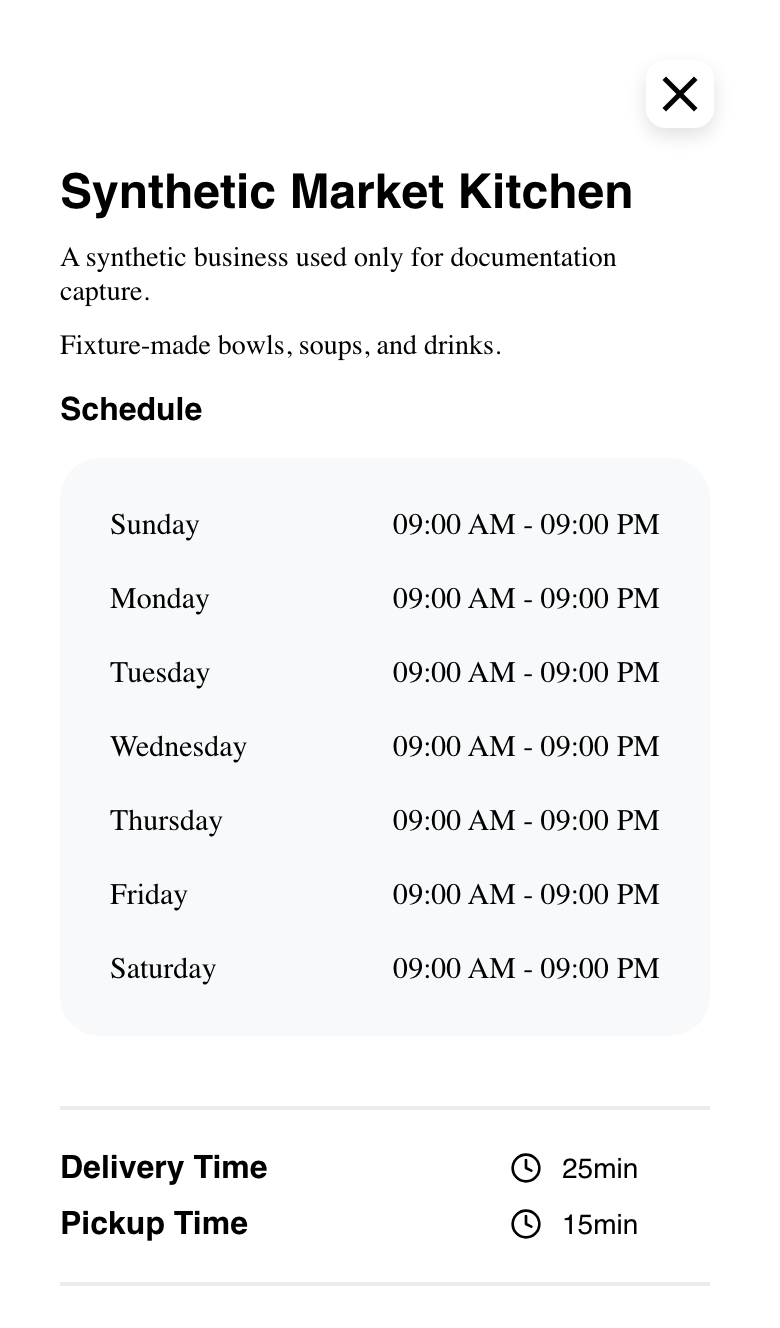
Select the close icon to return to the business page without changing the order or cart.
Read ratings and customer feedback
When review data is available and the relevant theme presentation is enabled, customers can see an aggregate rating in the business header. Select the rating to open the reviews dialog.
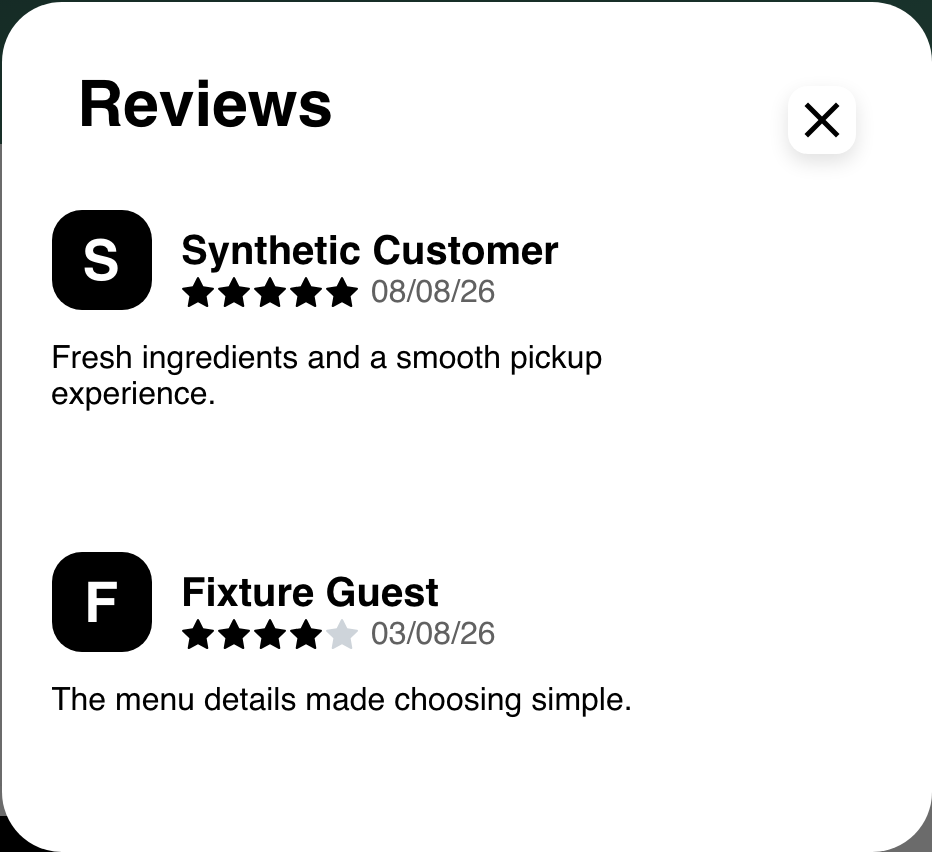
The dialog lists the newest review first. A review can include a customer display name or initial, star rating, date, and written comment. Dates or comments can be hidden by the Website theme.
Some non-grocery layouts can also show recent reviews inline on the business page. The header rating control and the inline review section are separate presentations, so the availability of one does not guarantee the same presentation everywhere. The current reviews experience does not provide customer-facing review search or rating filters.
Understand a closed indication
When a visible business header reports that the business is not currently open, Website can place a Closed indication over its header image.
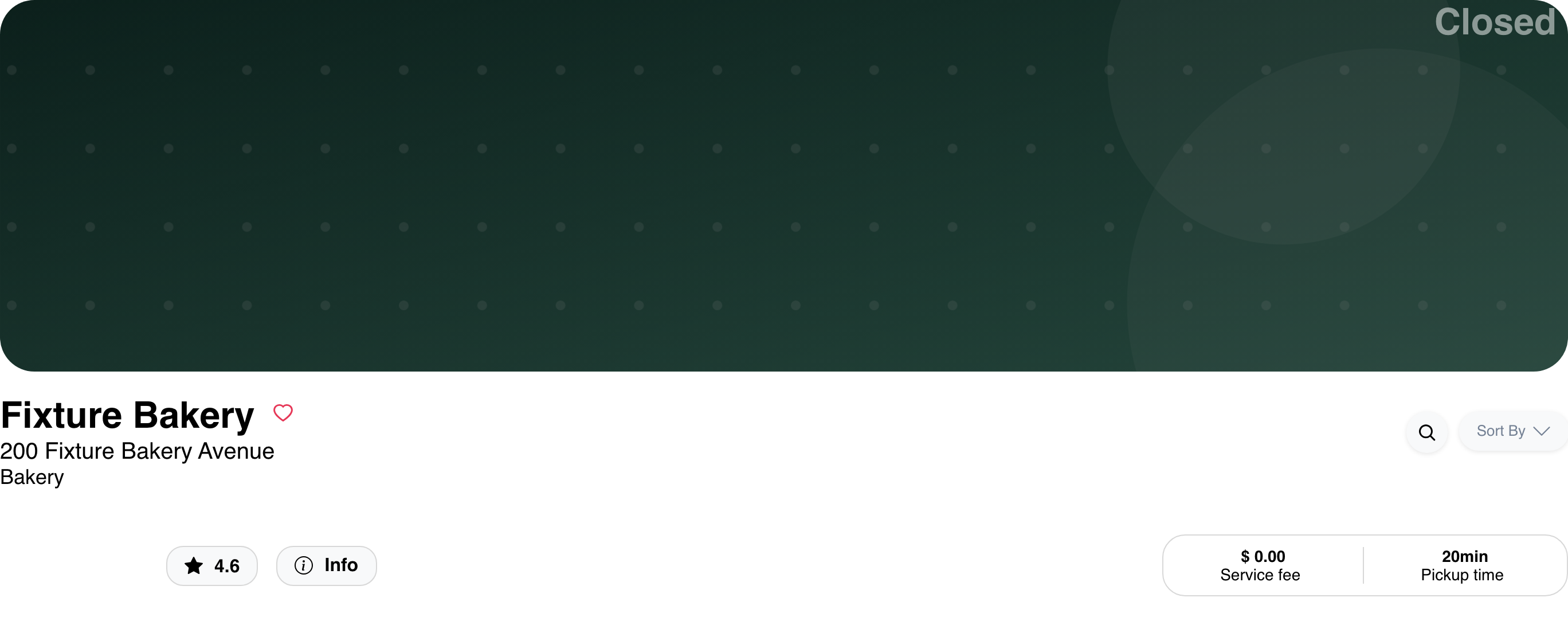
Closed status is an availability indication for the current context. It does not, by itself, prove that the menu is absent, that every product is unavailable, or that a future order can be scheduled. Preorder has its own requirements and is covered in Schedule a preorder.
Recognize a professional-services entry
A business configured with professionals can show Professionals, an Any professional member option, and individual professional cards before customers continue through its services experience.

This entry state does not guarantee that every professional supports appointments or the same services. See Book appointments with professionals for the conditional selection, profile, availability, and scheduling flow.
Reservation, school/student, and professional-service procedures have separate prerequisites and effects. They are not part of the standard business-details procedure described here. See Use school and student ordering for the student-profile flow.
Configuration and mode differences
- Theme: Identity fields, social links, fulfillment times, schedule, reviews, media, and other sections can be hidden independently or omitted when no data is available.
- Map mode: A Website using its alternative-map setting can omit the location, map, and address branch inside Info even when the address appears in the business header.
- Marketplace, single store, and franchise: Navigation and surrounding controls can differ. A franchise experience can provide a store-changing action, while a single-store experience can omit marketplace navigation.
- Kiosk: The standard business header and its Info, social, rating, and related controls can be absent. An inline review section may still depend on the active menu layout.
- Menu layout and vertical: Grocery-style, school, and professional-service experiences can compose business information and reviews differently from the standard menu.
- Responsive layout: Desktop and mobile can move the logo, product search, identity, and fulfillment controls without changing the underlying business data.
Frequently asked questions
Why is a business detail missing?
The business must provide the corresponding data, and the Website theme must expose that section. Layout, vertical, order type, and product mode can also change what appears. A missing map, address, gallery, review section, or social link is not necessarily an error.
Why does the fee or time differ from another session?
The summary reflects the customer's selected order type and current ordering context. Changing the order type, location, or ordering time can change the business information and estimates returned.
Why does the schedule look different for another customer?
Displayed schedule formatting can depend on the business timezone, the viewer's context, and the Website hour-format setting. Compare the sessions' current context before treating the difference as incorrect.
Does Closed mean customers cannot browse the menu?
Not necessarily. Closed status and returned catalog content are separate. A business page can indicate that the business is closed while still showing menu content. Future ordering is also a separate capability with its own availability rules.
Why can customers see reviews in one place but not another?
The header rating and inline review presentation have separate availability rules, and some layouts omit the inline section. Theme settings can also hide review dates or comments.
Related guides: Browse a business and its menu · Find products in a business · Browse available businesses