Configure store notifications
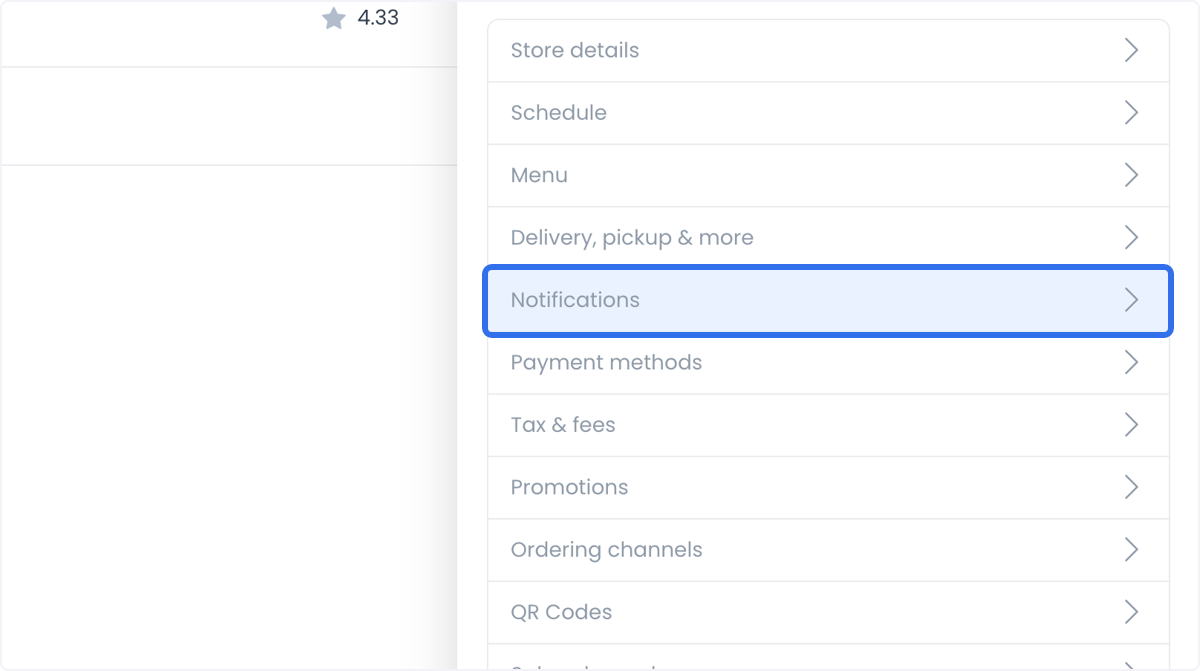
Notifications controls how a store receives order emails and lets you connect a GPRS kitchen printer so accepted orders print automatically.
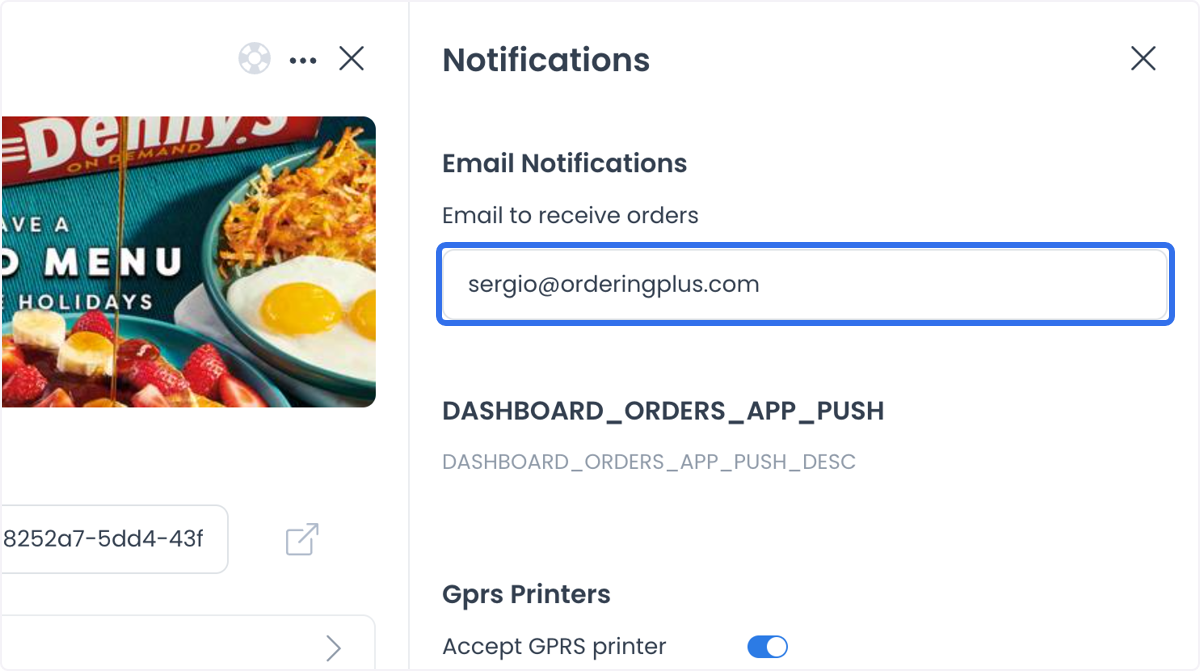
Order email
Add the email address that should receive order notifications. Order details are delivered to that address as soon as an order comes in, which keeps processing and tracking on time.
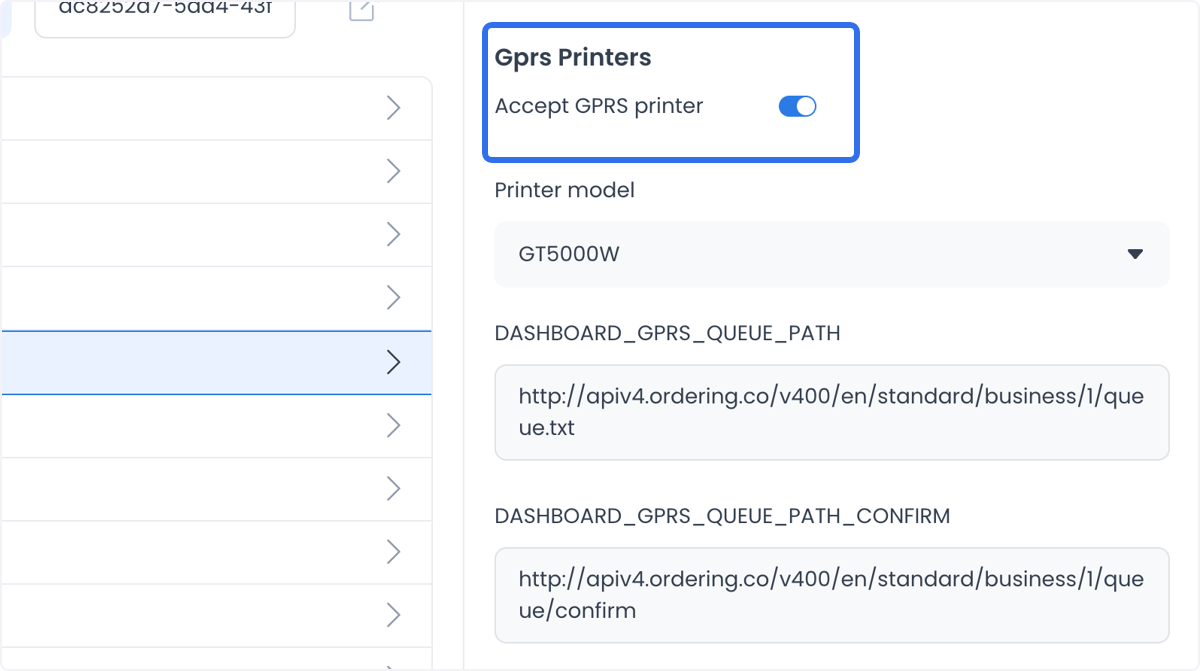
GPRS kitchen printers
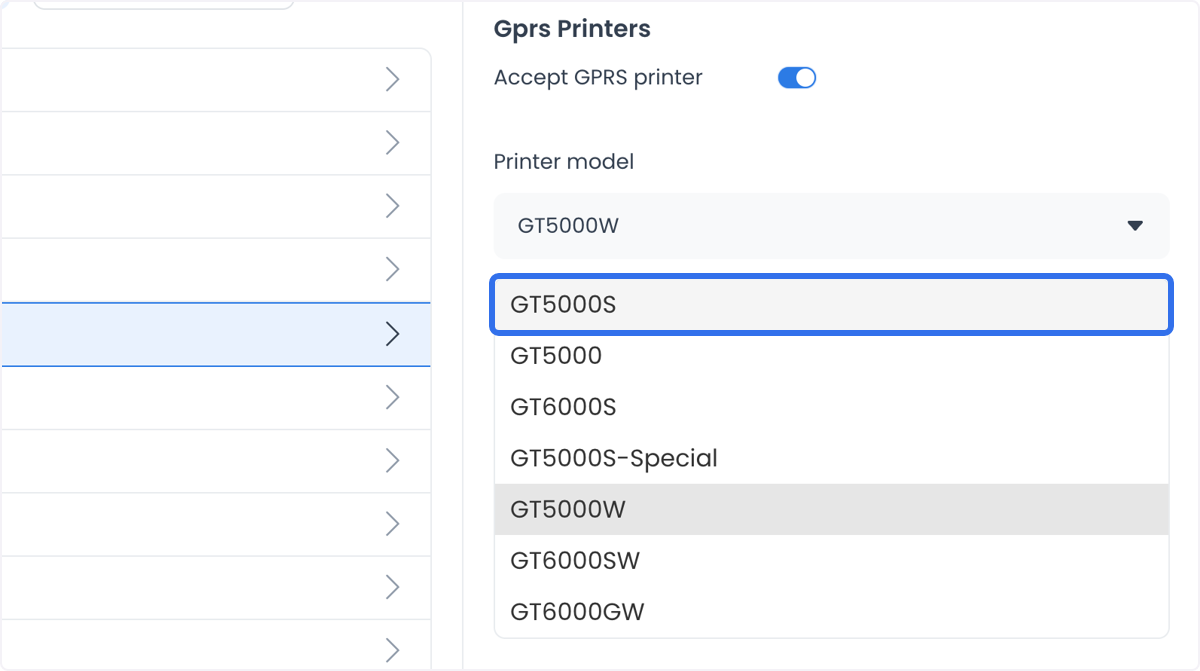
Enable or disable a GPRS printer for the store. When enabled, choose the specific printer to use; accepted orders then print automatically in the kitchen, which removes a manual step and reduces the chance of missed or misread orders.
Printer queue paths
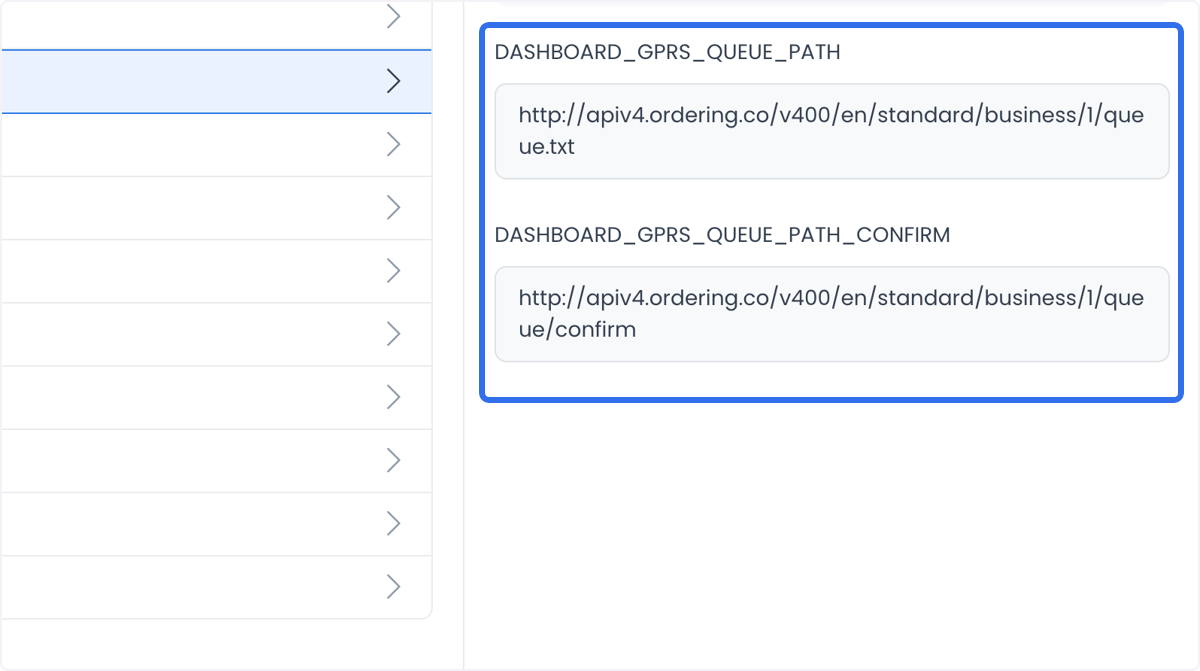
Two settings configure the GPRS printer queue:
- Dashboard_GPRS_QUEUE_PATH: the queue path for pending print jobs.
- Dashboard_GPRS_QUEUE_PATH_CONFIRM: the queue path for processed jobs.
Configuring both correctly keeps printing reliable.
Use cases
- High-volume restaurants: a GPRS printer keeps a busy kitchen organized by printing each order as soon as it's accepted.
- Kitchens with multiple stations: printed receipts can route to the station preparing that part of the order, so every station starts at the same time.
- Growing businesses: connecting a GPRS printer lets order volume scale without adding manual steps to the workflow.