Business fees and payment account
Open Stores, select the store, and find Business fees or Business payment account under Payments & fees. These sections cover the store's charges and account. Customer fees cover what the customer sees at checkout.
Review or manage Business fees
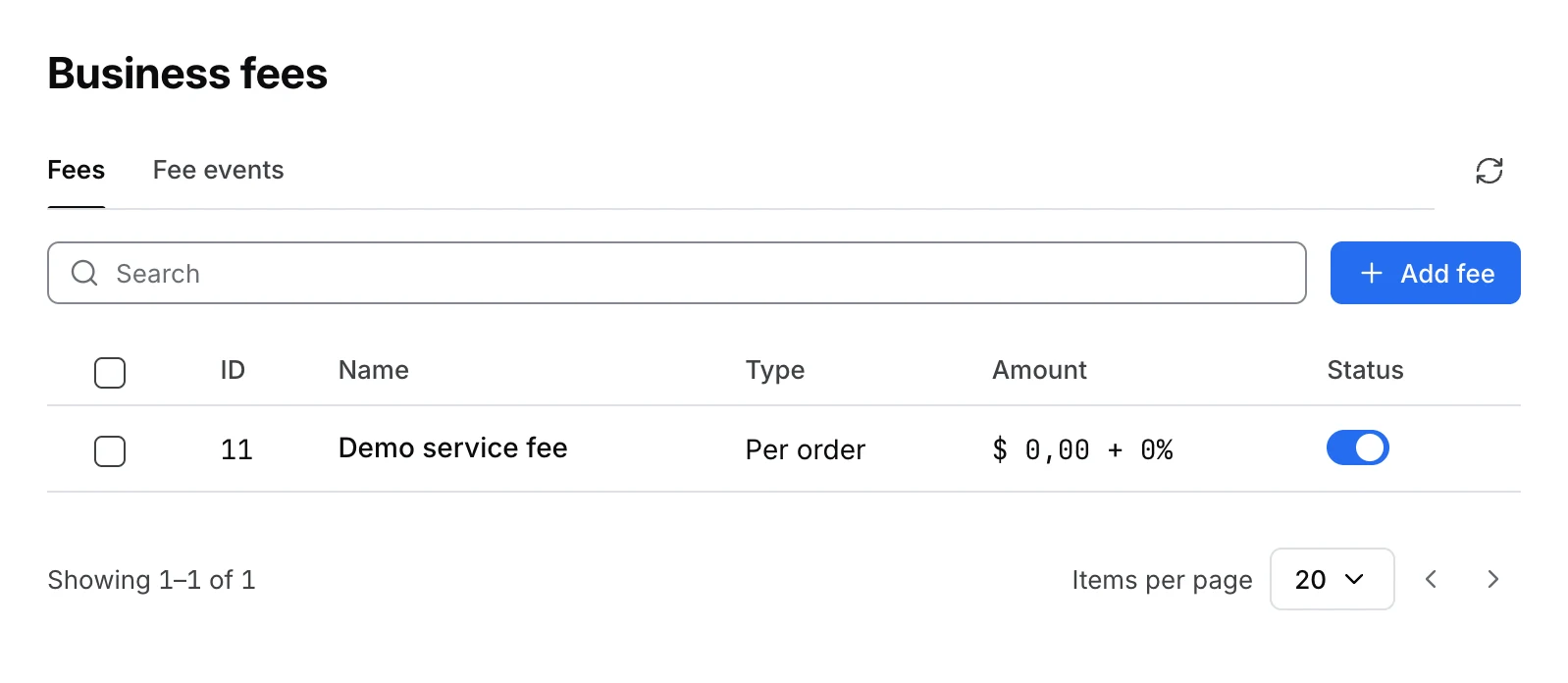
Business fees is available to administrators. Open Fees to review the store's fee rules. Use Add fee to configure a rule with the applicable conditions.
Open Fee events to review the recorded charges and credits. A fee rule describes how charges apply. An event records an individual charge or credit. Add charge or credit opens a form followed by a confirmation. Check the store and amount before confirming. The confirmation adds the event to the store balance. Use the event list to verify the result.
Order-generated events are not selectable for deletion. To reconcile the broader payment activity, use Payment reports.
Review or manage the business payment account
Open Business payment account to see the account associated with this store. If it has an account, review the method, status, and payout schedule when shown. Store owners can review their account. The administrator can edit or disassociate an existing account and can associate an existing account when that option is available. The section is unavailable to profiles with selected access.
If there is no account and Create Payment Account is available, select a method, enter the requested details, and submit. If the account cannot load, use Try again before deciding whether to create an account.
An account record or a recorded fee is not a completed payout. For the separate Stripe Connect account and payout rules, see Stripe Connect V2 payouts. Keep account details and credentials out of screenshots and shared documents.