Configure Reservations
As an administrator, open Settings → Orders & checkout → Reservations. The old /reservations address redirects here.
Enable reservations and set defaults
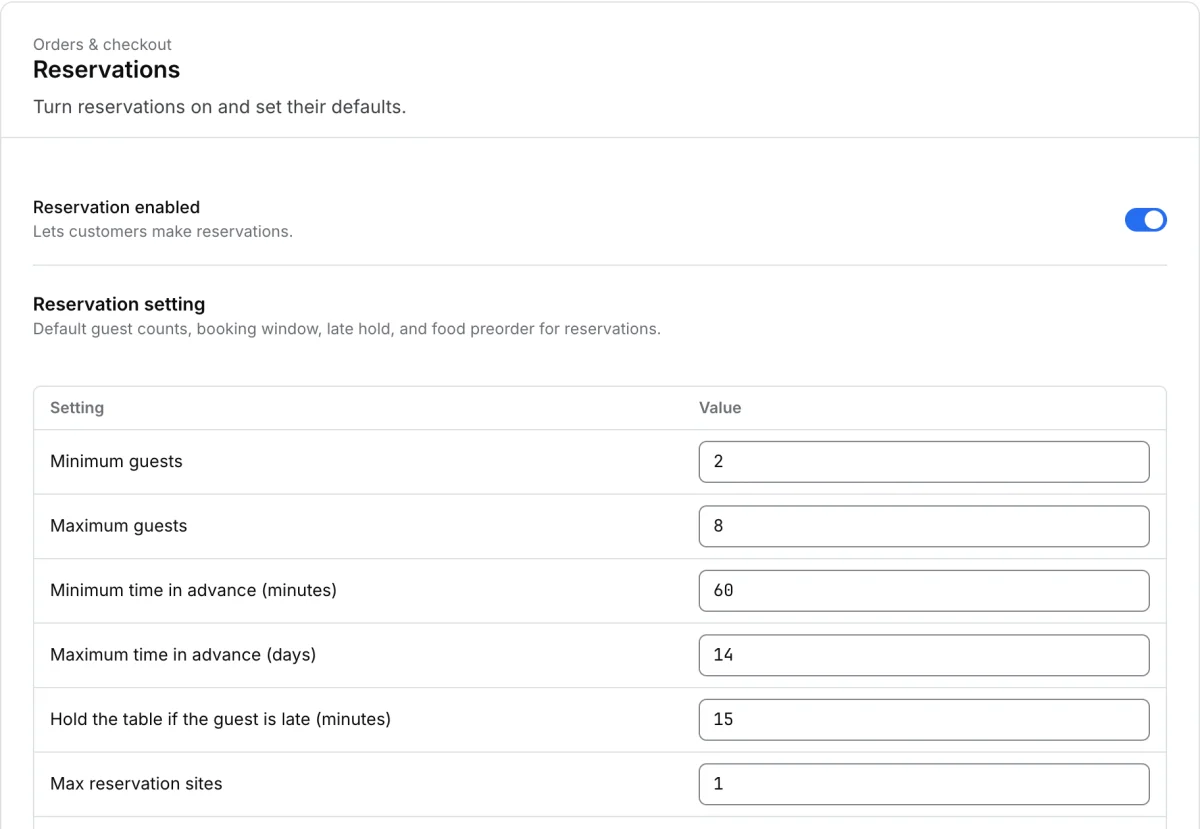
Turn on the reservations switch if the project should offer bookings. Review the default values in the settings table.
| Setting | What to review |
|---|---|
| Minimum guests and Maximum guests | The party sizes the project will accept by default. |
| Minimum time in advance (minutes) and Maximum time in advance (days) | How soon or far ahead a customer can book. |
| Hold the table if the guest is late (minutes) | How long the table is held after the scheduled time. |
| Max reservation sites | The project limit on reservation sites when shown. |
| Allow food preorder when booking | Whether eligible customers can add a food preorder as part of the booking. |
Select Save changes and verify the saved values. A store and ordering channel also need to offer reservations. Check a synthetic booking at the intended store for the guest limits and available times. See Services and reservations in the Customer App for the customer journey.