Set up Twilio OTP
Twilio is a cloud communications platform. Ordering.co uses your Twilio account to send authentication codes by SMS, voice, and WhatsApp so customers can log in or sign up without a stored password.
You need an active Twilio account. Copy values from the Twilio Console into Settings → Pro → Social login options. Saving those values does not prove Twilio delivered a message.
For product scope, country, and channel limits, see Twilio OTP on Ordering.co.
Benefits
- Communication: Voice, SMS, and other Twilio messaging can reach customers and providers.
- Security: Phone and email verification reduce fraudulent sign-ups.
- Scale: Twilio's API can grow with the number of users who request codes.
- Reach: Twilio supports many countries and languages, which helps when the marketplace expands.
Copy Twilio credentials into the Dashboard
Open the Twilio Console and the Ordering.co Social login options page. Paste each Twilio value into the matching Dashboard field.
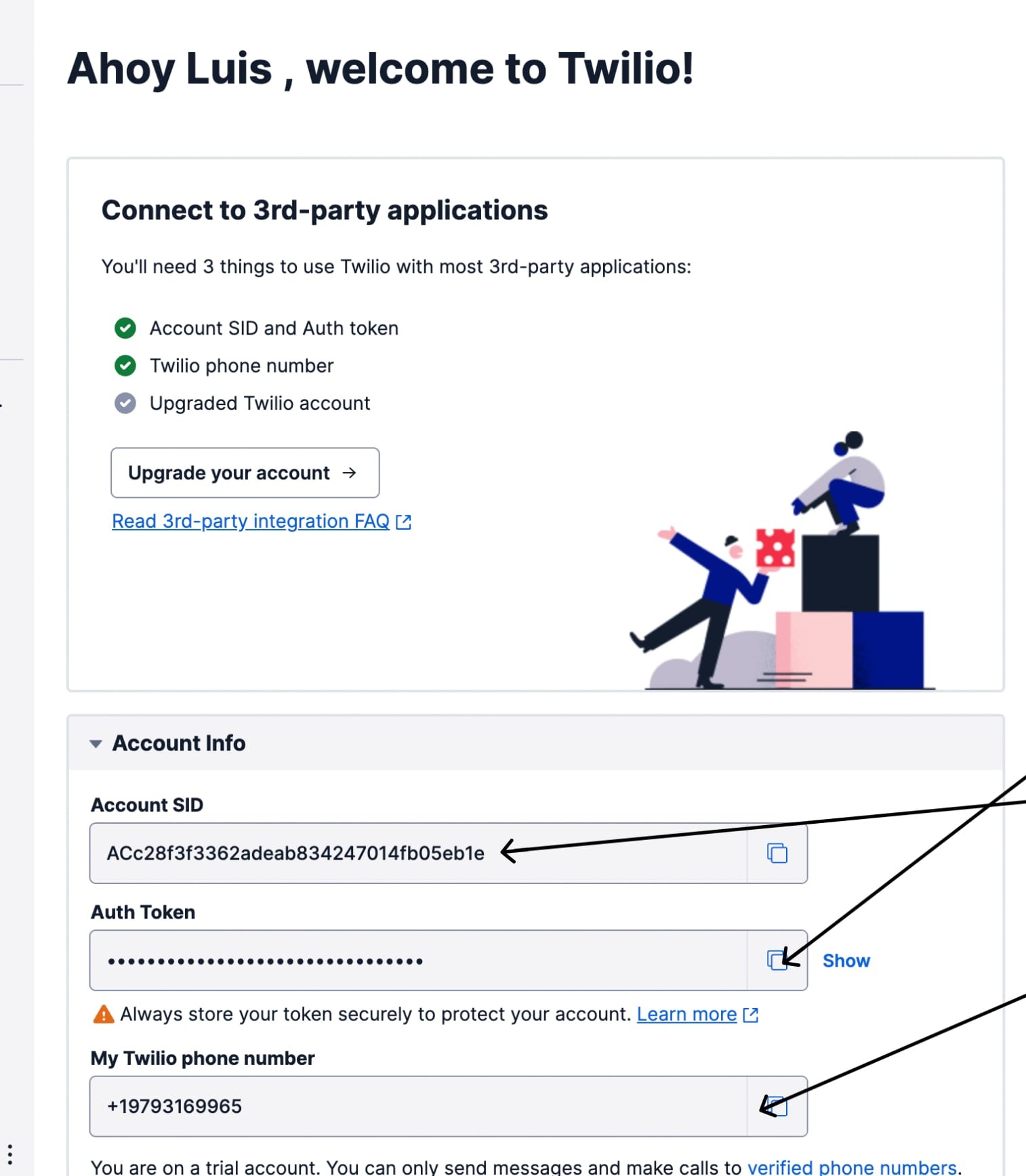
Twilio shows Account SID and Auth Token in the Account Info pane of the Console Dashboard. Twilio documents those values as the account username and token; keep the Auth Token private.
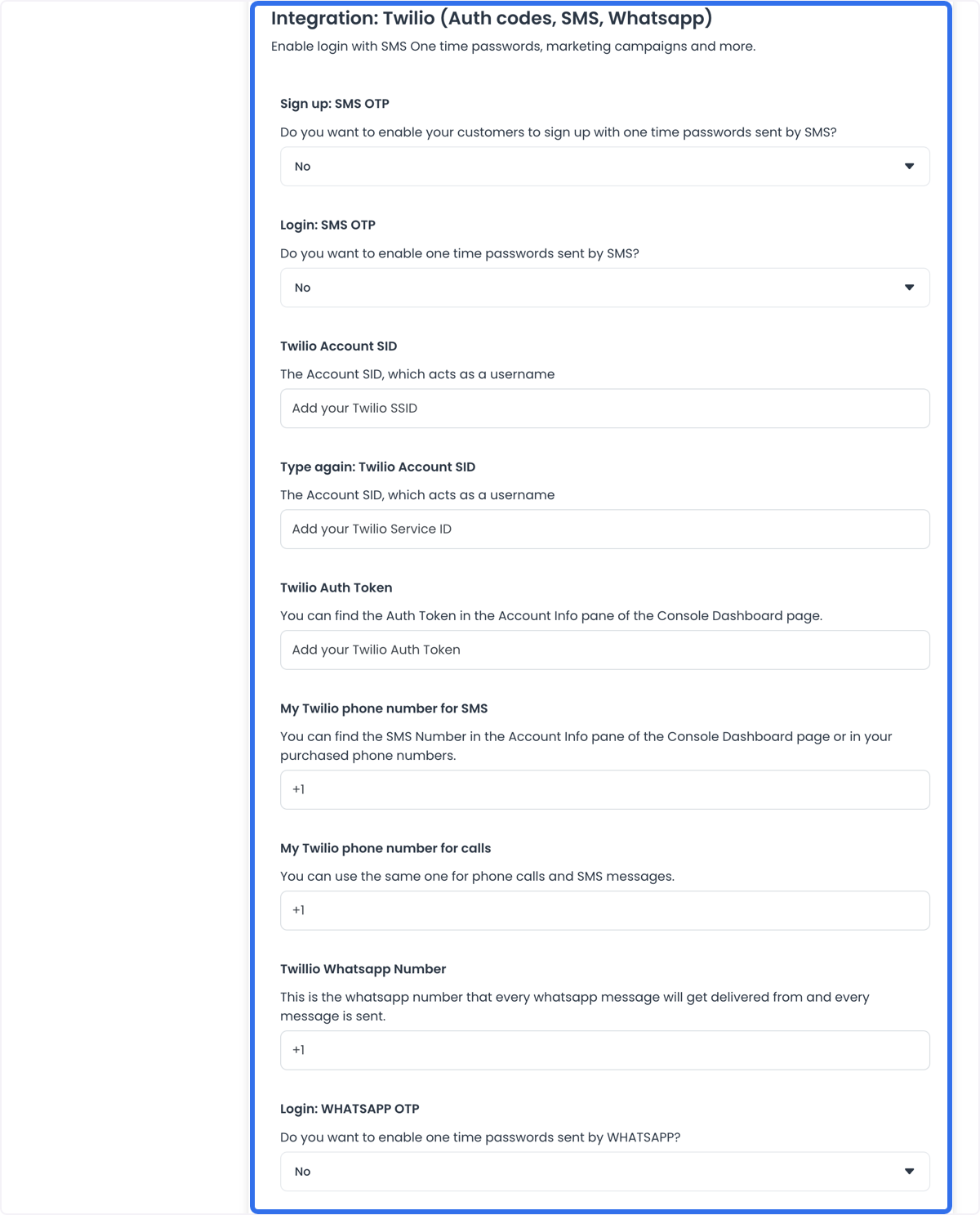
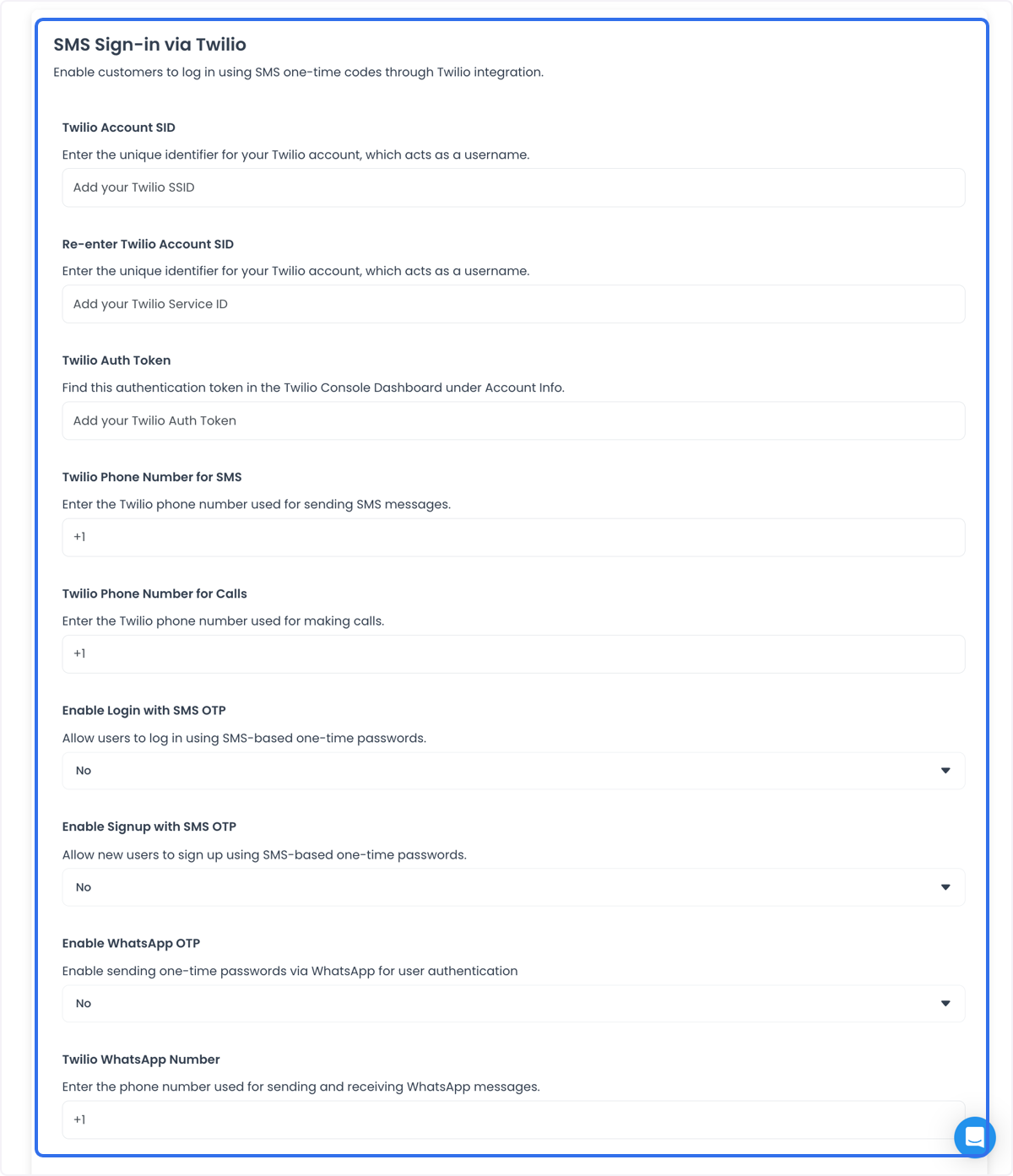
Fill every field from the Twilio account:
- Twilio Account SID: The Account SID. Twilio treats this as the username.
- Re-enter Twilio Account SID (also labeled Type again: Twilio Account SID): Type the Account SID again so a typo does not ship. The placeholder may say Service ID; still confirm the same SID.
- Twilio Auth Token: The Auth Token from Account Info.
- Twilio Phone Number for SMS (also labeled My Twilio phone number for SMS): The SMS number from Account Info or from purchased phone numbers.
- Twilio Phone Number for Calls (also labeled My Twilio phone number for calls): The number used for voice verification. You can use the same number for SMS and calls.
- Enable Login with SMS OTP: Yes lets existing users log in with a phone number and an SMS code.
- Enable Signup with SMS OTP: Yes lets new users register with a phone number and an SMS code.
- Enable WhatsApp OTP: Yes sends the verification code on WhatsApp.
- Twilio WhatsApp Number (Dashboard spelling may show Twillio Whatsapp Number): The WhatsApp-enabled number every WhatsApp message is sent from.
- Twilio WhatsApp Template SID: The Content SID (
HX…) of the approved WhatsApp authentication template. Twilio requires this SID for WhatsApp Business API templates. See WhatsApp authentication and Create templates with the Content Template Builder.
After these fields are saved, the selling tools can ask for a verification code before login or signup. That request still depends on Twilio accepting the API call and delivering the SMS or WhatsApp message.
Practical configurations
- User verification: Require a phone OTP before the account can place orders.
- Appointment reminders: Use the same Twilio numbers for SMS reminders about upcoming appointments. Reminder traffic is separate from login OTP; configure templates and sender numbers for that use in Twilio.
- Customer support: Twilio voice and messaging can power support channels. That is not enabled by the OTP toggles alone.
- Marketing campaigns: Personalized SMS campaigns need their own Twilio sender and compliance settings. Do not reuse an authentication WhatsApp template for marketing.
Conclusion
Paste the Twilio Account SID, Auth Token, sender numbers, and WhatsApp template SID into Ordering.co, then enable the OTP methods the storefront should offer. Confirm a test code arrives before you treat SMS or WhatsApp login as working.