API usage limits
Open Settings → Apps & developers → API usage limits as a project administrator. The screen reports the limits that apply to the selected project.
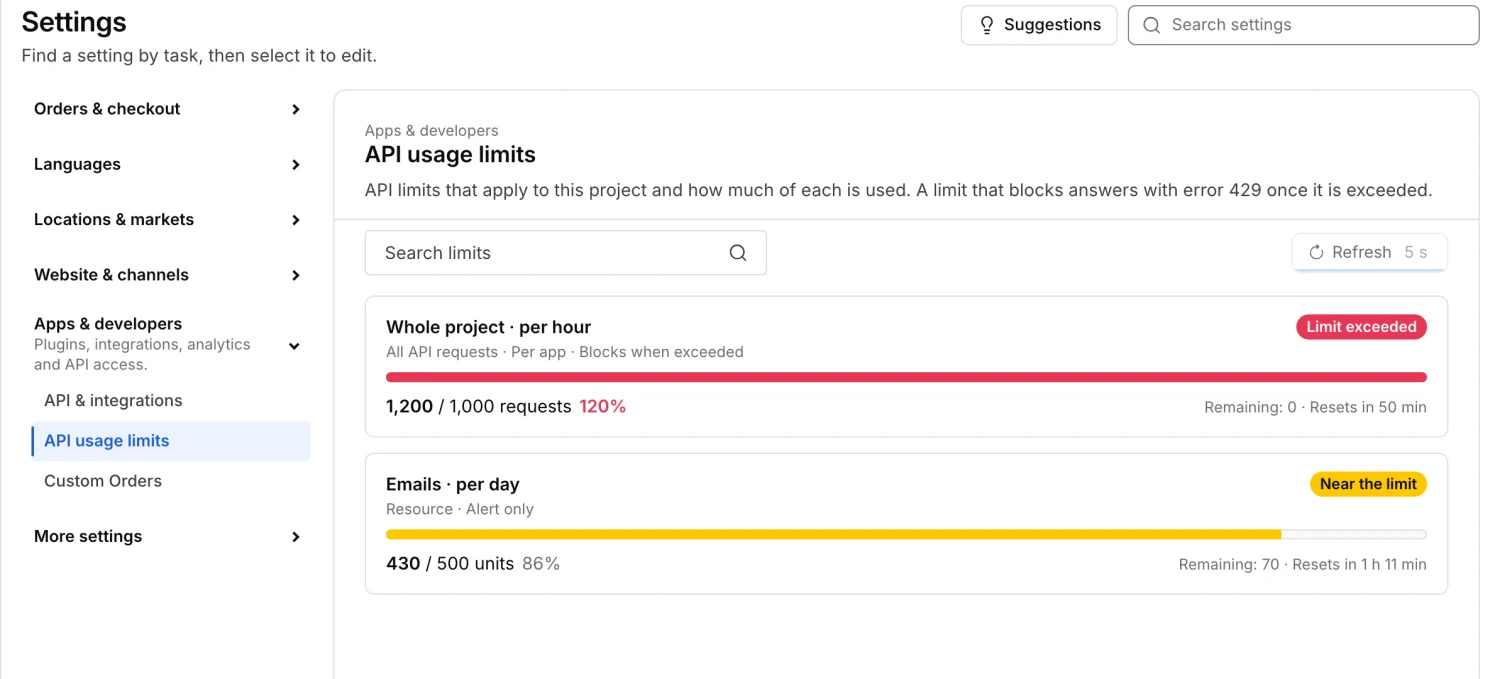
Read the current limits
Use Search limits to find a scope, resource or status. A card can show the limit, current usage, remaining capacity and the time until the measurement window resets. Check its scope and enforcement mode. A limit can apply to the whole project, an endpoint or a resource. Alert only tracks the threshold for alerts. Blocks when exceeded can cause an HTTP 429 response. If the failed response includes Retry-After, respect it and reduce the request rate before retrying.
Refresh usage
The page loads a snapshot on open. Select Refresh for a new snapshot. The action waits at least five seconds between requests. If the reset countdown reaches zero, refresh to see the new window. A notice can indicate that usage data is unavailable even though the configured limits are listed. An empty page means there are no active limits to show for this project.
Request a change
Contact Ordering.co support if you need a limit reviewed. Provide the project, the affected scope and window, and a timestamp of the limit error. Limit changes are handled separately from this read-only screen.