Create an API key
An API key gives an external application a direct, authenticated connection to the Ordering.co API for a project, without requiring a user to log in for every request.
Generate a key
-
Log in to the Dashboard and open the project you want to connect.
-
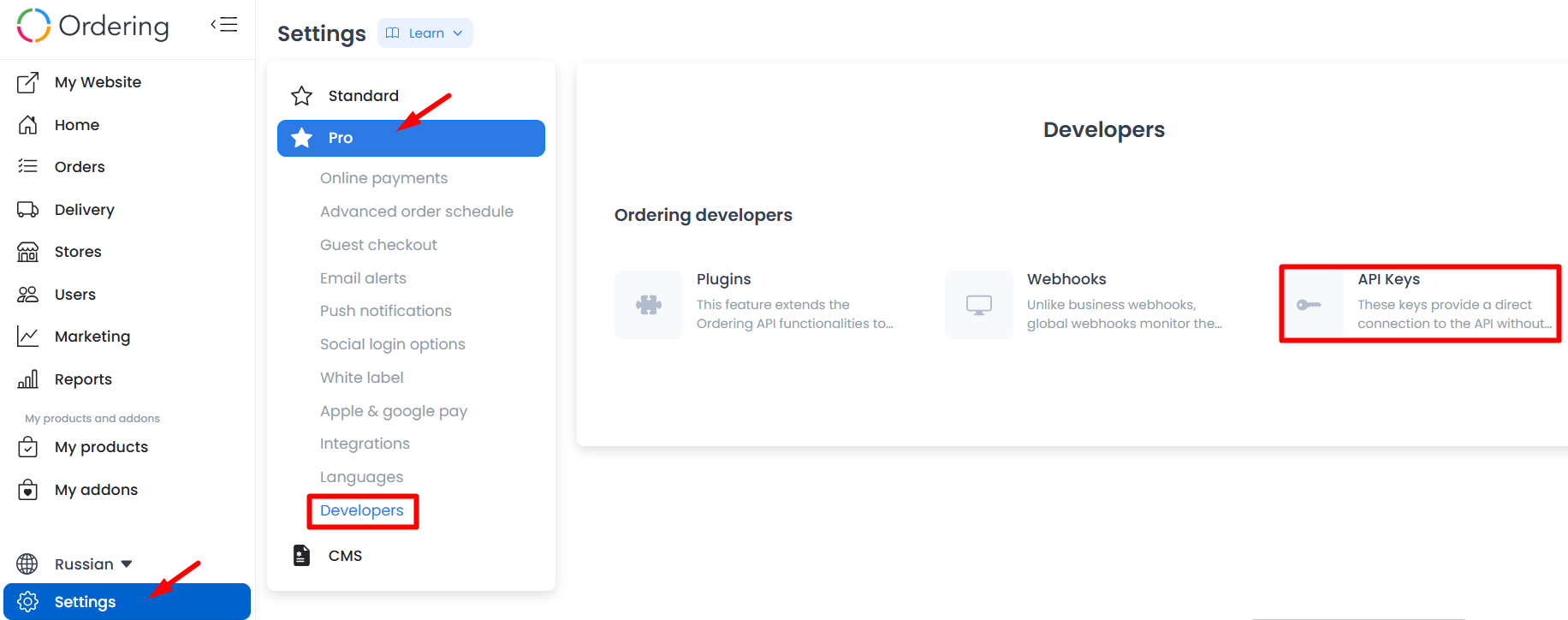
Select Settings at the bottom of the left-hand sidebar.
-
In the settings view, select Developers when it is available.
-
In the Developers panel, select the API Keys card.
-
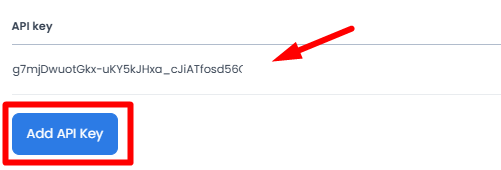
Select Add API Key.
-
A new alphanumeric key appears. Copy it immediately and store it securely.
Keep your key secure
An API key provides a direct connection to the API without further authentication, so treat it like a password:
- Don't share it in public chats or messages.
- Don't commit it to a public GitHub, GitLab, or other version-controlled repository.
- If you suspect a key has been compromised, delete it from the API Keys card and generate a new one immediately.
Use your key
Once you have a key, add it as the x-api-key header on your API requests. See Use the Ordering.co API for how to make your first requests, and API Reference for the full set of available operations.