Plugin settings
Dashboard builds Plugin settings navigation from the categories available to the current project. The panel appears only when at least one category is available. Numeric category IDs and category lists can differ between projects.
Historical navigation media
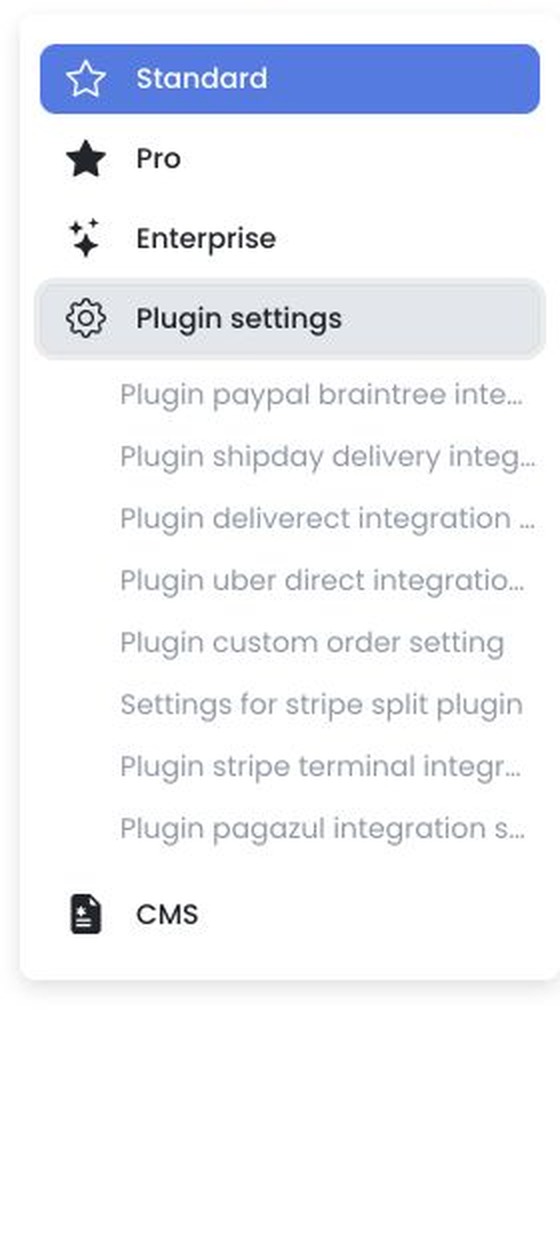
Available plugin categories depend on your project. The navigation may include PayPal Braintree, Shipday, Deliverect, Uber Direct, Custom Order, Stripe Split, Stripe Terminal, Pagazul, or other configured plugins.
Settings and management are separate surfaces
Plugin settings use a shared editor. Text and selection changes are generally staged until Save and then applied sequentially; image changes may apply immediately. Labels, field types, validation, defaults, and provider effects depend on the project and plugin.
Plugin settings in Dashboard are separate from plugin installation and administration in Developers. A direct /settings/plugin URL does not substitute for the Developers workflow. A plugin may retrieve external metadata, and its General settings may be hosted outside Dashboard.
Plugin URLs, endpoints, credentials, account identifiers, webhooks, order or customer data, provider responses, and external configuration must not be captured. Installation, enablement, refresh, deletion, connection, and provider testing can affect live integrations. Perform these actions only through an approved operational workflow.
Availability and access
Plugin settings in Dashboard are separate from plugin installation and administration in Developers. A direct /settings/plugin URL does not substitute for the Developers workflow.
Available categories and options depend on the project configuration. A visible category does not confirm that a plugin is installed or connected.
Related guides: Developers · Settings overview