Platform settings
Platform settings contains general configuration that applies across your Ordering platform.
This page is part of the Standard settings group for administrator-level accounts. The fields shown can change with the current platform configuration.
Open Platform settings
- In the Dashboard sidebar, select Settings.
- Expand Standard.
- Select Platform settings.
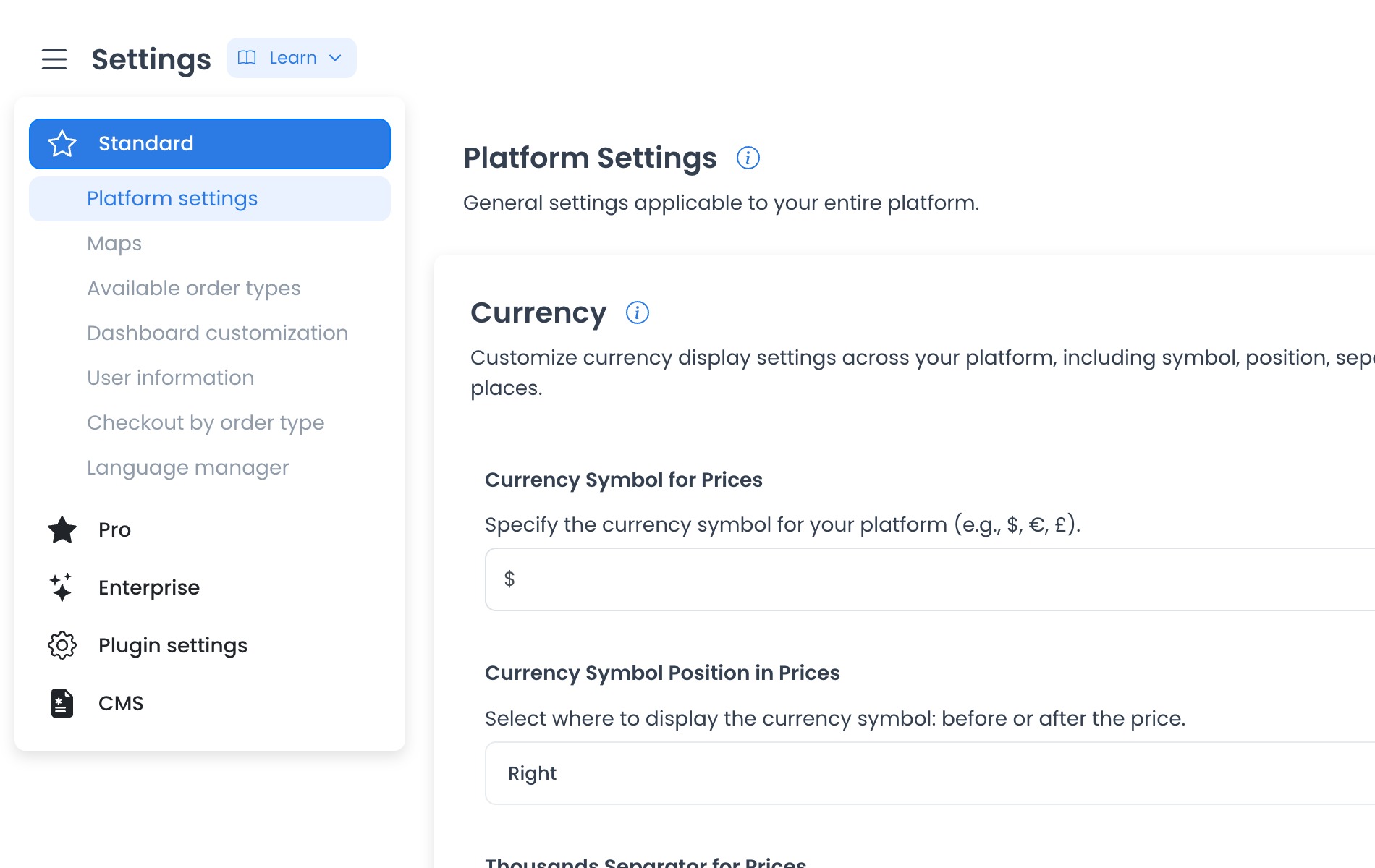
Currency display
The historical category capture associated this page with numeric category 804 and the following currency controls. That ID and inventory are project/runtime evidence, not portable fixed-source constants; verify the returned category key and records before relying on them.
The visible currency section includes controls for:
- Currency Symbol for Prices — Set the symbol displayed with prices.
- Currency Symbol Position in Prices — Choose whether the symbol appears before or after the amount.
- Thousands Separator for Prices — Choose the separator used for thousands.
- Decimal Places for Prices — Set how many decimal places prices display.
Save changes
In fixed source, pending supported changes expose Save. The generic form can display a validation message instead of submitting an invalid value; no field was changed or submitted here.
At the pinned client source, generic category edits are buffered locally and Save submits them sequentially, one config at a time. Earlier updates can succeed before a later failure. Accepted API updates can add audit-log entries, refresh global configs after the sequence, and run plugin hooks. None were run here.
Downstream currency consumers are source traces only; no deployed formatting effect was verified.
Fixed source proves only the level-0 All Settings route, dynamic category selection, generic renderer, and write mechanics. It does not prove that category 804, these labels, or these values are deployed. Re-entry requires immutable serving receipts and a synthetic category fixture with every config write blocked.
Frequently asked questions
Why don't I see Save?
The page shows Save only after it detects a change that can be submitted.
Do these settings apply to one store?
The historical category describes platform currency display. Confirm the exact returned scope and downstream consumers before treating any value as platform-wide.