Language manager
Use Language manager to review and update translation keys and text for a selected product context. This is a live content-management tool: changing a translation can affect language shown to users of the relevant product.
Language manager is available to Dashboard administrators from Settings > Standard > Language manager. It is different from the separate Languages feature that can appear under Pro settings.
Choose the language and product context
- Open Settings and select Standard > Language manager.
- If the product selector is shown, choose the product context you intend to review.
- If the language selector is shown, choose the language whose translation text you want to review.
- Use Search to find a loaded key or its text.
- Choose the list or spreadsheet view according to the task.
Available product contexts vary with your plan, enabled add-ons, and available app/site types. Website and API are always available in the reviewed interface; other products can be conditional. The language selector is shown only for qualifying Pro/Enterprise projects with more than one enabled language.
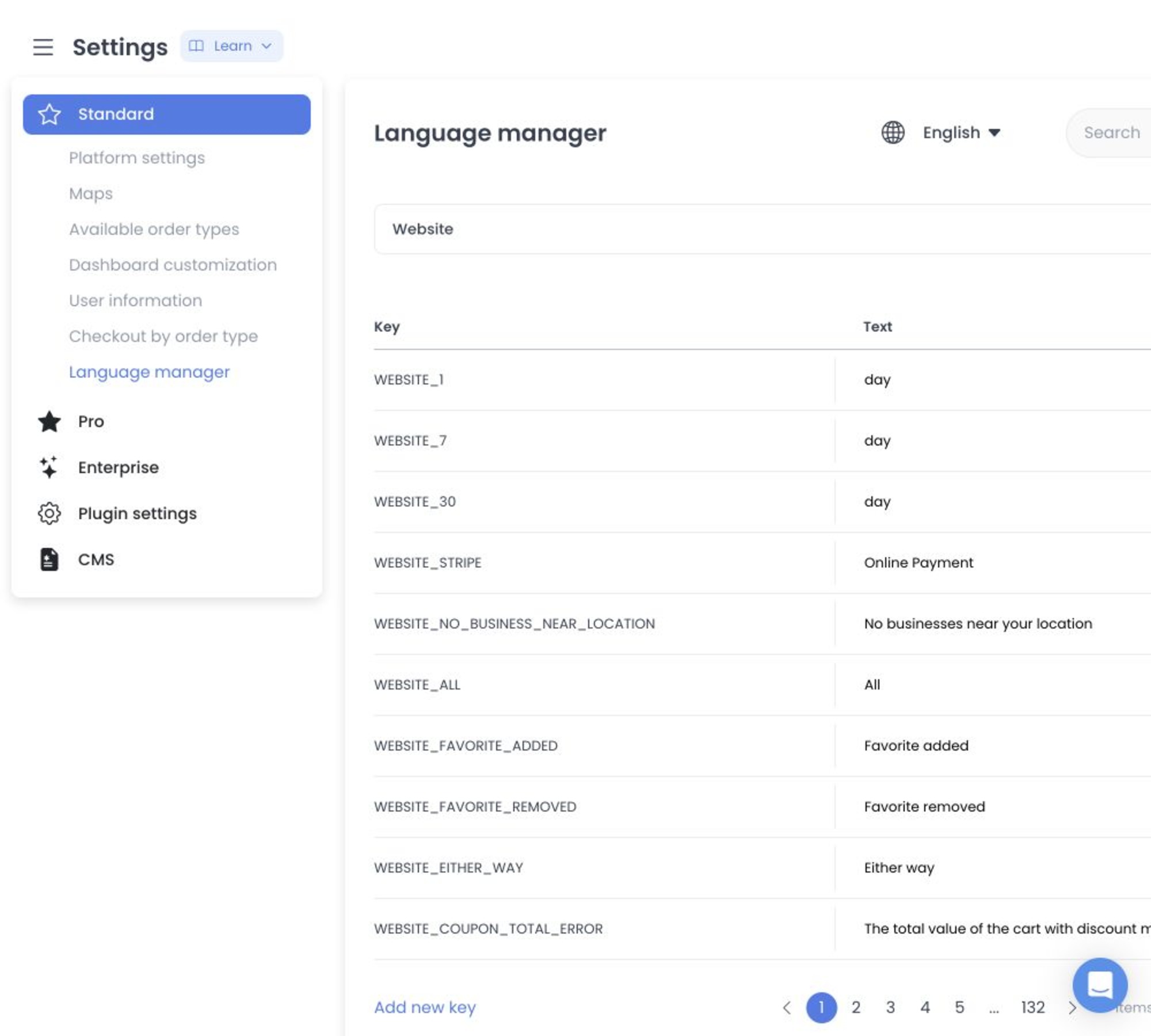
The product and language selectors choose the records loaded for this editor. This screen does not expose default-language, enable/disable-language, create-language, or delete-language controls.
Existing translation records
List view renders a Key and editable Text for each returned record. Search filters the already-loaded key and text/value data in the client.
After input changes, the table waits 750 ms and then passes the record to the translation update controller. There is no final Save button or preview transaction for an existing row.
Spreadsheet view classifies edited rows as additions or updates and sends them to the bulk-translations path. Its existing-key column is read-only, but the grid is not a staging-only surface.
Creation and prefix behavior
List view exposes Add new key. Clicking outside a creation row with any nonempty change invokes its create path; the API may still reject an incomplete key/value pair. In product-context mode the controller adds an uppercase product prefix when absent and sends version: v2 with the selected product. This is an immediate-write boundary, not a draft workflow.
Product and language gates
- Website and API contexts are enabled in the fixed UI source.
- Ordering App requires Pro or Enterprise.
- Dashboard requires Enterprise or the Dashboard add-on.
- Business App and Driver App require the corresponding plan or add-on conditions.
- Kiosk App requires Enterprise or its add-on; franchise options depend on Enterprise or returned franchise availability.
- The separate language selector appears only for Pro/Enterprise projects with more than one enabled language.
These are source expressions, not proof of a deployed project’s plan, add-ons, sites, apps, languages, or returned translations.
Source-only boundaries
- The literal route is
/all-settings?category=language_manager; product context can also be represented in query state. - Reads can include translations and builder-app availability. GET/HEAD are not presumed safe and none ran.
- Writes include a 750 ms debounced individual update, individual create, and separate bulk PUT-update and POST-addition classes. The current Language Manager UI exposes no delete action. No request ran.
- Translation values can contain unpublished copy, URLs, placeholders, identifiers, or sensitive text and must be treated accordingly.
- The API source declares translation item and bulk routes, but not their deployed authorization, persistence, propagation, caching, or success.
- Re-entry requires an immutable serving receipt and an approved synthetic multi-language fixture with all individual and bulk writes intercepted.
Related guides: Settings logs · Platform settings