Enterprise settings
The Enterprise group under /all-settings combines project-specific categories with Dashboard entries such as Countries/cities and Channel-specific settings. It can include Enterprise features, Order management, Enterprise delivery features, Order SLAs, Security, Enterprise integrations, Enterprise kiosk, and Multi-country settings when enabled for the project.
The /all-settings route requires level 0. Its Enterprise group additionally requires Enterprise plan state and returned Enterprise categories. Menu entries and numeric category IDs can vary by project and do not guarantee access to a configuration.
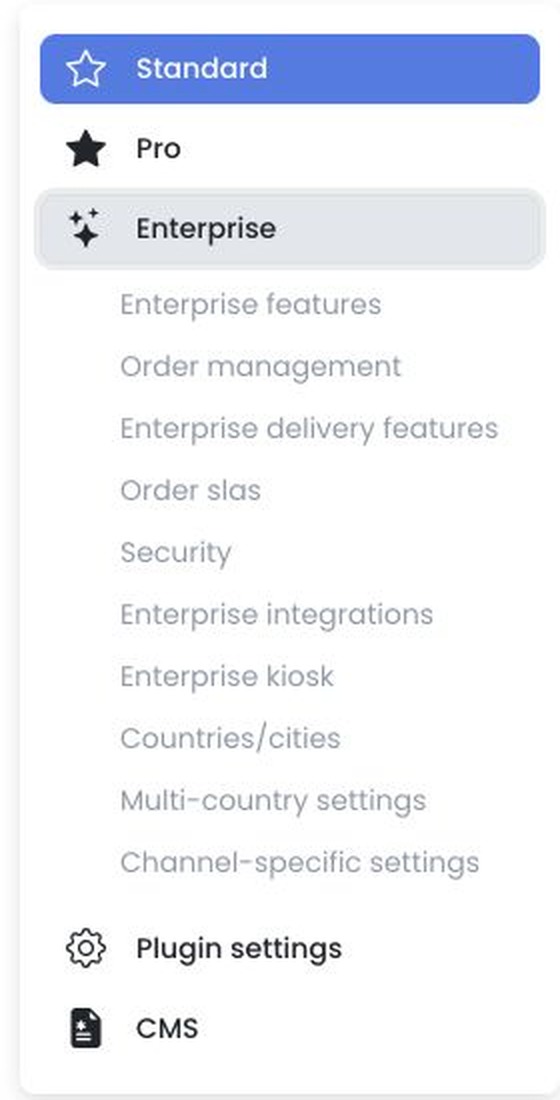
Selecting the group or a category loads authenticated settings for the project. Numeric category IDs are project-specific and are not portable URLs.
The settings editor stages standard fields until Save and then applies changes sequentially; image cropping can save immediately. If a later update fails, earlier changes may already be saved.
Direct navigation to /settings/enterprise does not establish Enterprise access.
Related guides: Settings overview · Enterprise features