Delivery company settings for the project
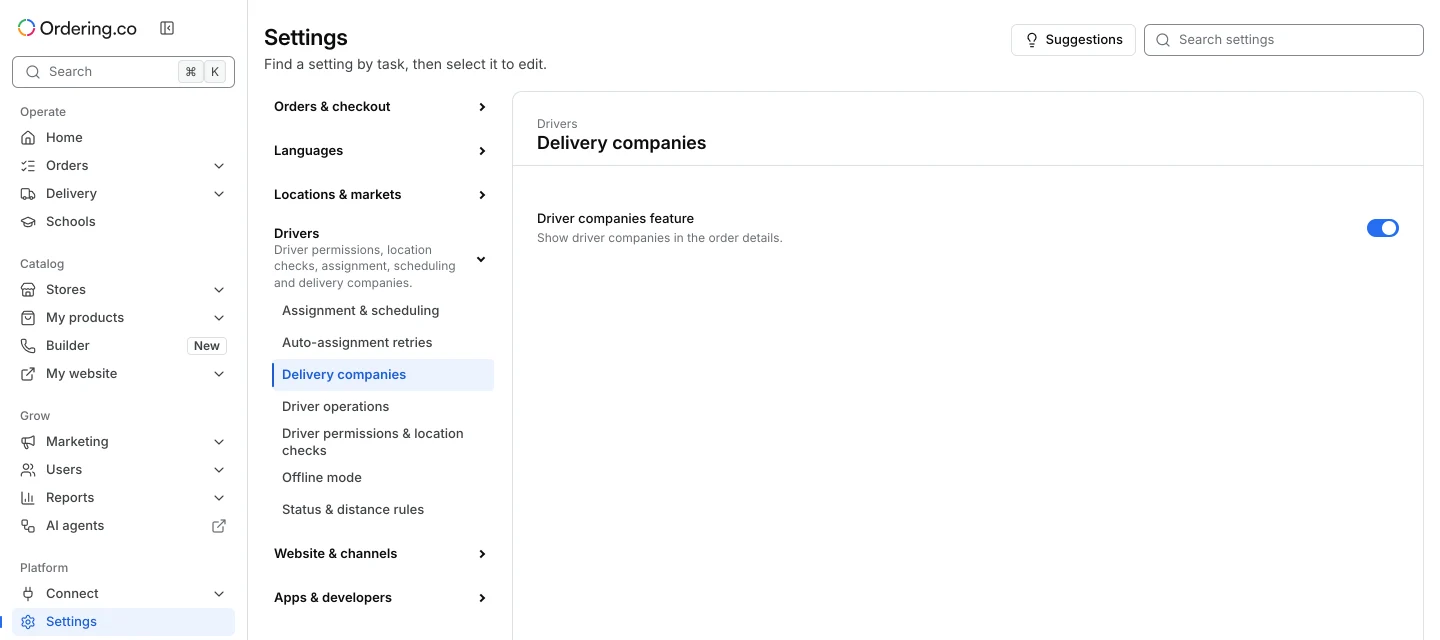
Open Settings → Drivers → Delivery companies as an administrator. Use this section for project-wide controls. The fields shown depend on the configuration returned for the project.
Review the order-details control
When available, Driver companies feature controls whether the driver-company option is shown in order details. Even when it is on, the option can depend on the order’s driver assignment and the account’s permission to assign a company. Review the pending change and select Save changes. Check the result on an approved test order with the intended role.
Open the right delivery surface
| To manage | Open |
|---|---|
| Project-wide delivery-company controls | Settings → Drivers → Delivery companies |
| Company records, schedules, and operational details | Delivery → Delivery companies |
| Provider setup and credentials | Connect → Delivery services |
Verify the saved project setting and the order action separately from provider setup, dispatch, and delivery.