Dashboard customization
Use Dashboard Customization to customize the branding and new-order notification presentation used by Dashboard. These settings are project-wide and can change what staff see in the sidebar, sign-in experience, browser tab, primary buttons, and new-order alerts.
Dashboard customization is available only to Dashboard administrators (level 0). It is part of Settings → Standard. The exact category value in the URL is created by the project; open it from the Settings menu instead of copying a category ID from another project.
Open Dashboard customization
- In the Dashboard sidebar, select Settings.
- Open Standard.
- Select Dashboard Customization.
- Review the current controls before making a change.
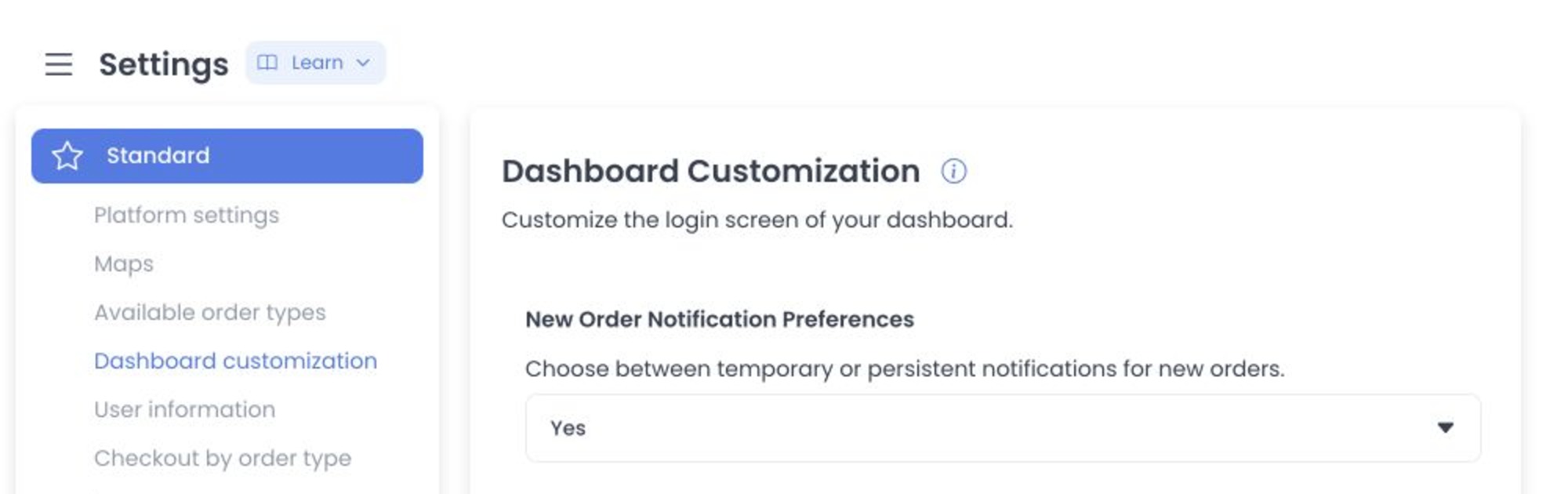
Controls represented in source
| Control | Source representation |
|---|---|
| New Order Notification Preferences | A project configuration value for the Dashboard notification presentation mode. |
| Logo, Login Background, Favicon | Image-type configuration controls. Their visible consumers are separate source surfaces and are not deployed-effect evidence. |
| Title | A text configuration consumed as Dashboard title data, with source-level fallback logic. |
| Buttons Colors | A color configuration consumed by Dashboard styling code. |
The current image control advertises PNG/JPEG/JPG through input accept hints, rejects a file whose MIME major type is not image, and checks a 2 MB client-side limit before presenting its crop flow. These client checks are not security or persistence guarantees.
Write timing and isolation boundary
The source separates image and ordinary configuration paths. Confirming an image crop invokes its save path immediately. Text, color, and select changes accumulate in form state; Save then sends changed configs one at a time. This is neither a preview transaction nor an atomic batch.
No asset was selected, cropped, uploaded, or saved, and no authenticated request was made. Source inspection alone cannot establish the deployed category, stored value, propagation, rollback behavior, or visible result.
Source-only boundaries
- The direct route uses a project-specific numeric
category; only the returned Standard-category list establishes menu presence. - The fixed Dashboard source traces the config controller, image control, crop confirmation, and sequential config updates.
- The fixed API source declares config read/write routes, but a route or verb does not prove authorization, deployed behavior, persistence, or success.
- Re-entry requires an immutable serving receipt and a synthetic project with intercepted uploads and configuration writes.
Related guides: Settings overview · Profile and account sessions