Settings — Overview
Settings at /all-settings is a dynamic category shell. It loads category records and configuration values from the project; fixed source does not define a universal field catalogue.
The route and sidebar button require level 0, while the sidebar also excludes read-only classifications. Standard and Plugin category trees are requested for every eligible project; Pro and Enterprise trees are added from plan state.
Open Settings
- In the Dashboard sidebar, select Settings.
- Select a settings group and then choose the page you want to manage.
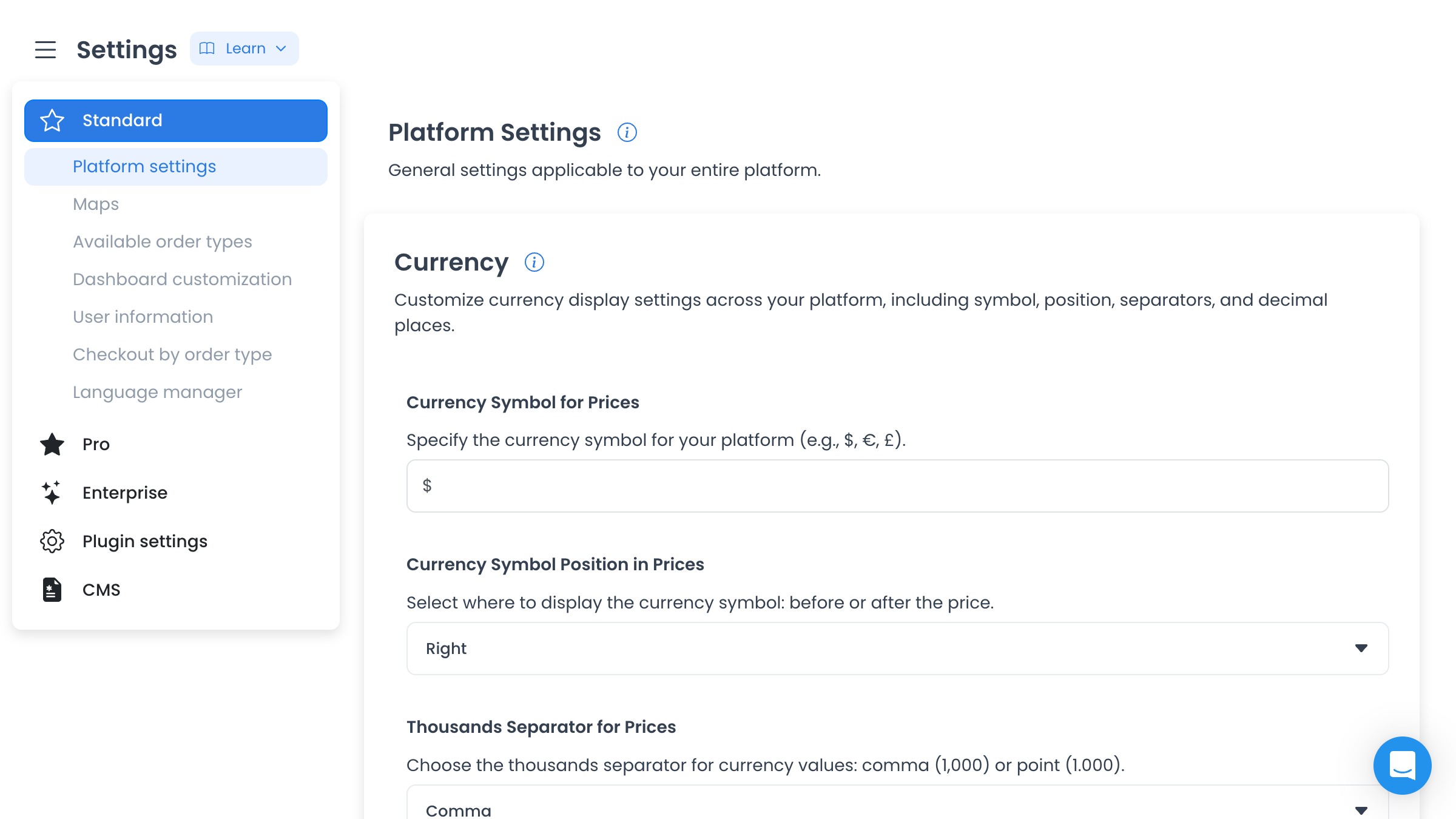
How Settings is organized
- Standard contains general platform configuration available to the project.
- Pro and Enterprise contain settings enabled by those plans.
- Plugin settings contains configuration added by installed plugins.
- CMS contains content-management settings.
Each group expands to show its available pages. Selecting a page updates the settings panel on the right.
At the pinned source, /all-settings first resolves parent categories by key and version, then fetches their ranked children. Returned IDs, names, descriptions, configs, support links, and images are runtime data. A query with a numeric category selects a returned record; named queries route to specialized modules.
The legacy /settings/basic and /settings/standard routes remain audit-only source surfaces owned by this overview. They do not establish unique public capability, direct-route entitlement, a separate page, merge, redirect, or replacement.
Working with a settings page
- Select a category and verify that it came from the intended project and group.
- Treat every returned value, identifier, credential-like field, and support link as project data.
- Identify whether the category uses the generic buffered form or a specialized module.
- Do not assume a Save button is the only persistence boundary.
Generic forms buffer changes, then submit config updates one at a time; partial completion is possible. Specialized modules can use immediate, debounced, create, delete, bulk, upload, provider, or external-navigation effects. None are authorized by this overview.
Accepted generic config updates can write audit logs, refresh global config state, and invoke plugin hooks. Protected values may be masked by the API. No category, config, GET, HEAD, write, upload, credential, provider, link, or production value was accessed for this guide.
Frequently asked questions
Why is a category missing?
Check the route and read-only gates, plan state, requested parent/child category trees, returned project configuration, and relevant specialized-module prerequisites independently.
Why can't I see the Save button?
Generic lists show Save for pending buffered changes. Other modules can persist differently; inspect the exact source and use a synthetic fixture before any runtime verification.