Manage school grades
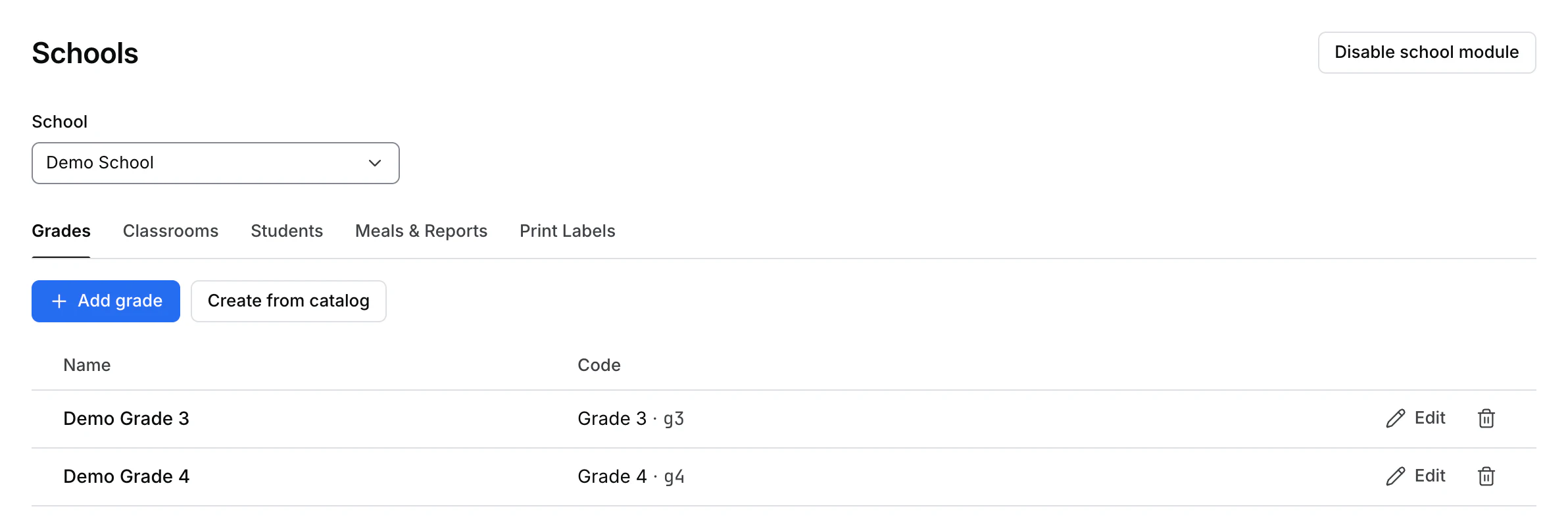
Open Schools, select the school, and choose Grades. Each row shows the grade name and its code when set. On a phone, grades appear as cards.
Add or edit one grade
- Choose Add grade or Edit beside an existing grade.
- Enter the Name. Optionally select a Code from the catalog.
- Select Save and confirm that the grade appears in the list. If saving fails, the dialog stays open with your changes. Review the message and correct the input before retrying.
Create grades from the catalog
Choose Create from catalog and confirm with Create grades. The confirmation says that this can add up to 14 grades to the selected school. After the success message, check the refreshed list for the actual grades that were created.
Delete a grade
Review the school and grade, then use the row's delete action and read the confirmation. Students keep their records and lose the association with the deleted grade. Review those records in Students afterward.