Open source code and Dev Quick Start
As a Dashboard administrator, open the account menu and select Open source code. If the page asks you to sign in again, use your Ordering account and confirm the project.
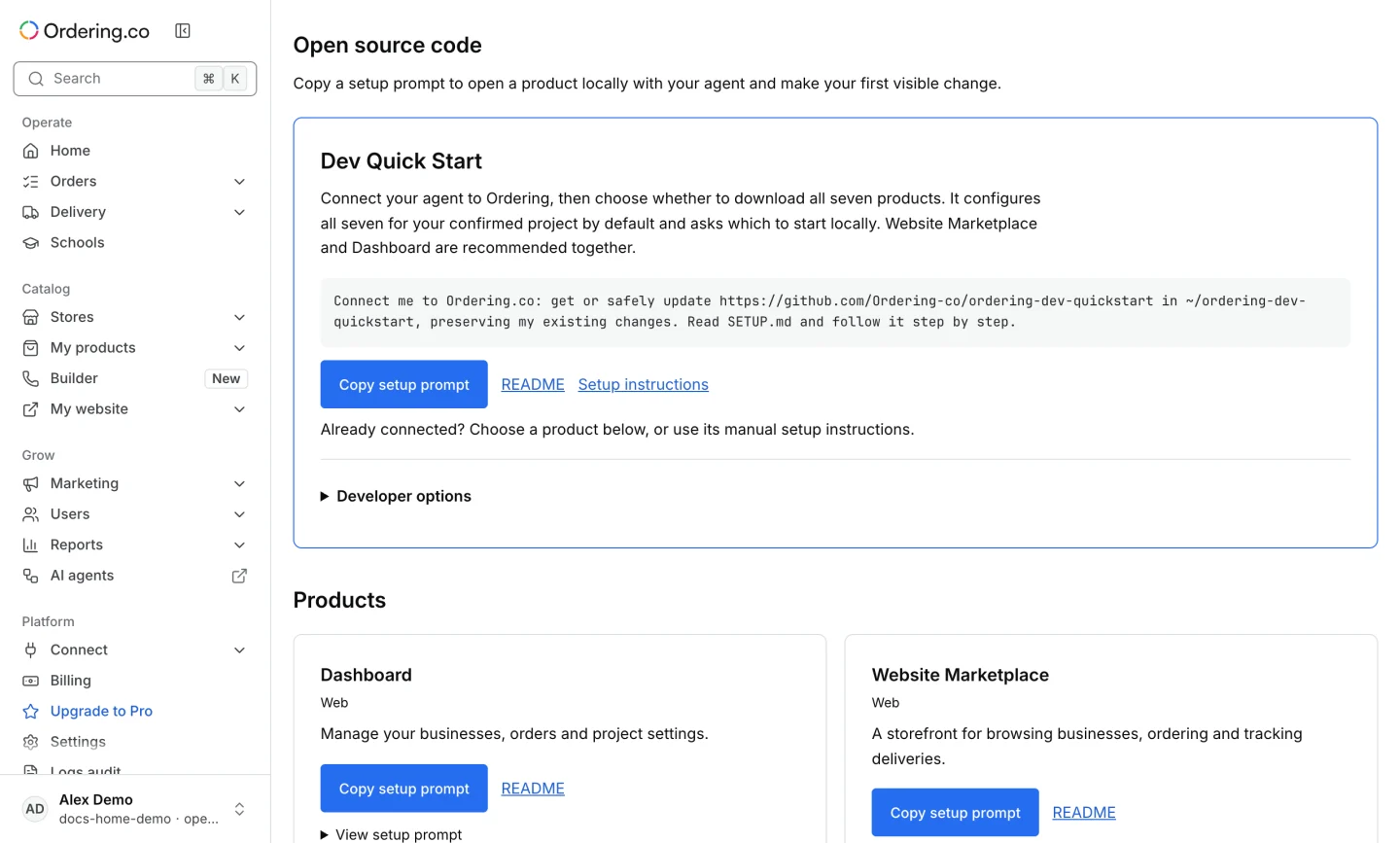
Choose Dev Quick Start to copy a setup prompt for your coding agent. Review the project and products the setup proposes before confirming. Follow the repository's requirements and setup instructions. Dev Quick Start on GitHub
For one product, use Copy setup prompt when offered or open its README. Developer options can include the repository, fork, clone command, and setup instructions. The repositories are public. Connecting a local app to Ordering data still requires an authorized project and account.
The page also links to the public Ordering MCP plugin and skill. Use the repository’s instructions to connect your coding agent to a project you can access.
Start with the product you need and follow its setup guide to confirm the local address and sign-in steps.