My products
My products is the Dashboard area for installed product settings and app-specific configuration. Use the sidebar to open the product that belongs to the project you are managing.
The base /my-products URL needs a product ID. Without one, it returns to Home. A product URL such as /my-products?id=… loads the matching builder app, but that numeric ID belongs only to its project. Do not copy it into another project, a production workflow, or training material.
Navigate to an enabled product
Open My products and addons in the sidebar, then select the installed product you need. The entries shown depend on the project configuration and installed app data.
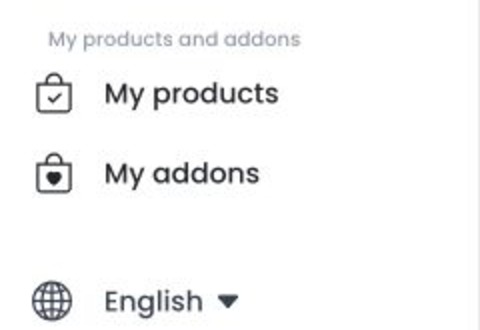
The sidebar can include these destination types:
- Ordering website for the legacy website entry. It is visible while the Franchises website configuration is not enabled.
- Ordering website 2 when its project configuration is enabled. It is a separate entry and does not replace or redirect the legacy website route.
- Dashboard when its project configuration is enabled.
- Franchises website when its sidebar configuration is enabled. Its route can have broader loading and franchise-site conditions, which do not make the sidebar item visible on their own.
- Builder-app entries that use a project-specific product ID.
These entries are navigation destinations, not a universal inventory or a guarantee that a product is installed, configured, or ready to release.
Work safely in product settings
Product pages can include configuration, domain and business data, themes, app builds, downloadable artifacts, QR codes, credentials, certificates, logs, and external setup links. Opening some website and Dashboard product pages can initialize or normalize a missing site or theme record, so treat the page as an operational surface rather than a read-only overview.
- Open only products you are authorized to manage.
- Use a nonproduction project for experiments.
- Do not share app IDs, domains, business data, download links, QR codes, build output, credentials, certificates, tokens, or external setup URLs.
- Follow the dedicated guide and release process before saving, building, downloading, or connecting anything.
Installed and available are different states
The sidebar uses enabled configuration and project app data to decide which destinations to show. The Apps & Addons catalog is a separate workflow. A visible destination does not show catalog status, and a catalog entry alone does not create a working product configuration.
Troubleshooting
Why does /my-products return to Home?
The page needs an id query parameter. Start from an enabled sidebar destination so the Dashboard supplies the correct project context.
Why is a product missing from the sidebar?
Its project configuration or app state might not meet the visibility condition. Confirm the enabled product state with an administrator instead of inferring installation from the base page.
Can I enable a product from the base page?
No. Use the applicable catalog and configuration workflow. Product setup can involve sensitive credentials, builds, domains, and external actions.
What is the unlinked /ordering-products route?
This legacy route is not a supported navigation path. It can expose product and site records, along with Add and Edit workflows. Do not use it as a replacement for this guide; confirm the intended product workflow with the product owner first.
Related guides
Related procedures
- Build apps from Dashboard
- Build iOS apps
- Manage Google Play closed testing
- Publish and update apps in Google Play
- Publish apps in the App Store
- Set up developer accounts and access
- Test an iOS app
- Test and publish app releases
- Update App Store and Google Play listing images
- Upgrade an Ordering.co product version