Marketing overview
Marketing is a Dashboard navigation group, not a mounted overview route. It links to offer, banner, cart-recovery, and conditionally campaign tools, each with separate route, feature, data, and effect boundaries.
The Marketing group requires level 0, Pro or Enterprise, and exclusion of read-only administrator, delivery-manager, and business-owner classifications. Campaign also requires its feature flag. The linked routes themselves are level-0 routes and do not repeat every sidebar plan or read-only check.
Open Marketing
- In the Dashboard sidebar, select Marketing.
- Select the tool you need.
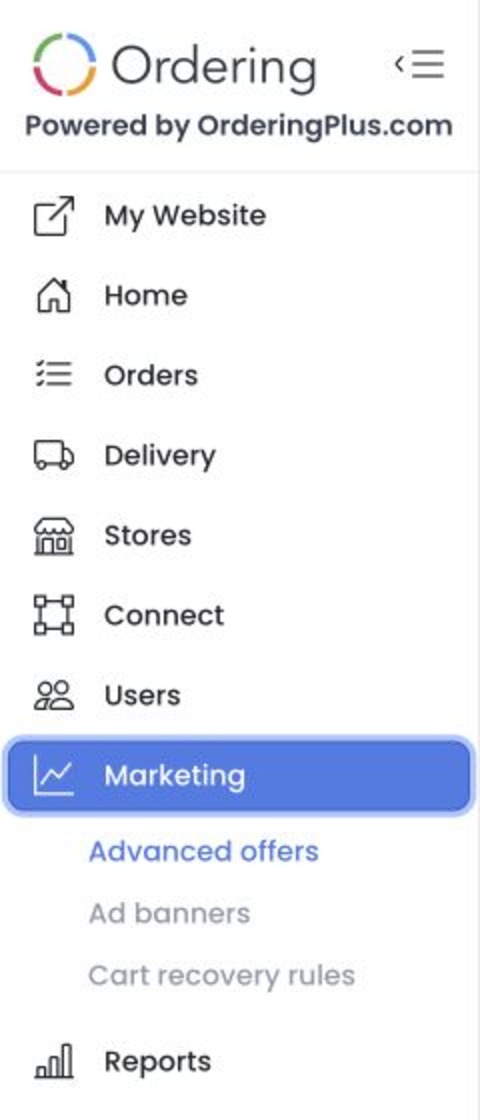
The group can include:
| Tool | Use it for |
|---|---|
| Advanced offers | Review and manage advanced discounts and coupons. |
| Ad banners | Work with the project’s banner tools. |
| Cart recovery rules | Open the cart-recovery automation rules. |
| Campaign | Open campaign tools when the Marketing campaigns feature is enabled. |
The links that appear in Marketing are not a feature-support matrix. For example, fixed API offer source applies advanced_offers_module project-feature logic even though the current EnterprisePromotion route and menu add no equivalent client gate.
Opening any linked tool can immediately issue authenticated reads for commercial records, catalog relationships, sites, audiences, or automation state. GET and HEAD are not treated as safe review methods. Offer, banner, recovery, and campaign controls can produce customer-facing or outbound effects and are excluded from runtime documentation work.
Choose the right workflow
Use the dedicated page for the task you intend to perform. Avoid opening or changing live promotions, campaigns, banners, or recovery rules merely to explore the interface: these tools can affect customer communication, pricing, or recovery behavior.
For offers, start with Advanced offers. It explains the list controls, immediate actions, and the extra module requirement before you open a promotion.
Troubleshooting
Why is Marketing missing from the sidebar?
Confirm that you are using an administrator account in an eligible Pro or Enterprise project and that the session is not read-only. Individual tools can have further feature requirements.
Why is Campaign missing?
The Campaign link requires the Marketing campaigns feature flag. Ask a project administrator to verify project configuration rather than assuming that the feature is included in the current plan.
Why are Advanced offers actions unavailable?
The project is missing the Advanced Offers module or the offers request returned an error. Confirm the project module before trying to add or edit an offer.
Related guides: Advanced offers · Create or edit an advanced offer