Drivers list
Use Drivers to find Driver account records and reach the account controls available to your role. Current source separates this account list from Drivers dashboard, which uses a delivery-monitoring controller.
The /delivery/drivers-list route source allows administrator, driver-manager, and business-manager levels, while the Delivery sidebar shows Drivers only for administrator and driver-manager levels. The API applies additional scope rules to returned Driver accounts.
Open Drivers
- In the Dashboard sidebar, open the delivery area.
- Select Drivers.
Selecting a Driver changes the list/detail state and adds the selected account ID to the page URL. Opening the panel also starts an authenticated account read; this review does not treat that GET as inherently safe.
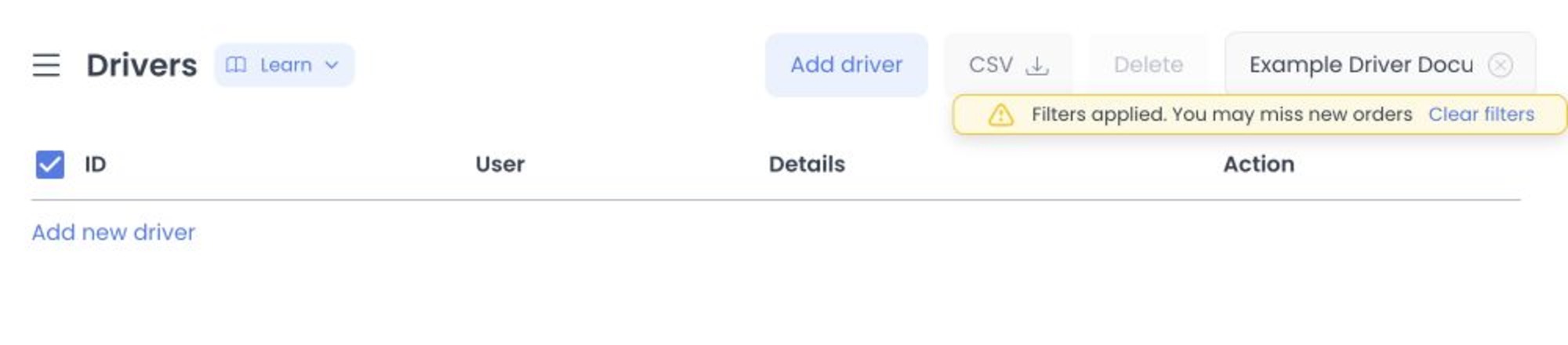
Find and review a Driver account
The current list controller supports name, email, and phone search plus pagination. This Drivers page does not split its request into separate Active and Inactive views; enabled state is displayed and changed through the Enable switch. Use only approved identifiers because these reads can expose account and operational data.
The list can show:
- Account ID
- Profile image, name, and email address
- Phone number
- Phone or email verification badges when present
- Busy, Enable, and Available controls
- Pagination and page-size controls
The header source also contains Add driver, CSV, selection, and deletion surfaces. They are excluded from this review procedure; do not invoke them for inspection or documentation.
Drivers manages Driver accounts. The inspected account-read request does not submit driver_id to an order; assignment uses a separate order-update workflow. Drivers dashboard is the separate monitoring surface.
Treat list switches as mutation controls
The row switches call the authenticated user-update contract; they are not filters or previews.
| Switch | Effect |
|---|---|
| Enable | Submits enabled; API source can also clear availability when disabling and can reject a protected-account change. |
| Available | Submits available; API source checks assigned orders, schedule, and configured availability conditions for relevant transitions. |
| Busy | Submits busy; API source checks assigned work and schedule for a relevant transition. |
These are consequential account writes. Confirm the Driver and approved operational intent before selecting one. No switch, Driver record, or deployed response was exercised for this article.
The current UI contains an additional confirmation branch for some protected-account changes. A client toast or local row update is not proof of deployed persistence or downstream effects.
Open the account panel
The source-defined panel can include:
- Profile for account information and Driver-specific settings
- Driver group for group membership
- Saved places for account addresses
- Schedule for working hours
- Logs, Advanced logs, and Push tokens when eligible
The available tabs are conditional. For example, Logs and Push tokens require an eligible Enterprise project, while Advanced logs requires an administrator on an eligible Pro or Enterprise project.
Use Create or edit a Driver for the account form and its source-defined request boundaries.
Troubleshooting
Why can't I see Drivers in the sidebar?
The Drivers item source allows administrator and driver-manager levels, while its Delivery parent requires Pro or Enterprise or an eligible read-only administrator/driver-manager state. Read-only state can expose the section while still disabling mutations. Route authorization, parent visibility, item visibility, and action availability are separate checks.
Why can't I find a Driver?
Clear Search, confirm that your role can access the Driver through the applicable group or business scope, and inspect the Enable state shown for any matching record. There is no separate Active/Inactive view on this source page.
Why did an Available or Busy change fail?
API source includes assigned-order, schedule, and configured availability checks. Review the returned error and current operational state before deciding whether another approved attempt is appropriate.
Does Available mean the Driver can be assigned to every order?
No. Source contains separate order-assignment validations beyond the Driver account's availability state.
Related guides: Create or edit a Driver · Drivers dashboard · Assign or change a driver