Delivery Groups
Use Delivery Groups to review the groups that connect businesses with either in-house drivers or Driver companies. You can search, paginate through groups, open a group's details, and—when your access allows—create, update, enable, or delete a group.
The /delivery/drivers-groups route currently accepts administrators and Driver managers (levels 0 and 5). Its Delivery Groups sidebar entry is effective only for a non-read-only level 0 or 5 session under the parent Delivery plan gate, which requires a Pro or Enterprise project. Direct route eligibility and sidebar visibility are separate checks. The groups and actions available to you can also be limited by the group-manager relationship and delivery configuration.
Open Delivery Groups
- In the Dashboard sidebar, select Delivery.
- Select Delivery Groups.
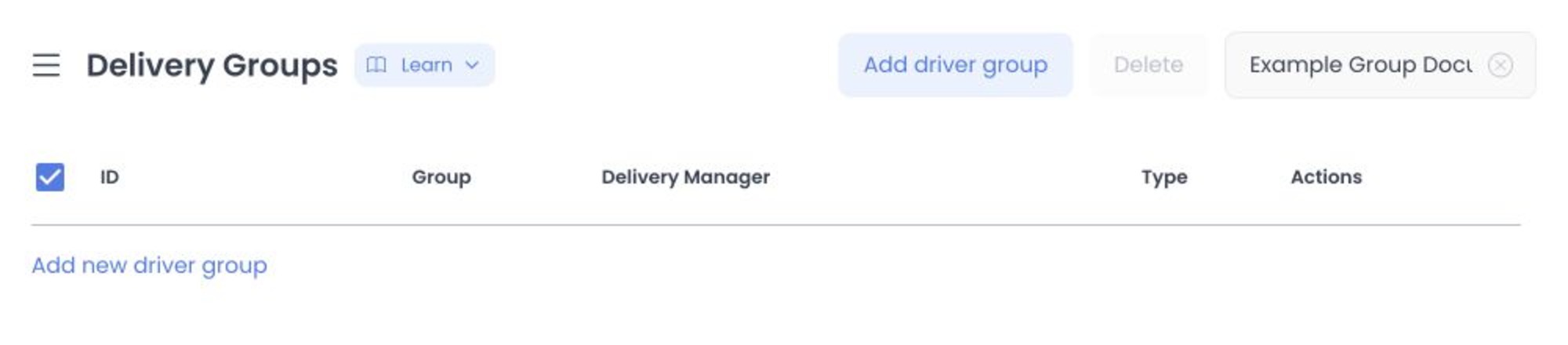
The Dashboard uses Delivery Groups as the page name. You may encounter Driver group or drivergroups in technical integrations; they refer to the same group concept, not a different Dashboard page.
This guide reflects the current Dashboard source for the protected /delivery/drivers-groups route. It does not establish which Dashboard or API release a hosted project is serving, so treat the visible role, plan, and configuration gates in your own project as authoritative.
Review the group list
Each row shows the group ID, group name, Driver manager, type, and available actions. The two types are:
- In house drivers — The group has individual driver members.
- Driver companies — The group has one or more Driver company members.
Select a row to open its details. The selected group is reflected in the page URL, so you can return to the same record after sharing or refreshing the link.
Use Search to find groups by the available name search. Use pagination to move through the result set or change the page size. This screen does not currently provide a separate advanced-filter panel.
The list can be scoped to the groups your account is allowed to access. For example, a Driver manager's available groups can depend on that manager's assignment to the group.
The list request can load related managers, businesses, drivers, Driver companies, and payment methods to support the available views and editors. Limit screenshots and copied details to the minimum necessary; names, contact fields, and business relationships may be operational or personal data.
Understand group relationships
A Delivery group can include the following relationships:
- Businesses — The stores that use the group.
- Drivers or Driver companies — The member relationship depends on the selected group type.
- Driver managers — Administrators assigned to manage the group.
- Payment methods — A conditional relationship available in supported Enterprise views.
- Delivery zones — Existing groups can have delivery zones when the relevant Enterprise view is available.
Driver companies is a separate Delivery page. A company can be assigned to a Delivery group, but the Driver-companies list is not an alternative view of Delivery Groups.
Open and navigate group details
Select a group row to open its detail view. General and Businesses are the base sections. Additional sections depend on your session, plan, and configuration:
- Payment methods, Delivery zones, and Logs can appear in supported Enterprise sessions.
- Advanced logistics can appear when the project's auto-assignment configuration supports it and the group is not in its logistics-off state.
The active detail section can appear in the page URL. If a section is not shown, do not assume it is disabled or missing from the group; it may be unavailable in the current role, plan, or configuration.
Enabled state and deletion
The enabled switch in a list row updates that group immediately after a successful request. It does not use a page-level Save button or a review step.
Do not treat loading or refreshing the list as intrinsically safe based only on the request method. Use this page only with an authorized project and avoid exploratory requests against live delivery data.
Enabling or disabling a group changes its saved state. Deleting a group or using Delete selected is destructive. Confirm the group name, type, businesses, and intended outcome before using either action. A group connected to a protected Driver-company relationship may not be deletable.
Troubleshooting
Why can't I find a group?
Clear Search, check the current page, and confirm that your account is assigned access to the relevant group. A group can also be outside the scope returned for your role.
Why don't I see Payment methods, Delivery zones, or Logs?
Those sections are conditional. Their visibility depends on the project plan and on the current session's role; they are not shown in every Delivery group detail view.
Why is the action unavailable?
The Dashboard can restrict actions based on your role and group-manager relationship. Read-only session restrictions and API authorization rules can also prevent a change.
Related guides: Create or edit a Delivery group · Drivers dashboard · Deliveries dashboard