Import a menu and resolve errors
Menu import sends authenticated business and source information to a separately configured service. Availability depends on that service and the project's configuration.
Availability and navigation
The route is /connect/importers. Current routing restricts it to level-0 administrators and redirects to Dashboard home when its import capability is unavailable. The sidebar applies additional gates:
- the Connect parent must be available for an Enterprise project with the Dashboard Connect flag, or for an eligible Pro project in Connect Pro mode;
- the user must not be a read-only administrator, read-only delivery manager, read-only/view-only business owner, or a level excluded by the Connect parent;
- the Importers item requires the Importers flag, the POS & Menu Sync flag, or eligible Connect Pro mode.
Route eligibility and sidebar visibility are separate checks. A visible or present route does not prove that the configured import service is available.
Select a business and source
Selecting this section loads an authenticated, paginated business list. The list can include page, page size, active state, and the selected business ID; search can use the business name, email, and phone. Treat these authenticated fields as confidential and do not include them in shared materials.
After selecting a business, choose one of these import sources:
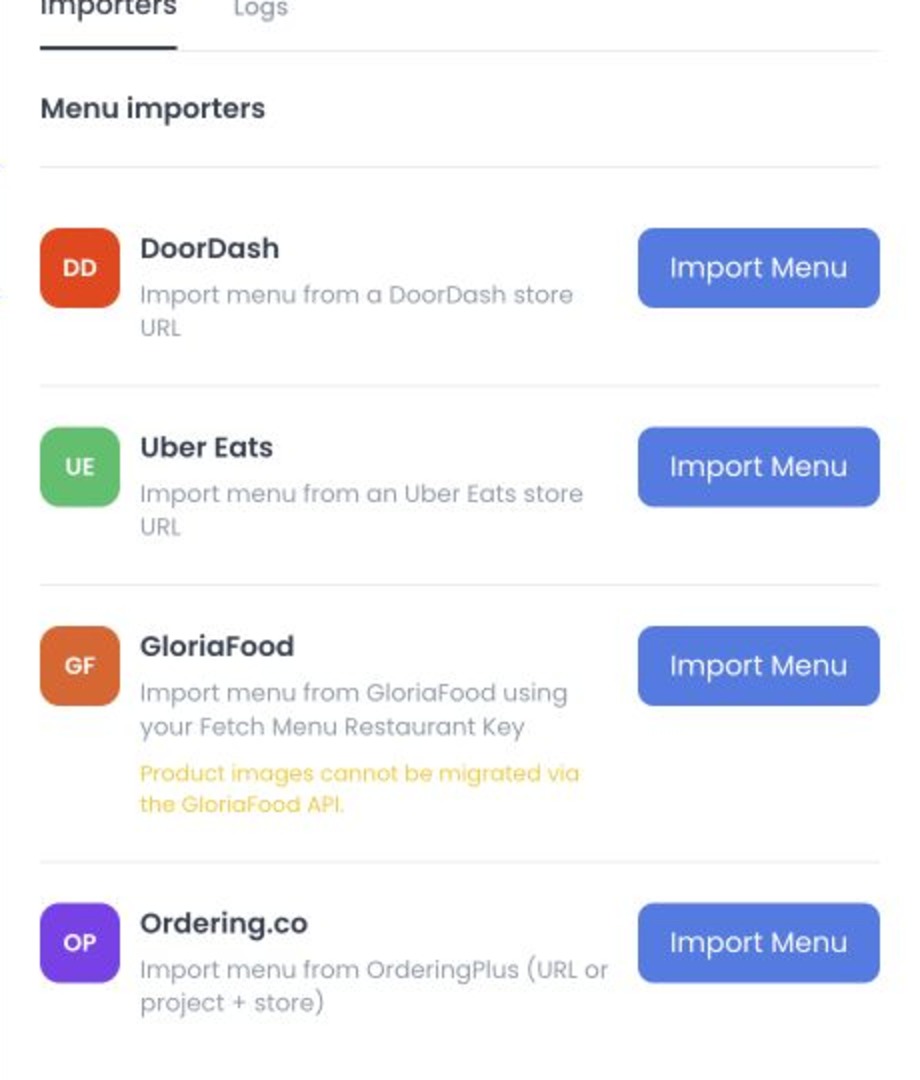
| Source | Input |
|---|---|
| DoorDash | A URL on the expected provider domain; the form also lets you include variants. |
| Uber Eats | A URL on the expected provider domain; the form also lets you include variants. |
| GloriaFood | Restaurant Key and Master Key, plus an option related to provider choice limits. Both keys are required to submit. |
| OrderingPlus | A compatible business URL or the complete project-and-business pair. |
Use only provider credentials authorized for the project. Do not share key values or access details.
Both GloriaFood keys are required to start an import. Master Key is excluded from the request to the import service, but an optional logging service can store both keys to prefill the form later. If logging fails, the import can still appear successful.
Request and result boundaries
The current Dashboard source builds a request to the separately configured menu-import service for the selected source. It includes authenticated project context, the selected business, the Ordering API base context, and the source-specific form values. The form is disabled while that request is pending.
The UI distinguishes these states:
- missing service configuration blocks submission locally;
- local validation can reject missing or structurally invalid source input;
- an unsuccessful service response is mapped to a general or source-specific error;
- a response interpreted by the client as successful changes the modal to its success view and offers navigation to the selected business's Products page.
The success view means the service returned a response the Dashboard treats as successful. Confirm the imported menu and resulting records before relying on them; a success message alone does not establish that records reconciled or that repeating an import is safe.
Error classification
| Condition | Recommended action |
|---|---|
| Required input is missing or malformed | Correct the field using approved project values. Do not share URLs, keys, project names, or business identifiers. |
| Menu-import service configuration is absent | Ask the project administrator to confirm service availability; seeing the route does not mean the service is configured. |
| GloriaFood reports an access, timeout, or empty-menu error | Note the error shown. Confirm provider status before retrying. |
| A general service error is returned | The import may be incomplete. Check the store menu and import status before retrying to avoid duplicates. |
| A request times out or its outcome is unclear | Check the current menu and import status before retrying; the result may be incomplete. |
Saved source and log boundaries
When the optional import-log service is configured, the source can request prior import metadata for a business and use saved source values to prefill a modal. It also contains raw-log download and deletion request paths. Those paths may involve credentials, provider responses, business identifiers, files, and destructive effects.
This guide does not expose saved values or authorize log reads, downloads, deletions, or retention claims. The generic CSV/import-job framework in the core API is a different surface and is not evidence for this menu-import service.
Import availability and behavior depend on the provider and the project’s deployed service. A response alone does not confirm that menu changes were completed. Check the current menu and import status before retrying to avoid duplicate or partial changes.
Related guides: Importers · POS & Menu Sync overview · Products overview