Configure Website settings in Builder
Open Catalog → Builder, select the website, and choose Website settings. Use this tab for settings that belong to the website. Use Dashboard Settings for project-wide operations, and Theme for the website’s appearance.
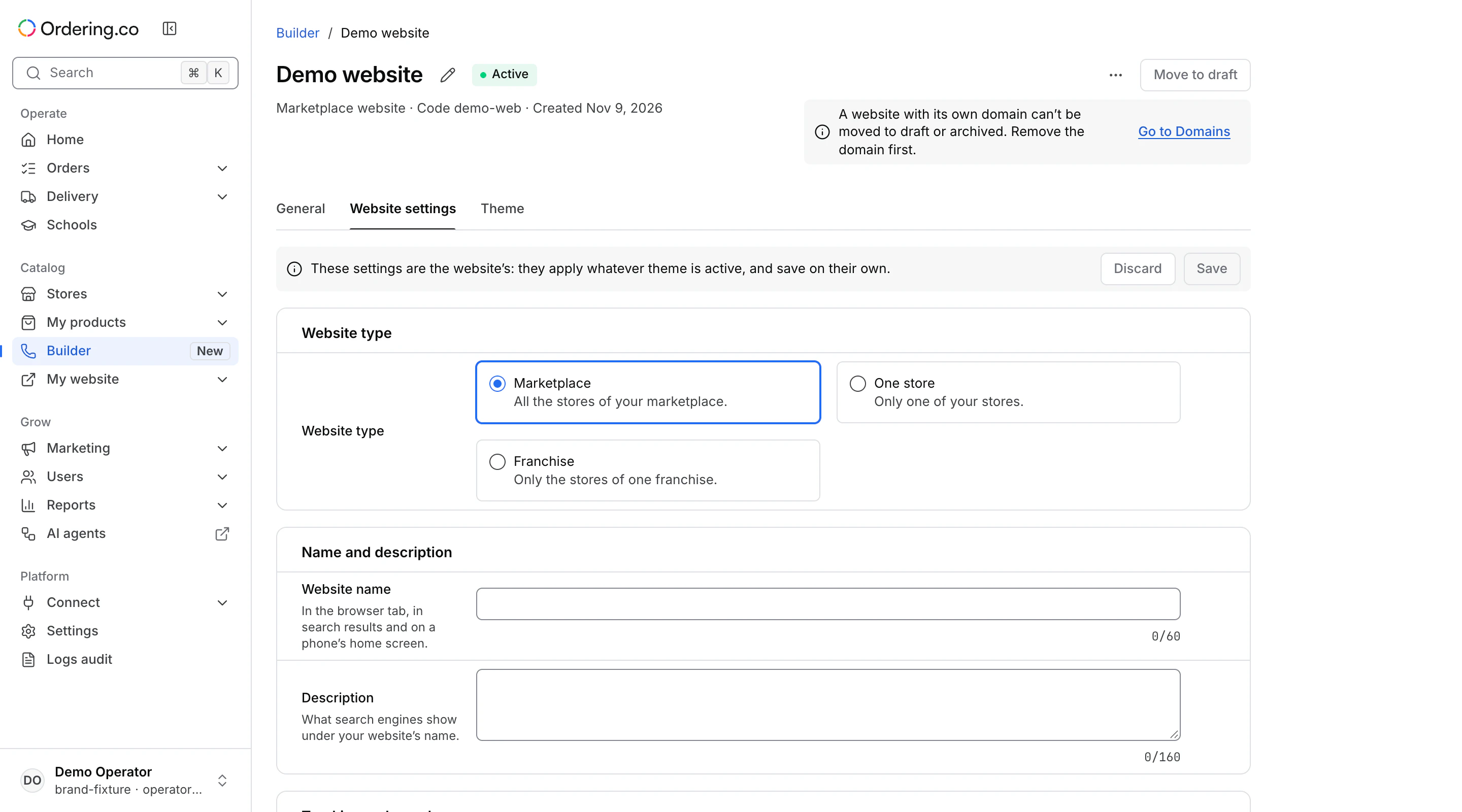
Choose what the website shows
Choose a Website type. Depending on the website, it can show a marketplace, a single store, or a franchise. For a single store or franchise, choose the matching record in the picker. Review the selection before saving.
Review the visible website settings
The fields come from the website type. They can include the website name and description, home or footer content, third-party code, tracking-only mode, and app-banner IDs. Edit only fields intended for this website. Check how content or code will behave before applying it to a customer-facing site.
Save and verify
Use Save to apply the website settings. Correct any errors shown near a field. If the editor reports that it is not ready for this website, return after the website’s settings are available. If the website has no active theme, the page can offer Go to Theme. The site uses these settings after it has an active theme. Open the intended storefront and check its scope and content.