Gift card settings
Use Gift cards in the Ordering.co Dashboard to configure the customer gift-card experience, then use Gift card manager to review returned card records. Configuration, a customer request, payment, card issuance, delivery, redemption, wallet credit, and later use are separate stages. A control or status in one stage does not confirm the next one.
The Gift cards add-on is required, and you must be signed in as an Administrator (level 0). The My addons sidebar separately excludes read-only sessions. The fields and actions returned for your project can differ from another project or from the examples in this guide.
Configure the gift-card experience
- In the Dashboard, open My addons and select Gift cards when it is available to your account.
- Select Settings to review the configuration returned for the current project.
- Compare each displayed value with your approved configuration before making a change.
- Select Save only after you have reviewed the complete set of changes.
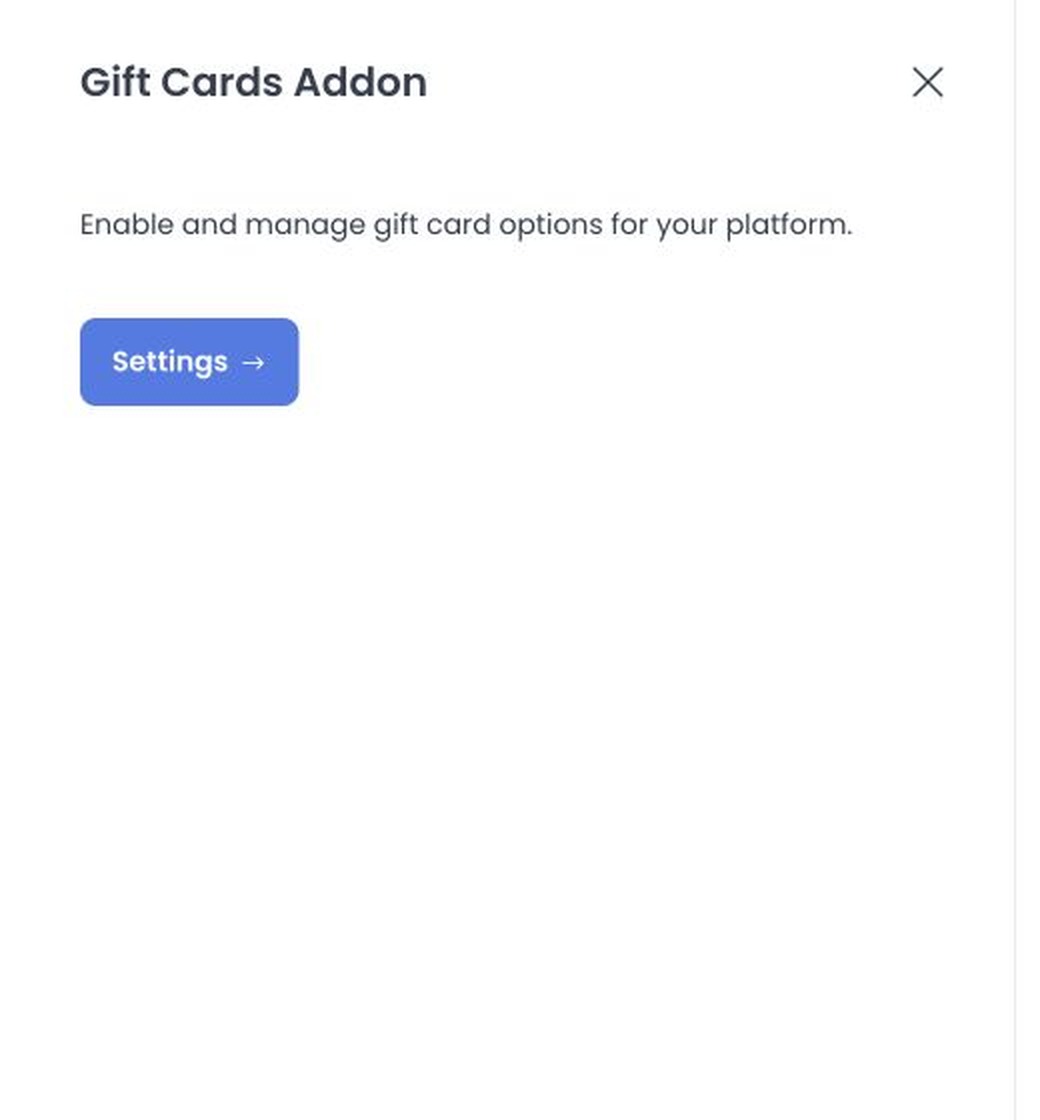
Your project's configuration can include these controls:
- Activate Platform Store turns the platform store setting on or off.
- Enable Gift Card Feature turns gift-card availability on or off.
Those labels are not a universal configuration schema. The Dashboard loads the available configuration for the project, so a control can be absent, renamed, or accompanied by additional fields.
The settings panel saves changed configurations sequentially. If saving is interrupted, some changes can persist while later changes do not. Record the approved values and confirm the returned configuration through your approved process before changing customer-facing settings.
Configure available gift-card products
Setup Gift Cards in Gift card manager opens a separate platform-product panel. Depending on the current project, it can include a gift card's name, amount, image, enabled state, and Save, Add, or Delete actions.
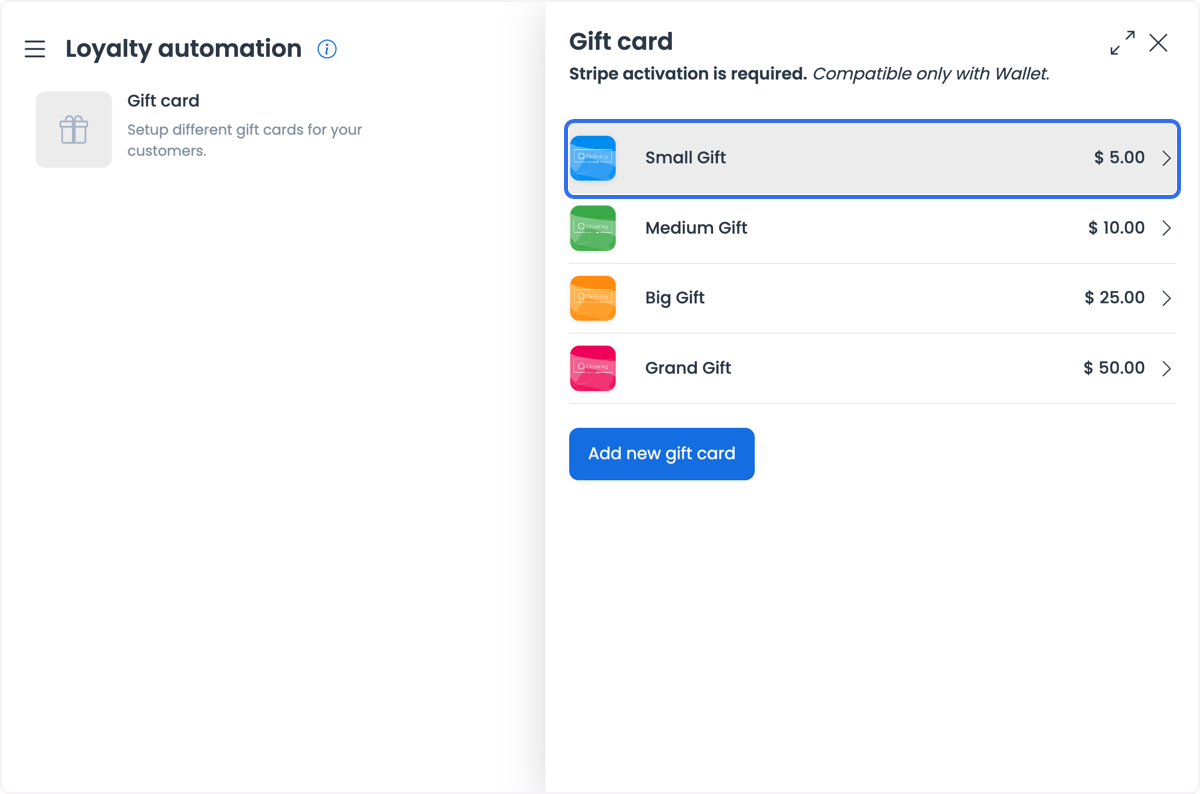
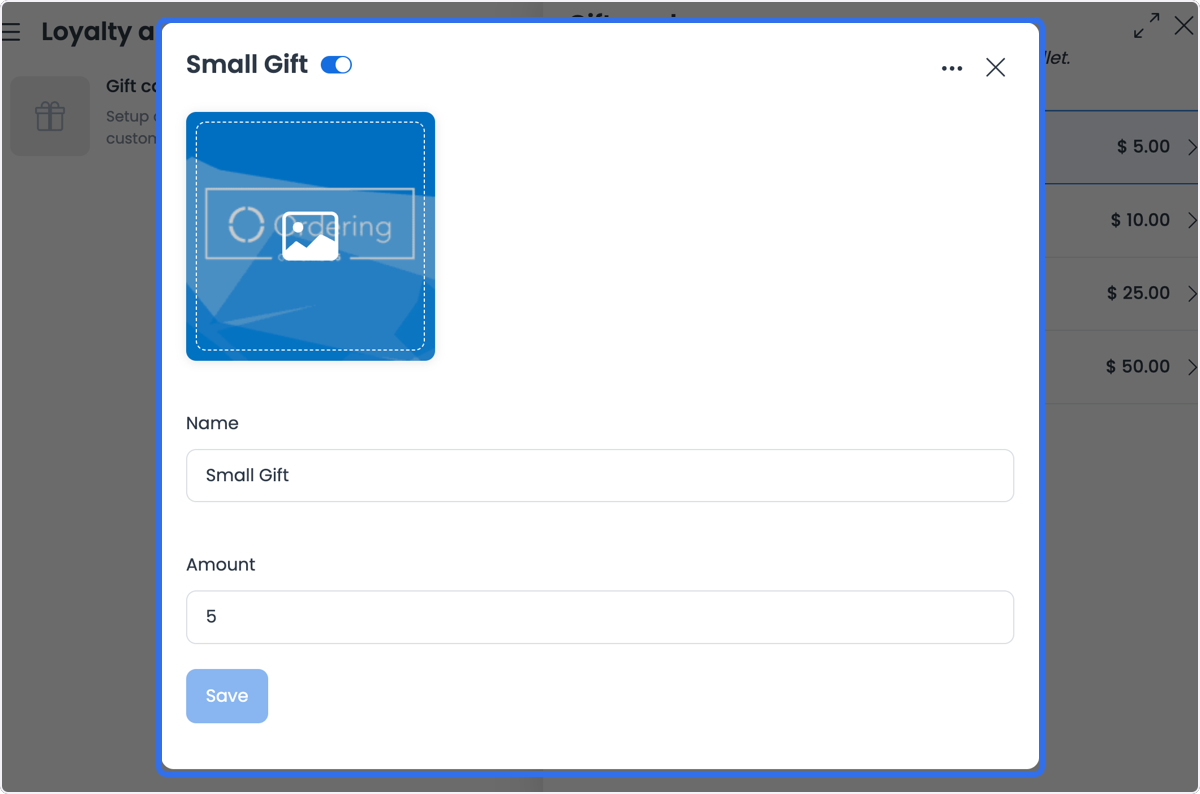
One historical product-panel example states that Stripe activation is required and that gift cards are compatible only with Wallet. Treat that as an example-specific historical observation, not confirmation of a configured provider, authorization, payment settlement, or eligibility in your project. Use your approved configuration and payment process to determine whether it applies.
Use that panel to define the gift-card choices a customer can request. Adding, saving, enabling, uploading an image for, or deleting a product changes live configuration, so do not use it only to inspect values. Follow your approved catalog and change-control process.
Request and eligibility
A customer can request a gift card only when their website or Customer App session exposes an eligible, enabled gift-card product. The customer flow can request recipient email, a title, and a message when those fields are available.
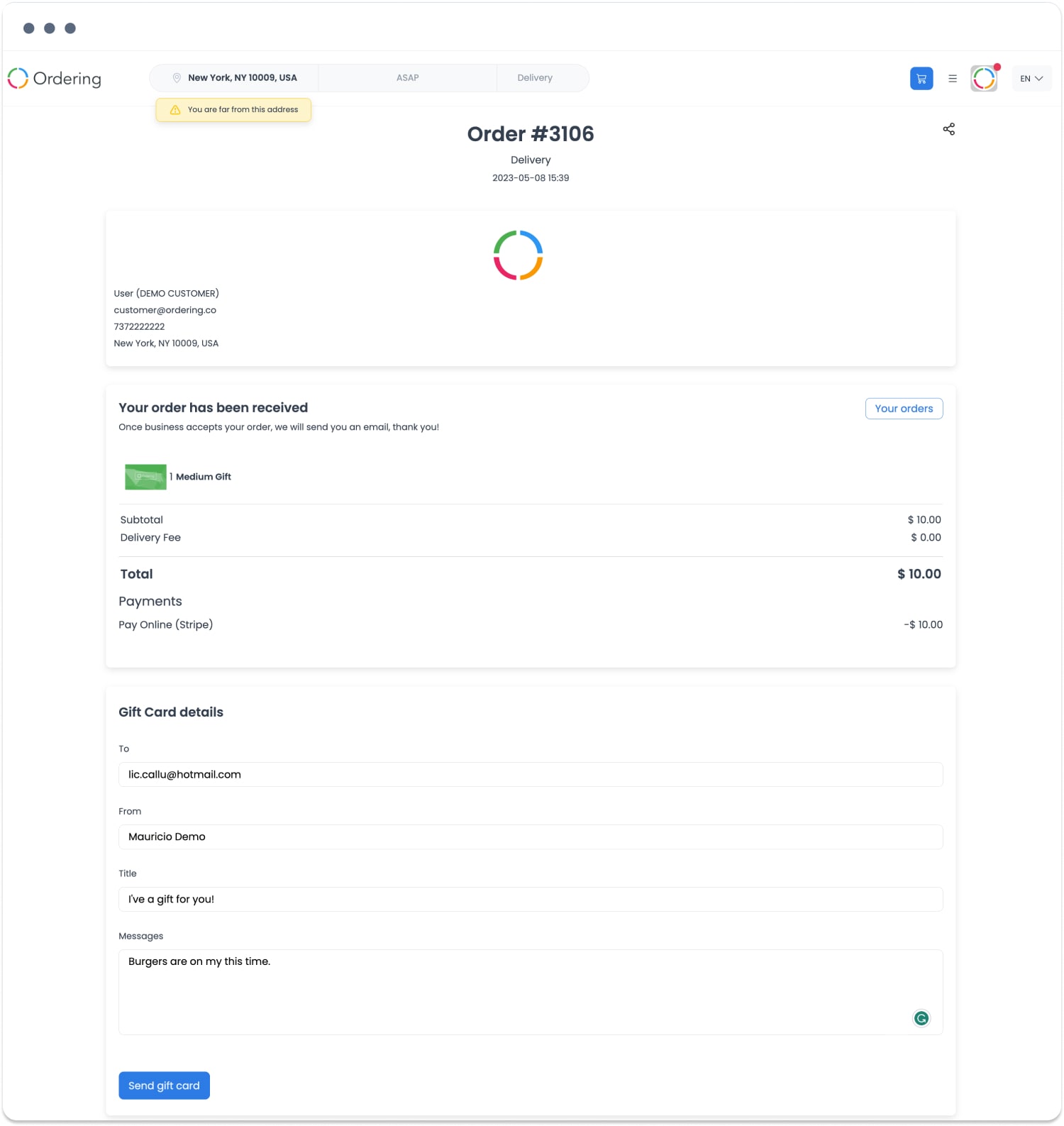
Visibility of a product or a Purchase gift card control is not a guarantee that the request is eligible, that the form will accept every value, or that a card will be created. Account, project, catalog, checkout, and authorization conditions can all affect the next step. Handle recipient information as private data.
Issued value
The configured amount is a product value candidate. It is not, by itself, a guaranteed charge, issued-card value, wallet credit, current balance, or amount available for a later order.
The gift-card workflow can associate a successfully redeemed card with a Cash Wallet value. Treat that as a later result that must pass card validation and wallet processing. Do not infer it from a configured amount, a selected product, or a page transition.
Checkout and payment
After a customer selects an available gift-card product, the request can move through cart and checkout. Checkout can still require a valid account, cart, amount, currency, payment method, and any project-specific fields or rules.
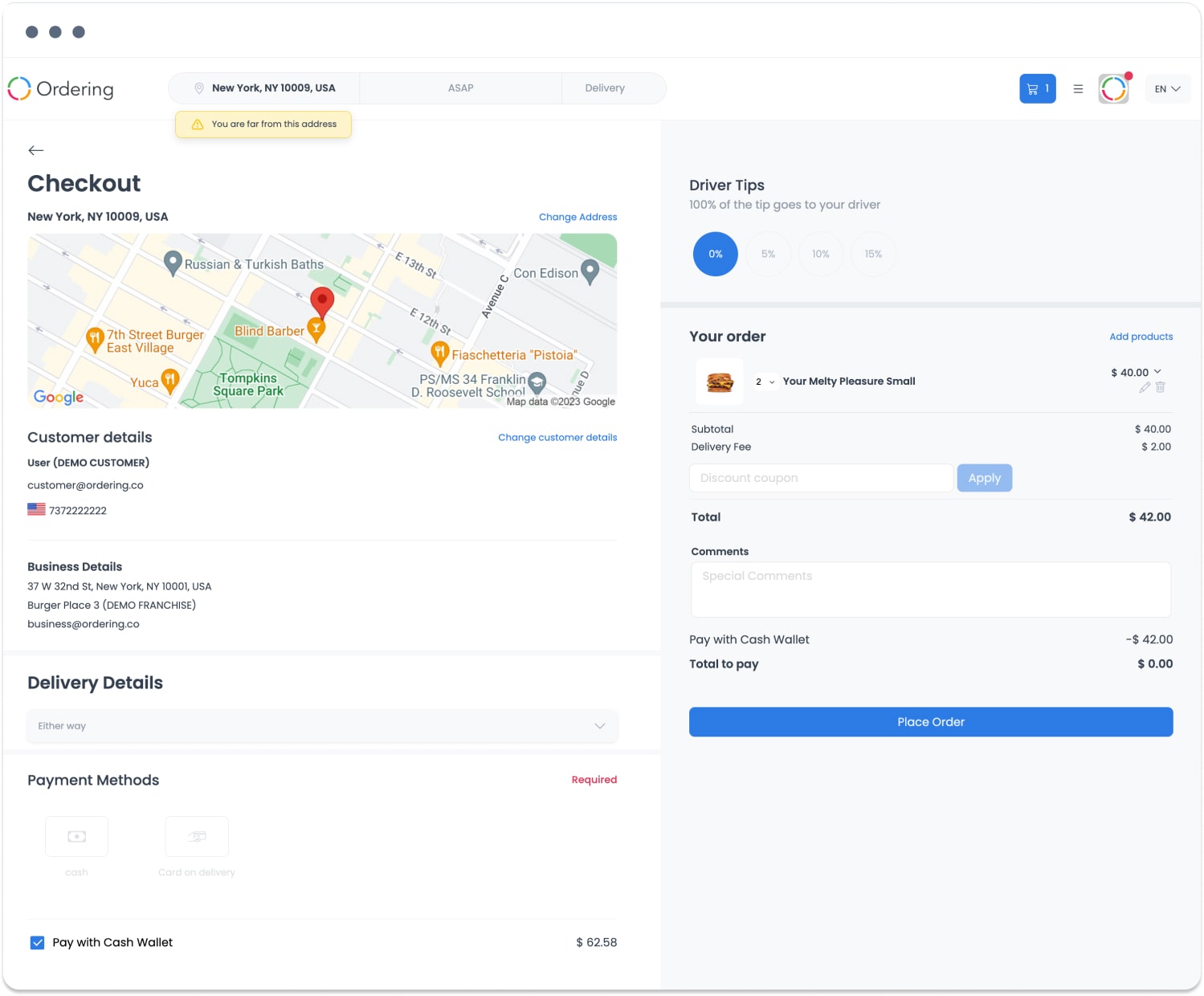
Choosing a gift card or reaching a checkout confirmation does not prove payment authorization, payment settlement, order creation, or card issuance. Do not promise a specific payment method or provider solely because the gift-card controls are available.
Delivery
A delivery request is separate from card creation. The customer flow can ask for recipient and message details, and a card can have a Sent state, but neither establishes that an email reached, was viewed by, or can be used by the recipient.
Never put a gift-card code, password, recipient address, message, amount, or wallet balance in documentation, screenshots, logs, or support notes. If delivery is unclear, review the returned, value-safe lifecycle state through your approved support process; do not resend or reissue a card merely to test delivery.
Redemption and outcome
Redemption can require a private gift-card code and password. A customer enters those values in the applicable redeem experience; successful validation can then advance the card and wallet workflows. Redemption, wallet credit, and using that credit in a later checkout are independent outcomes.
Use Gift card manager to review value-safe returned states:
| Returned state | What it can show | What it does not prove |
|---|---|---|
| Pending | A card is pending or sent in the returned record set | Payment, issuance, recipient receipt, or wallet credit |
| Sent | A send phase advanced | Recipient delivery, viewing, credential validity, or redemption |
| Redeemed | The card advanced through redemption and activation | Current wallet balance, later payment, or order completion |
| Unknown or error | The workflow needs reconciliation | A safe reason to repurchase, resend, or redeem again |
The manager list does not expose a card's code, password, amount, recipient, message, or balance. Use it to review the lifecycle without revealing private or value-sensitive data.
Practical uses
Gift cards can support situations such as:
- Customers giving a gift for a holiday or other occasion.
- A business recognizing employees or customers with a configured gift-card product.
- A campaign that uses a gift-card product as part of an approved promotion.
- Customer-appreciation programs with clear eligibility and support processes.
Each use still requires its own configuration, request, checkout, delivery, redemption, and reconciliation steps. It does not guarantee increased sales, new customers, loyalty, cash flow, or fewer returns.
Troubleshooting
Why is Gift cards unavailable?
Confirm that the Gift cards add-on is enabled and that you are signed in as an Administrator (level 0). The My addons sidebar excludes read-only sessions. A missing menu item or route does not identify the underlying add-on, project-configuration, or account condition.
Why is a card pending rather than redeemed?
Pending records can include cards in a pending or sent state. Do not assume that payment, delivery, credential validity, redemption, or wallet credit has completed. Review the value-safe record state and use your approved support process for reconciliation.
Why did a customer not receive a gift card?
Creation, send, recipient delivery, and redemption are separate stages. Do not ask the customer to share a code or password, and do not repeat a send, redemption, or purchase to diagnose an unknown outcome.
Related guides: Gift card manager · Understand gift card lifecycle states · Add-ons overview