Delivery companies
Delivery companies is the source-defined record manager at /delivery/drivers-companies. Its route accepts level 0; the My addons menu has separate level-0, non-read-only, add-on-availability gates, and its item requires either the delivery-companies add-on or Pro plan.
A company can participate in assignment when several record, schedule, group, and webhook conditions align. Listing, enabling, creating, editing, and deleting touch different API permissions and downstream records; this guide documents fixed source only and does not authorize opening the page or operating a provider.
Review the list
The fixed UI renders name, limit, priority, timezone, and an Enable switch. Search, selection, pagination, detail tabs, and URL state are client behaviors; the switch submits an update immediately rather than waiting for the detail form’s Save action.
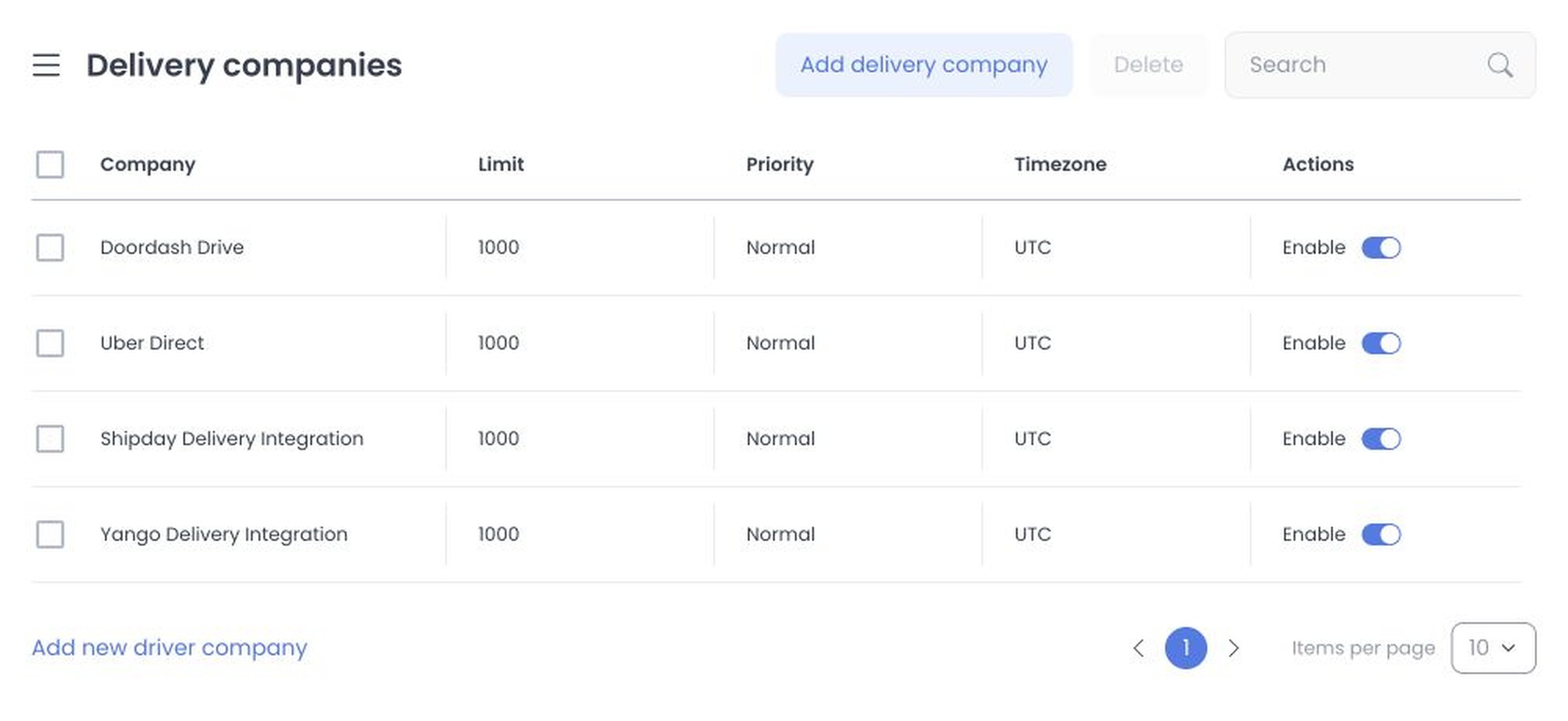
Add delivery company opens a form. Batch deletion is not atomic: after confirmation, the client sends one delete per selected ID and stops the sequence on an error, so earlier records can already be deleted.
Create a company
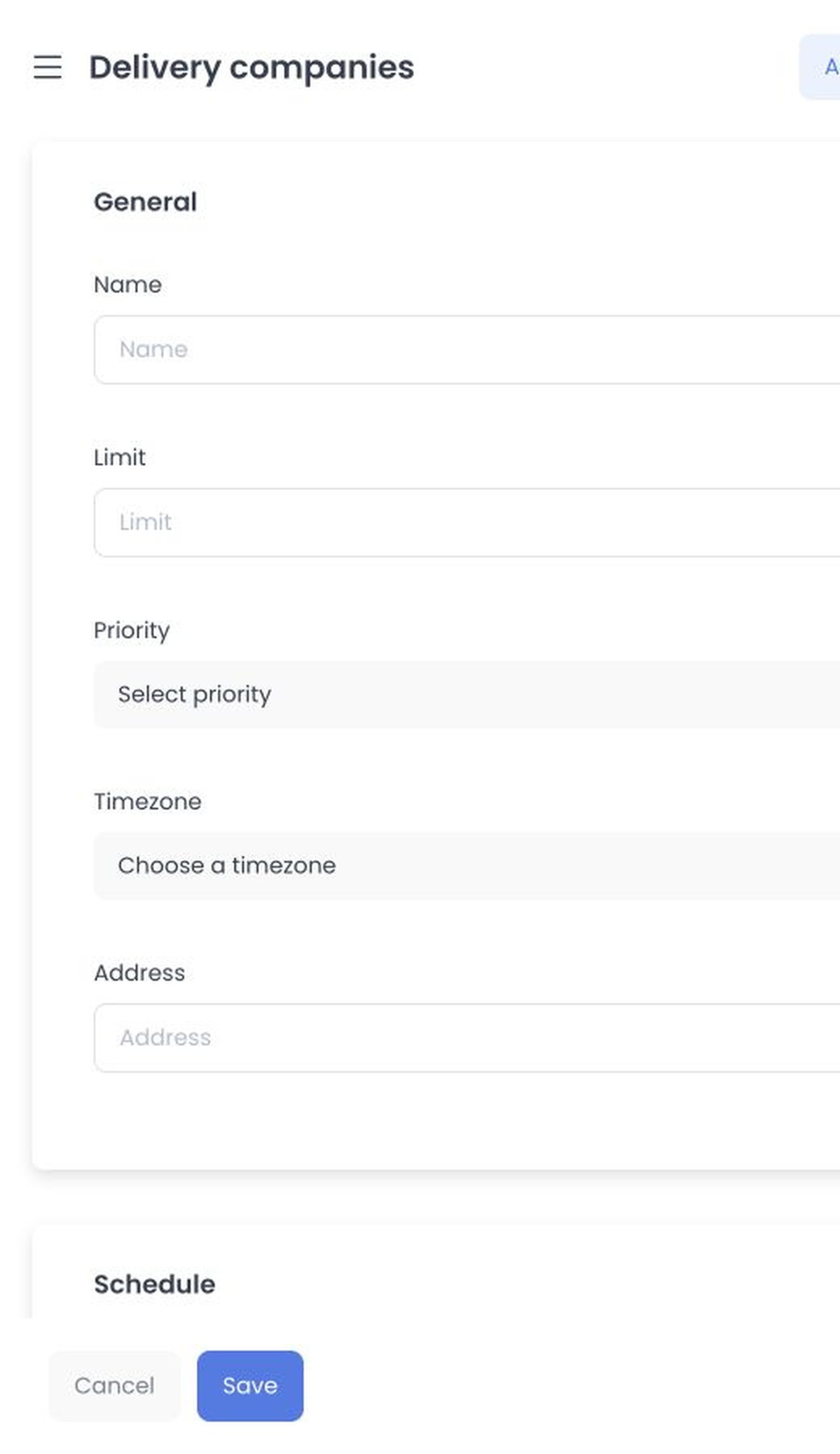
Enter the required Name, Address, and Timezone. The creation form also offers:
- Limit and Priority (Low, Normal, High, or Urgent).
- A seven-day delivery schedule.
- Webhook new order, Webhook cancel request, and optional Webhook order status changed URLs.
The client seeds enabled, Normal priority, zero delivery-cost values, and seven enabled days, each from 00:00 through 23:45. These defaults are draft form state, not proof that creation succeeded or that a record is operational.
Webhook URLs can trigger an external delivery provider, and an existing company’s Webhooks tab displays its API key. Do not share, screenshot, or paste either value into support tickets or documentation.
Source-verified effects
The pinned client source issues an authenticated list request on mount. Explicit actions can create, update, or delete records; the Enable switch is an immediate update. The pinned API source applies a broader read boundary to the list but administrator-only middleware to find, create, update, and delete.
Creation also generates a company credential and creates a default driver group plus its company association. Updating a company name or enabled state also updates that associated group. Deletion is limited by ownership in the API source and, when accepted, deletes the company’s associated driver group. Plugin prehooks can also participate in create/update processing. No such request or hook ran here.
Stored webhook destinations are later used by order-assignment/status/cancel flows; saving a URL is therefore not the same as validating a provider. No webhook, provider, order, group, credential, or production record was accessed.
Edit or remove a company
Open a company to use the General, Schedule, and Webhooks tabs. Save submits changed values, while the list Enable switch writes separately and immediately. Delete and batch delete remain excluded from this guide.
The fixed API validators require Name, Address, Timezone, schedule, delivery-cost values, and the new-order/cancel-request webhook destinations for creation; other fields have their own type and length rules. Treat those as source contracts, not deployed validation proof. Re-entry requires a synthetic non-production company, intercepted provider egress, no real orders or credentials, and every create/update/delete/group effect blocked.
Related guides: Delivery overview · Manage delivery · Add-ons overview