Cash wallet and refunds
Use Cash Wallet to give customers a separate wallet view for adding or reducing wallet money and reviewing activity. Authorized Dashboard operators can also configure which refund destinations can be considered for canceled orders. These controls can affect customer value, so configuration, a visible action, and a financial outcome must be reviewed separately.
Adding or reducing wallet money, or changing a refund setting, can affect customer value or a payment path. Confirm the intended customer, order, policy, and authorization before submitting a change. Do not use a live customer wallet to test a configuration.
Before you open Cash Wallet
Cash Wallet requires the cash-wallet add-on and an Administrator (level 0)
account. The My addons sidebar separately excludes read-only sessions. The
available controls and data can differ by project. The current Dashboard
implementation can load a cashback loyalty plan when the Cash Wallet
workspace opens. If a business is available and no appropriate plan exists,
opening an unprepared workspace can create a default plan for that business.
Treat an empty workspace as effectful rather than read-only. Use a pre-provisioned non-production fixture for training or unfamiliar configuration, and confirm that the required cashback plan already exists before you open the workspace.
Cash Wallet and Points Wallet are separate types. Cash Wallet uses cashback, while Points Wallet uses credit_point; those labels do not establish a conversion formula, shared balance, or shared refund outcome.
What Cash Wallet can support
A Cash Wallet program can support several operational goals when its configuration, policy, and current order context allow it:
- Customer wallet management: Customers can review wallet controls, balance displays, and activity without treating any display as a confirmed available balance.
- Loyalty and return purchasing: A program can define reward or promotional credits for qualifying behavior. Configuration does not award value, and a wallet balance does not guarantee that it can be used at a later checkout.
- Checkout workflow: When the current checkout offers Cash Wallet, it can be one payment choice. The availability of that choice, processing time, and any fees remain separate from this configuration.
- Review and transparency: Dated activity can help an authorized operator investigate additions, reductions, and purchase-use records. It does not settle a payment or establish a customer outcome by itself.
Open the customer wallet controls
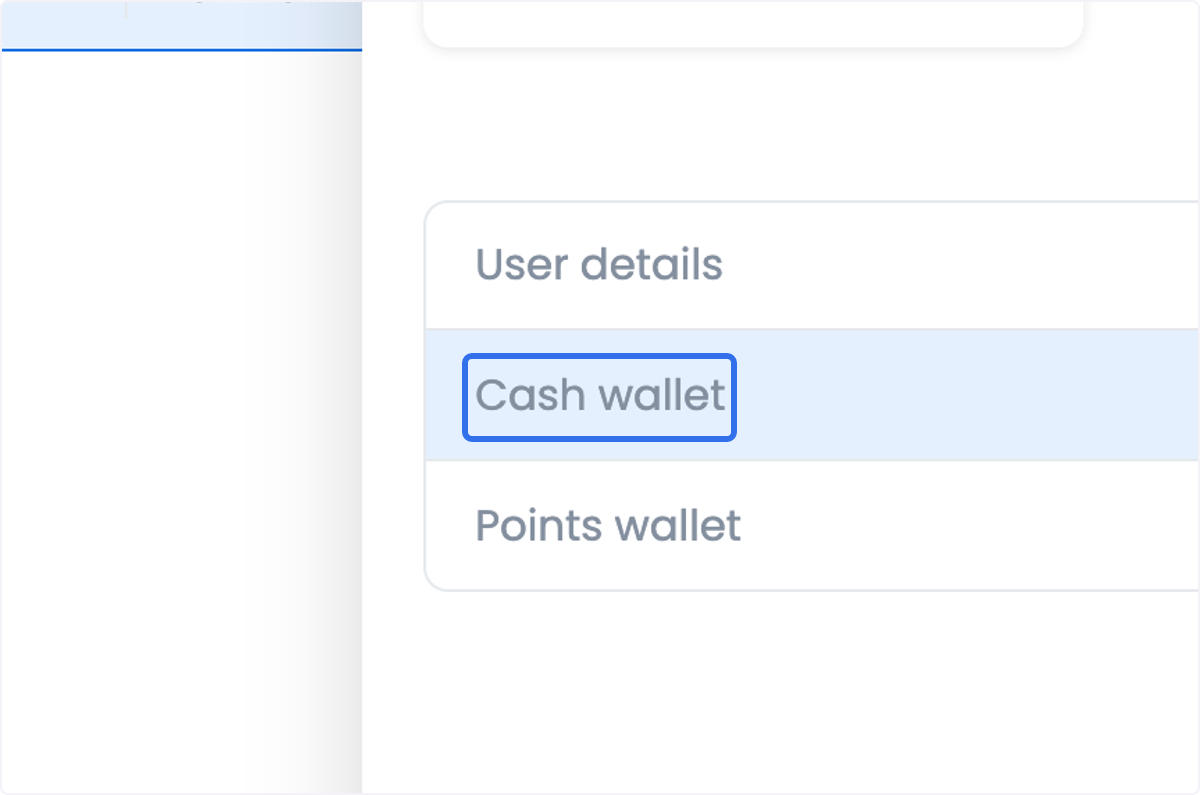
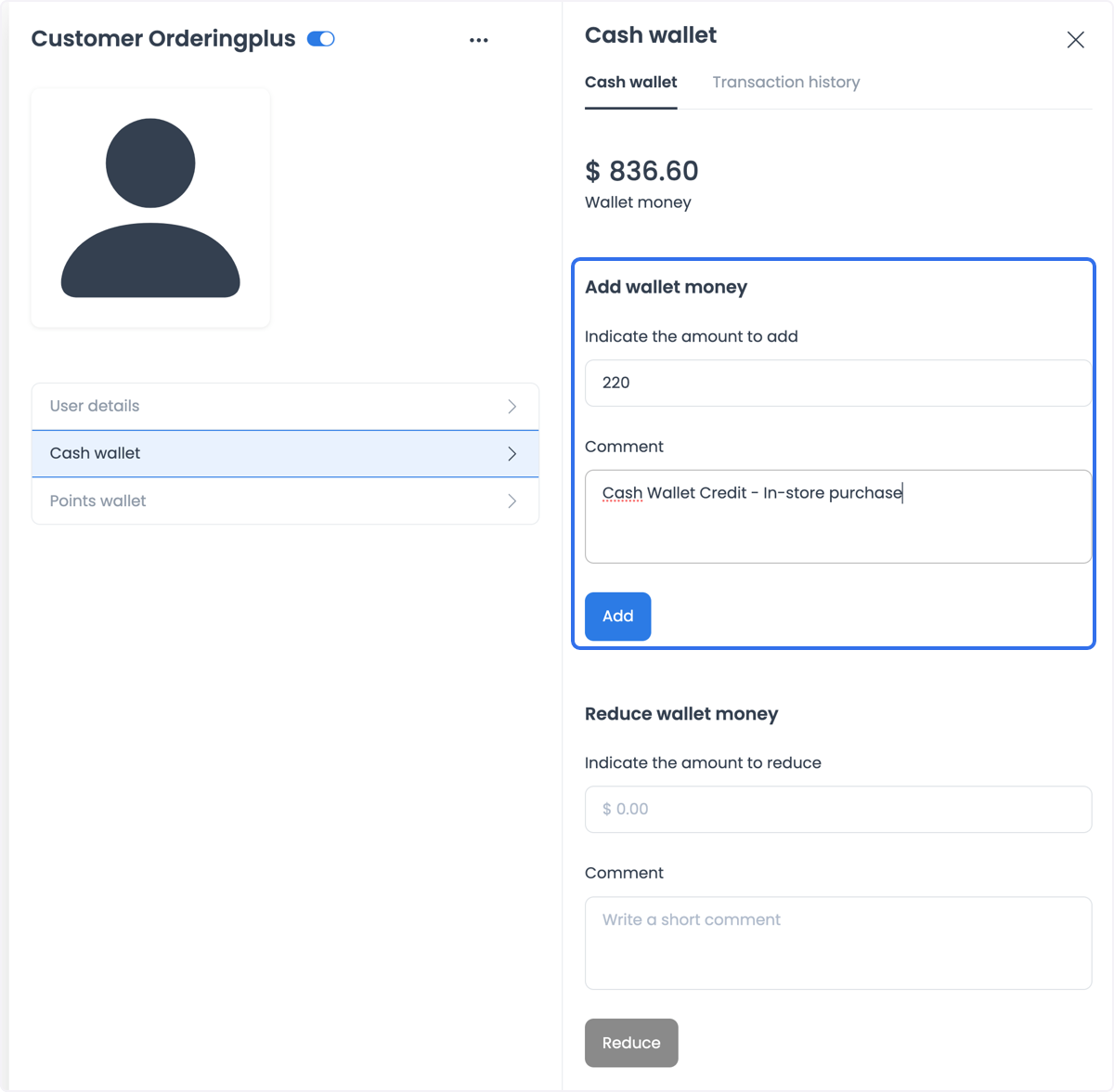
In the customer details area, select Cash wallet when the option is available. The examples show a wallet panel with a balance area, an Add wallet money form, a Reduce wallet money form, and Transaction history.
Add wallet money
The panel shown in the example includes an amount, a comment, and an Add control. Entering values and selecting Add requests a wallet change; it does not by itself prove that a payment was authorized, that a wallet credit posted, or that the credit is available for a later purchase.
Reduce wallet money
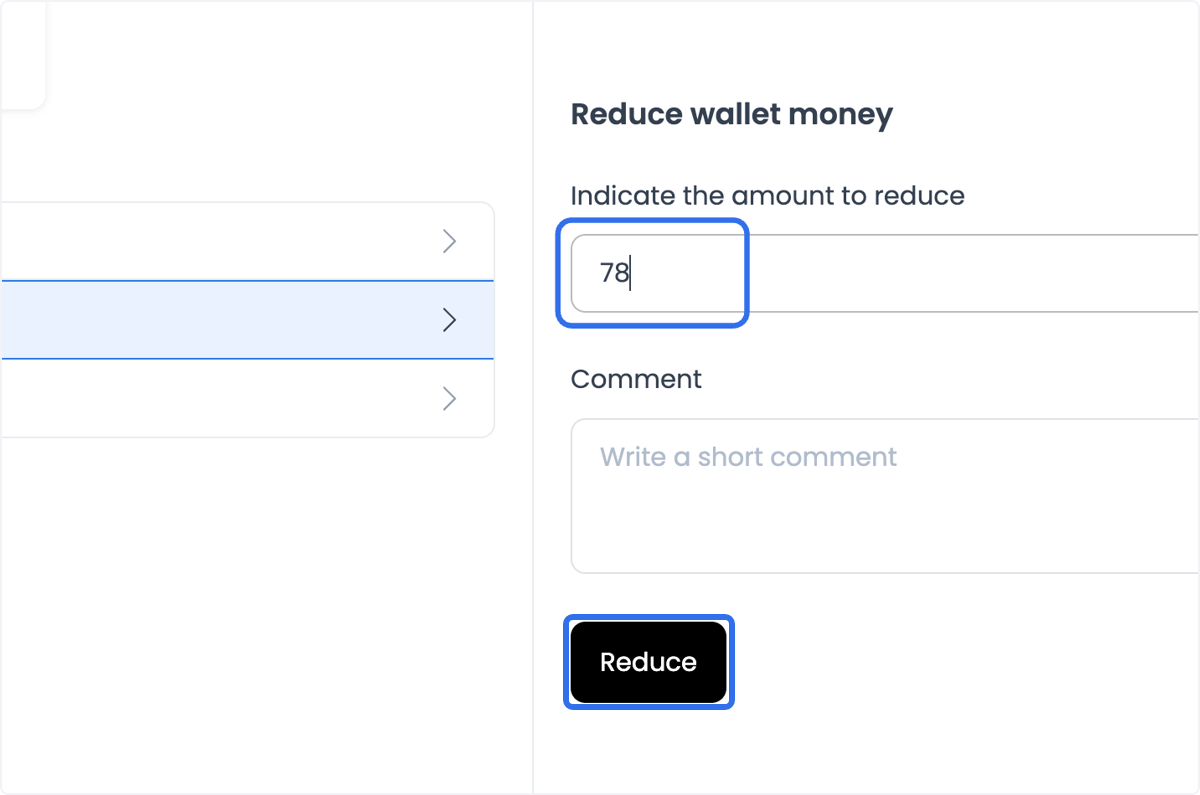
The Reduce wallet money area also includes an amount, a comment, and a Reduce control. Submit a reduction only through your approved operational process. A button press or a changed screen state does not confirm a debit, provider result, payment reversal, or final customer balance.
Review the displayed balance and activity
Use Transaction history to review the dated wallet records that your role is allowed to see. Where activity is available, it can distinguish amounts added, reduced, or used for purchases. A displayed balance or activity row can help you investigate the wallet view, but it is not proof that the amount is currently usable, that a payment settled, or that a customer redeemed value at checkout. Use the payment choices shown for the current order and the approved audit process as the authority for that order.
An expiry date, expiry rule, and expiry outcome are not documented here. Do not infer expiry from a displayed balance or history; confirm the applicable policy before communicating it to a customer.
Screenshots show example controls and data. Navigation labels, available settings, records, amounts, and payment choices can differ in your project. Do not reuse visible details as live customer or financial data.
Configure refund destinations
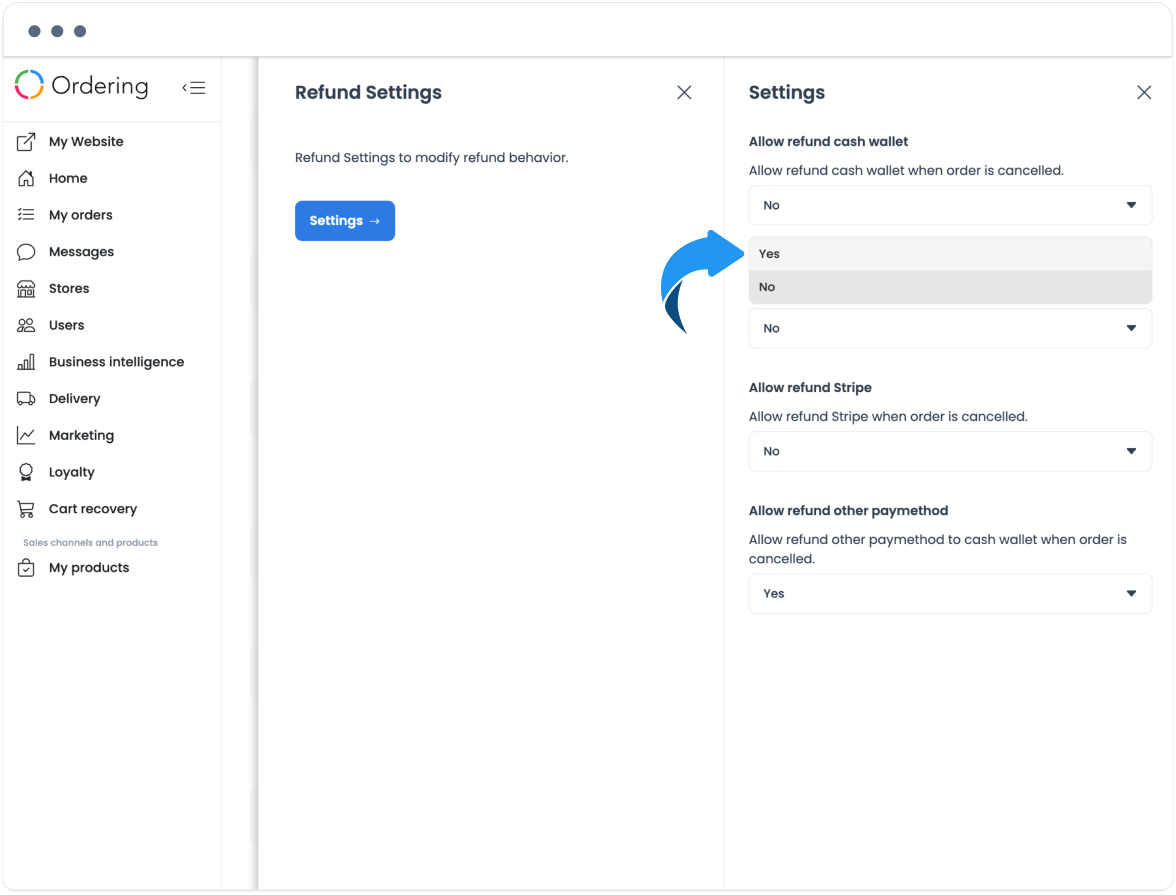
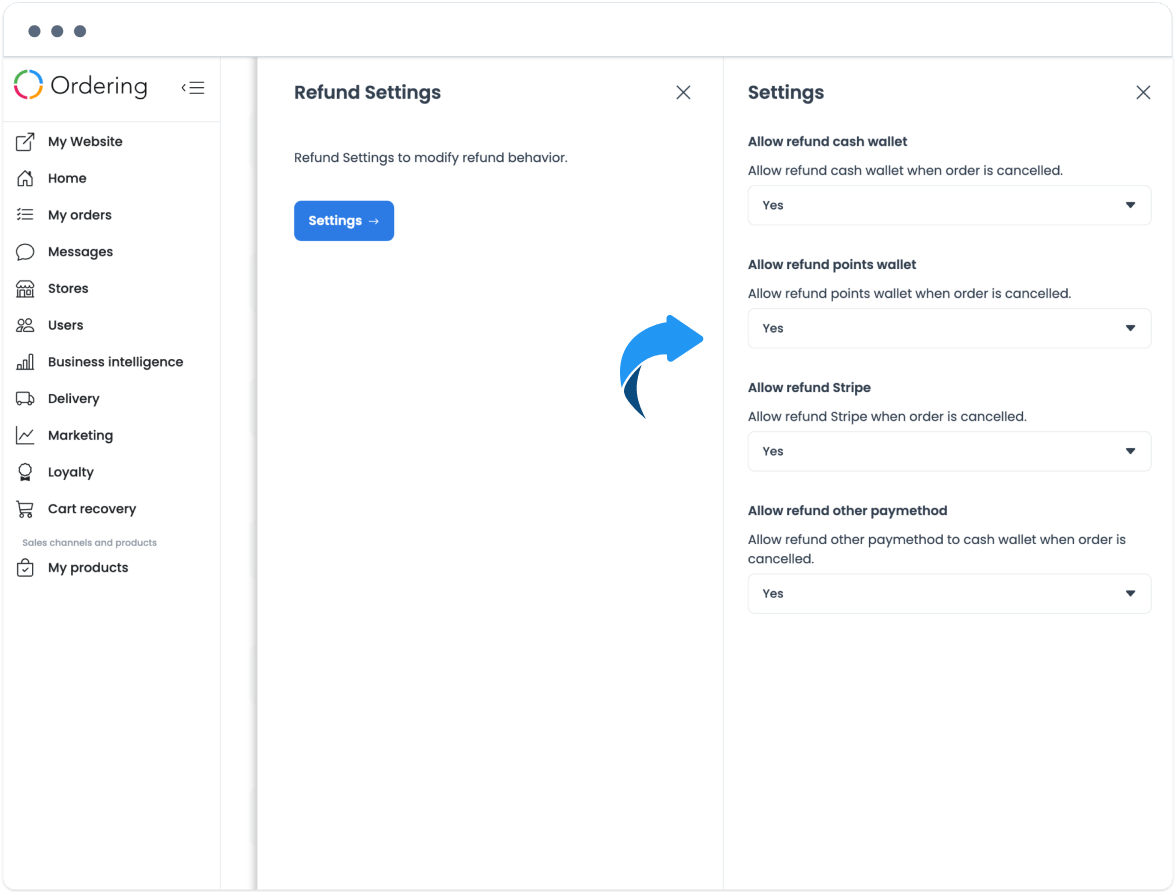
In the Dashboard, go to Settings > Refund Settings. The examples show an Allow refund cash wallet setting alongside Points Wallet, Stripe, and another payment method. Review each setting against the refund policy for the order type and payment method; do not enable every option by default.
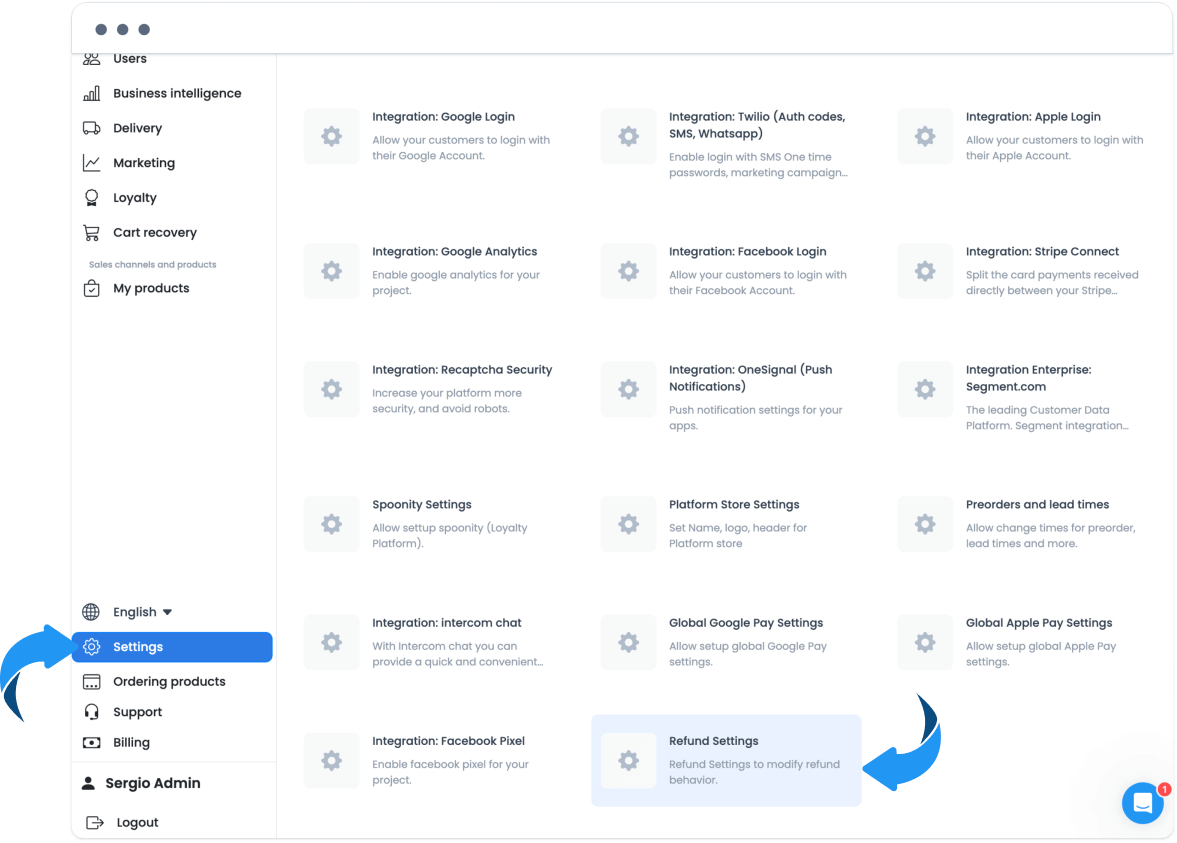
Select only the policy-approved value for the relevant destination, then save the configuration through the approved change process. A saved-looking setting only represents the submitted configuration state. It does not authorize a refund, change an order state, submit a request, credit a wallet, settle a provider payment, or notify a customer.
Keep each outcome separate
| Stage | What the Dashboard can show | What it does not prove |
|---|---|---|
| Request | A value is entered, or an Add, Reduce, or Refund control is selected | Authorization, acceptance, posting, or a customer outcome |
| Authorization | A setting or control is visible | That the actor, refund policy, or payment method authorizes this change |
| Order state | A status appears in an order list or details view | Final cancellation, payment settlement, delivery, or a refund decision |
| Refund submission | A refund form is completed or submitted | That the request was accepted, processed, or posted to Cash Wallet |
| Wallet credit | A balance or activity row is displayed | Current availability, checkout eligibility, settlement, or redemption |
| Payment or provider settlement | A refund destination includes a payment method or provider label | A provider authorization, reversal, settlement, or reconciliation result |
| Notification | A change is submitted or a wallet row is visible | That a customer notification was created, delivered, or read |
| Expiry | A wallet balance or history is displayed | An expiry date, policy, extension, or outcome |
| Customer outcome | A customer can view a wallet or transaction history | That the customer received, used, redeemed, or benefited from the value |
Common operational uses
Cash Wallet can support reward programs, promotional credits, refund workflows, and an in-store or physical-sales process. Treat these as program designs, not automatic outcomes: a configured reward does not award a credit, a promotional credit does not guarantee a purchase, and a refund destination does not establish payment or provider settlement.
For the order-level procedure, use Refund an order to Cash Wallet. For the separate points configuration, see Points wallet and levels. Customer-facing balance and activity guidance is available in View wallet balances and activity.