Dashboard
The Ordering Dashboard is the web workspace for the project areas available to your account, such as orders, delivery operations, stores, users, reports, integrations, and settings.
Available options depend on your user role, account type, Ordering plan, enabled products and addons, feature flags, and project configuration.
Navigate the Dashboard
Use the sidebar to move between the areas available to your account. Select a section such as Orders, Delivery, or Stores to view its available pages.
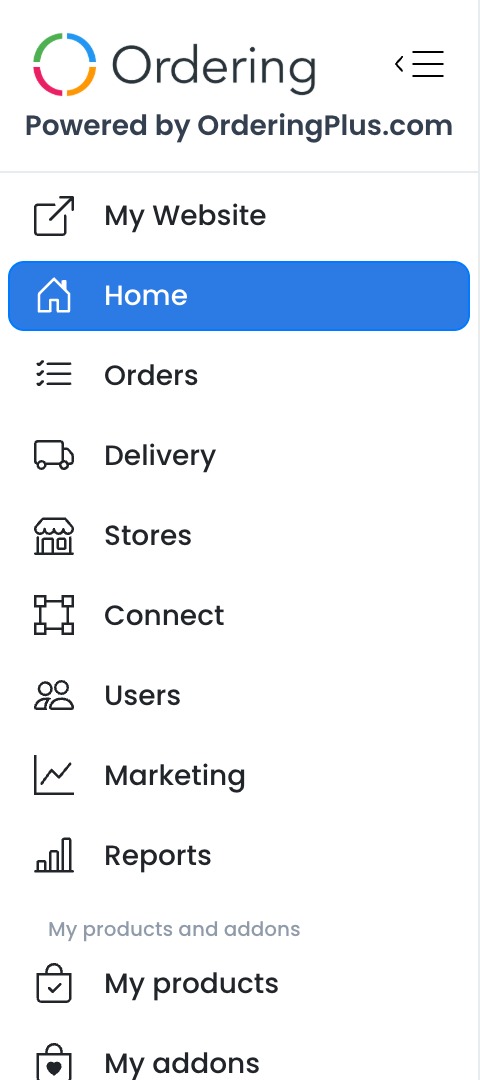
The current page is highlighted in the sidebar. When the sidebar is collapsed, use the menu button in the upper-left corner to open it.
Open a section
Select a section to reveal its available pages. For example, Orders can include Orders list, Open carts, Messages, and Gift card manager.
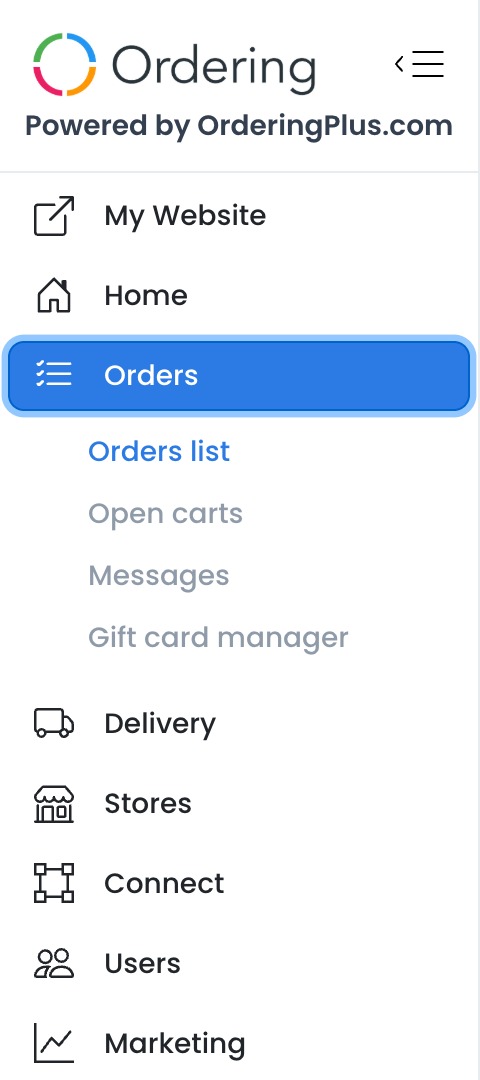
Each submenu has its own role, plan, addon, and configuration gates, so two accounts in the same project can have different navigation.
Main work areas
- Home provides a project summary for eligible account types.
- Orders contains the order-management pages available to your account.
- Delivery provides delivery and driver-management tools when they are enabled for your plan and role.
- Stores contains the store and catalog pages available to your account.
- Connect groups available integration tools.
- Users contains role-gated user-management pages.
- Marketing contains the marketing tools enabled for the project.
- Reports provides role- and plan-gated reporting pages.
Products, configuration, and support
The lower portion of the sidebar can include:
- My Website to open the preferred customer-facing site for eligible administrator accounts.
- My products and My addons to access enabled Ordering products and addons.
- Billing, Free downloads, and Apps & Addons when an eligible administrator account has a billing identity.
- Settings for project configuration.
- Audit Logs for projects and users with access to activity records.
- AI Agents, Help, and Join our Community when available.
- Your profile and Logout controls when available to your account type.
These entries do not all open Dashboard pages. My Website requests a customer-facing site in a new tab. Billing requests an authenticated handoff and, only when the response contains the expected access data, attempts to navigate the current tab away from the Dashboard. Opening either entry does not publish website changes or confirm that an external action succeeded.
Frequently asked questions
Why is an option missing from my sidebar?
Menu visibility changes according to your role, account type, plan, enabled features and addons, feature flags, and project configuration. If you expect an option that is not visible, confirm that you are in the intended project and ask your project administrator to review your access.
Can I change the Dashboard language?
If the language selector is available in your sidebar, select it to view the supported language options.
Where do I change project settings?
Select Settings in the sidebar. The settings available on the next page depend on your project and account permissions.