View active and past orders
Customers can use My Orders to review the orders available to their current account. The Website and Customer App can present recent, upcoming, active, and past orders with different layouts or section names. A visible card represents the current returned order context; it is not proof that every order section is complete or current.
My Orders is private to the current account, project, session, and authorized order relationship. Guest order history and a later account association use separate rules.
Open My Orders
On Website
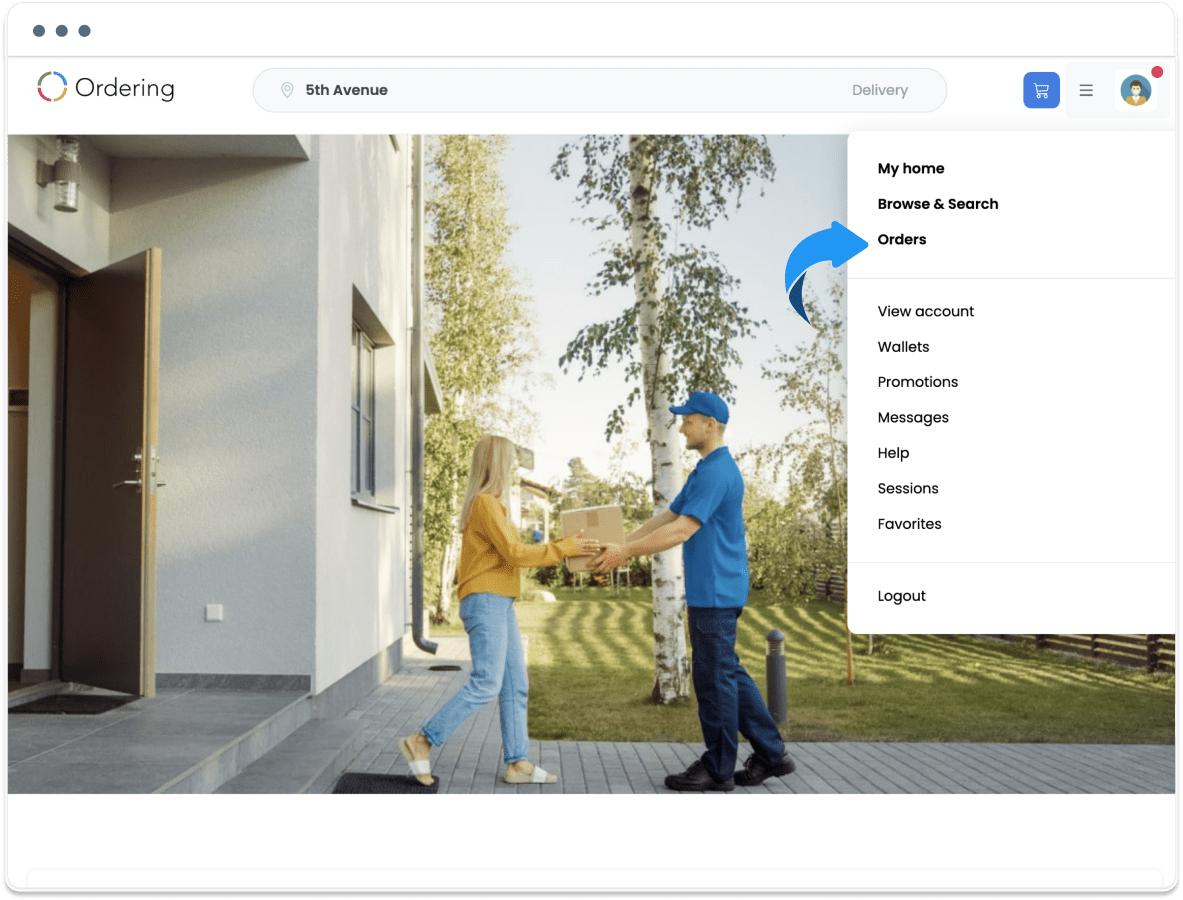
- Open the account or user menu.
- Select Orders.
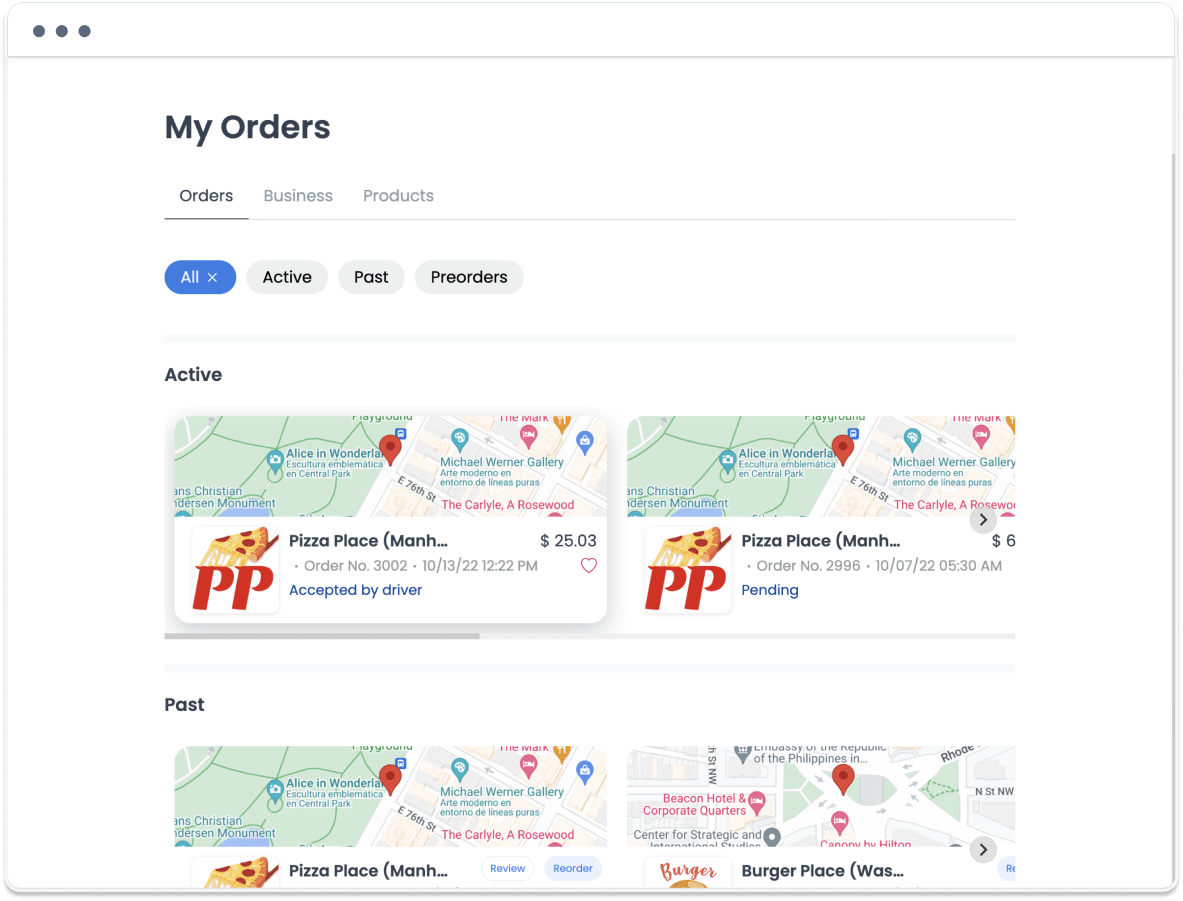
The page can show filters or sections for the available order periods, such as Active, Past, and Preorders.
In Customer App
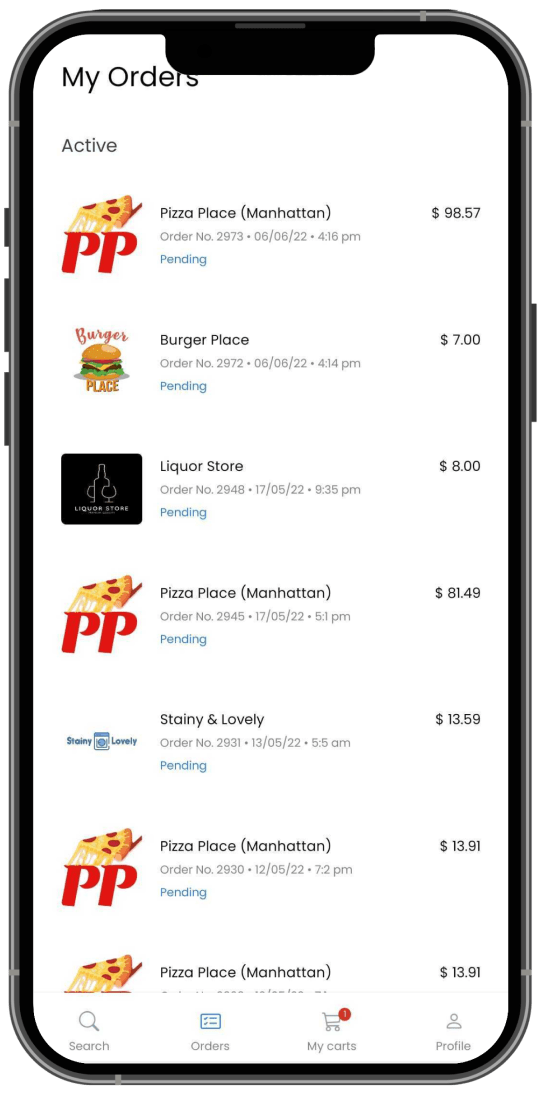
Open Orders from the app navigation when it is available in the current theme. The app can show active, past, and upcoming or preorder orders in a mobile list.
Understand the order sections
Customer App can mount Preorders, Active orders, and Past orders as separate sections. Each section can load, fail, paginate, and receive updates independently.
| Section | What it can show | Important boundary |
|---|---|---|
| Preorders or upcoming orders | Orders associated with a future order time or preorder state. | A listed future order does not confirm business acceptance, payment, or fulfillment. |
| Active orders | Orders in a current in-progress state. | A status or time estimate can change separately from other card fields. |
| Past orders | Completed or terminal-order history. | Visibility does not make review, reorder, support, favorite, or another action available. |
Pull to refresh can request multiple sections, but their responses do not become one shared snapshot. One section can update while another remains empty, loading, retained, or in error.
Read an order card carefully
| Card element | What it can mean | What it does not confirm |
|---|---|---|
| Business or grouped-order label | The returned order or group presentation. | Ownership beyond the current authorized result. |
| Status label | A displayed state classification at one point in time. | A final or current outcome. |
| Time or estimate | A historical time or current estimate. | A delivery or completion guarantee. |
| Card selection | A request to open the authorized order-details or grouped-order view. | That the destination has the same freshness as the list. |
Cards can also show an order reference, total, favorite state, review option, reorder option, or unread state. Those fields and actions have their own authorization and update boundaries.
Loading, pagination, and updates
| What you see | Safe interpretation |
|---|---|
| A section is loading | That section has unresolved reads; another section can already be visible. |
| A section is empty | The current authorized page returned no matching rows; it does not prove that no order exists in another section, page, or context. |
| A section reports an error | That section remains unresolved; retained cards elsewhere can be stale. |
| More pages are available | Additional rows can exist; pagination is not a complete order-history receipt. |
| Refresh completes | One or more requests returned; other sections and updates can still be ahead or behind. |
| A card moves or disappears | Status filtering, refresh, an update, or account or project state changed; do not infer cancellation, refund, deletion, or payment outcome. |
The app can load authenticated order data, subscribe to order updates, and load related business, product, or gift-card media. A connected update channel does not guarantee missed-update replay, current page membership, one listener per section, or complete cleanup when the account, project, or session changes.
Keep follow-up actions separate
Opening a card, changing Favorite, choosing Review or Reorder, sending a message, opening Help, tracking, canceling, or seeking a refund are separate actions. Do not use one of them to test whether the list is fresh.
An order can represent an ordinary order, grouped orders, a gift-card order, a custom order, a service or reservation, or another configured subtype. The subtype can change visible fields, actions, and the next destination. My Orders does not establish grouped membership, gift credential safety, custom-order creation, service fulfillment, financial totals, or downstream action availability.
Troubleshoot safely
My Orders or one section is missing
Treat the current account, project, session, or section state as unresolved. Do not use another account, a private route, or a guessed order reference to force access.
One section loads while another remains busy
Keep the sections separate. A visible section is not a complete or current order history.
A section is empty or shows an error
Do not send a test message, change Favorite, start Reorder, choose Review, or refresh repeatedly to discover whether an order exists.
A card moves, disappears, or returns
Treat the status, filter, or update freshness as unknown. Do not infer cancellation, refund, deletion, or payment outcome.
A card appears after an account or project change
Avoid opening or acting on it until the current account and project context is re-established. An earlier context must not update the current one.
An action from the card behaves unexpectedly
Keep the list result and the destination result separate. Do not repeat the action or use another order as a test.
Accessibility and privacy
The Orders tab, section headings, loading, empty, error, and pagination states, cards, status and time labels, grouped or subtype labels, refresh, and each separate action need clear names, roles, states, announcements, focus order, and predictable return. Large text must not hide section identity or status.
Order references, contact and location details, amounts, gift or payment data, messages, provider state, and screenshots can be private. Keep those details out of support notes and diagnostics unless an authorized support flow requires them.
Related guides: Understand order details and status · Track an order · Review a reorder option · Understand order messages · Find Customer App help · Use the app offline and reconnect