Prepare store and driver statements every 10 days
You settle with stores and drivers three times a month: the 1st to the 10th, the 11th to the 20th, and the 21st to the end of the month. The Invoice manager builds statements for any period, one by one or for many stores or drivers at once.
Who this is for
Marketplace operators who pay stores and drivers on a fixed rhythm and need one statement per store or driver for each period.
1. Pick the period
Open Reports → Invoice manager, choose Business invoice or Driver invoice, and open Period. Type the From and To dates, for example 01-11 to 10-11, or use a preset such as Last 7 days. Click Done, then pick the store or driver.
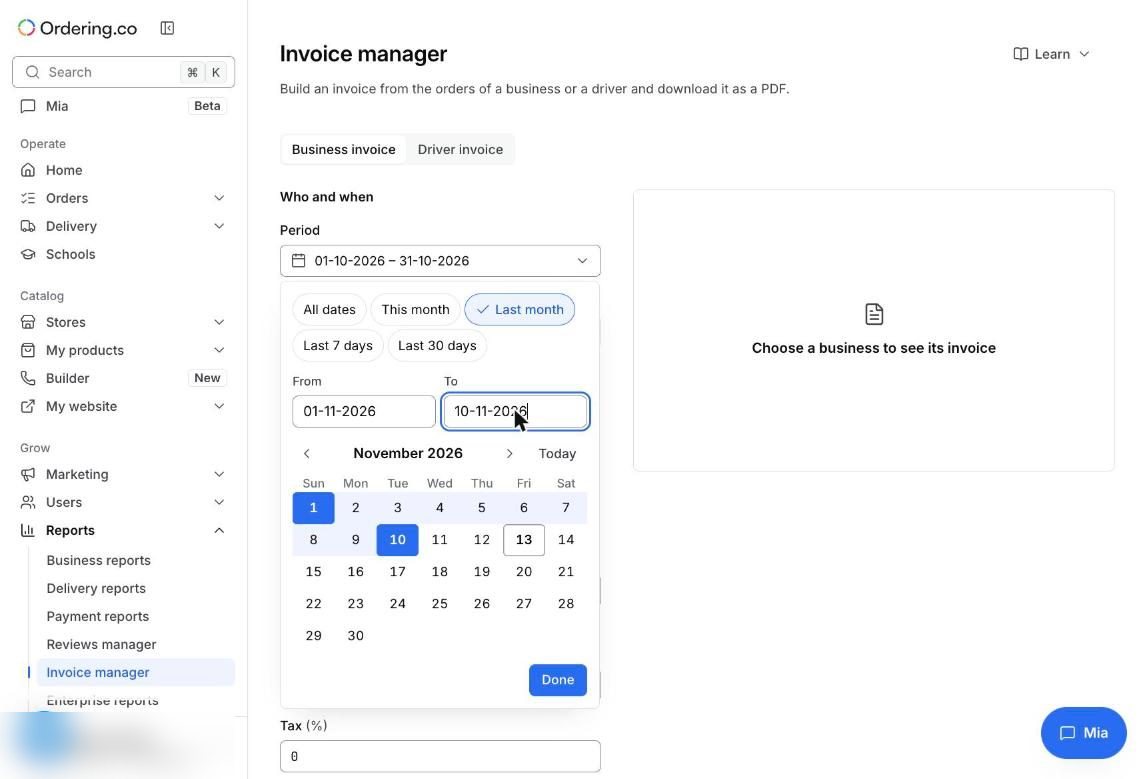
Set the fees for the statement, such as your commission for stores, or the fixed fee and delivery fee share for drivers. See Manage business invoices and Manage driver invoices.
2. Create every statement at once
Click Invoice several drivers, or Invoice several businesses on the Business invoice tab. Select the drivers or stores, up to 50 at a time, and create one PDF each with the same period, fees, and filters.
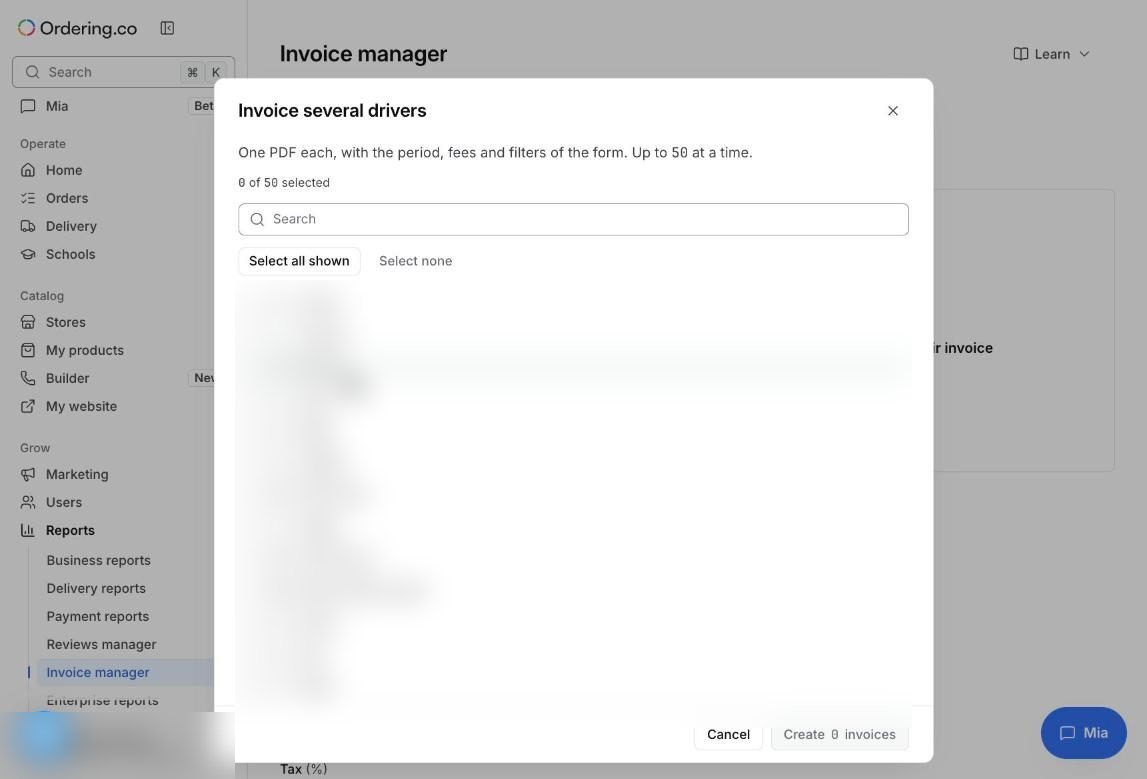
Illustrative example
On the 11th, an operator sets the period to the 1st–10th, keeps the usual fee settings, and selects every active driver. Each driver gets a PDF for that period, ready to send with the payment. The operator repeats it on the 21st and on the 1st of the next month.
Check that it works
- Compare one statement's order count with the orders list filtered by the same dates and store or driver.
- Check that only the payment methods and order states you want are included.
Limits to keep in mind
- Statements are informational PDFs. Paying stores and drivers happens in your accounting process or, for card orders, through Stripe Connect payouts.
- Use the same fee settings every period so statements stay comparable.