Pay drivers a minimum per delivery, and more for longer zones
Your customers pay a low delivery fee, but each driver must earn a minimum per delivery, and more for longer distances. Pay a fixed fee per order plus 100% of the order's delivery fee, and set one delivery zone per distance band.
Who this is for
Marketplaces with their own drivers that keep customer delivery fees low to stay competitive, and pay drivers per delivery from the platform's share.
How the pay is calculated
For every completed order, the driver earns:
Fixed fee per order + Delivery fee (%) × the order's delivery fee (+ tips and any extras you set)
The order's delivery fee is the fee of the delivery zone the customer's address falls in. To guarantee a minimum, set the fixed fee to your minimum minus your cheapest zone fee, and the delivery fee share to 100%.
Illustrative example
The minimum per delivery is 4.60. The cheapest zone charges customers 2.00, so the fixed fee is 4.60 − 2.00 = 2.60.
| Zone | Customer pays | Driver earns |
|---|---|---|
| 0–4 km | 2.00 | 2.60 + 2.00 = 4.60 |
| 4–5 km | 2.50 | 2.60 + 2.50 = 5.10 |
| 5–6 km | 3.00 | 2.60 + 3.00 = 5.60 |
The difference between what the customer pays and what the driver earns comes from your platform's share of the order.
1. Set one zone per distance band
Open Stores → Stores, choose the store, then Delivery, pickup & more → Delivery zones. Create a distance-based zone for each band, each with its own fee. Every order placed in a zone gets that zone's fee as its delivery fee.
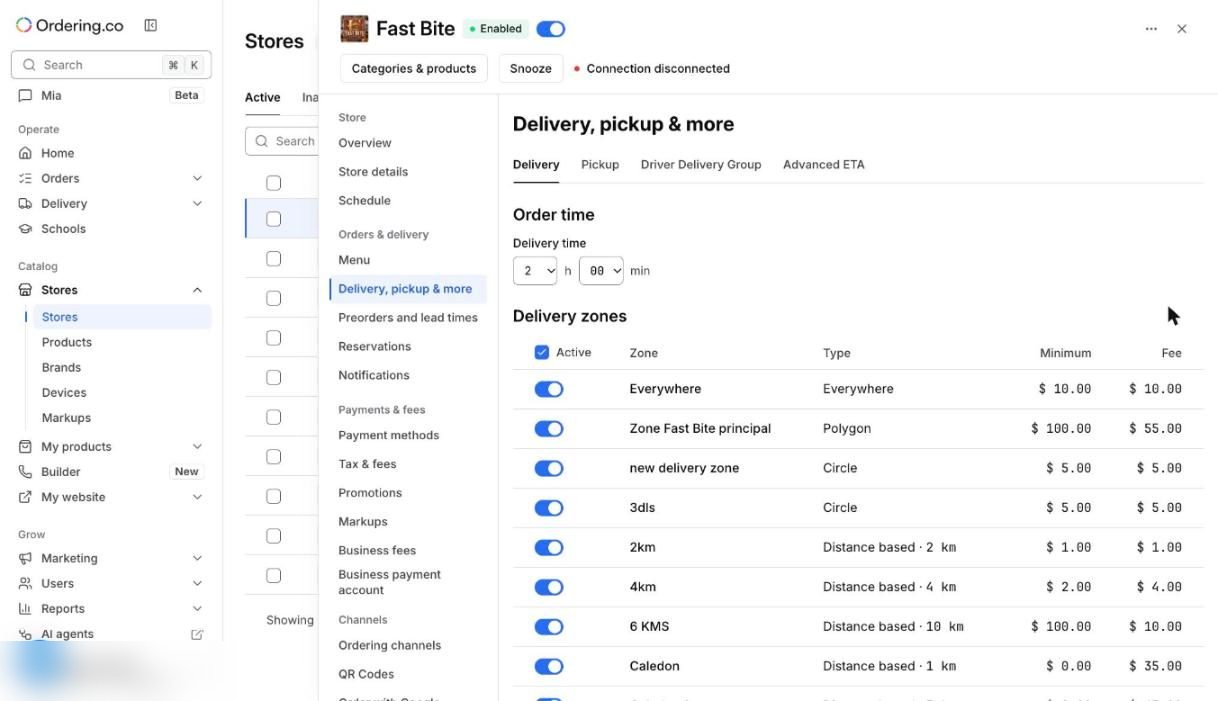
See Configure delivery, pickup, and fulfillment for zone types and minimums.
2. Check where the delivery fee comes from
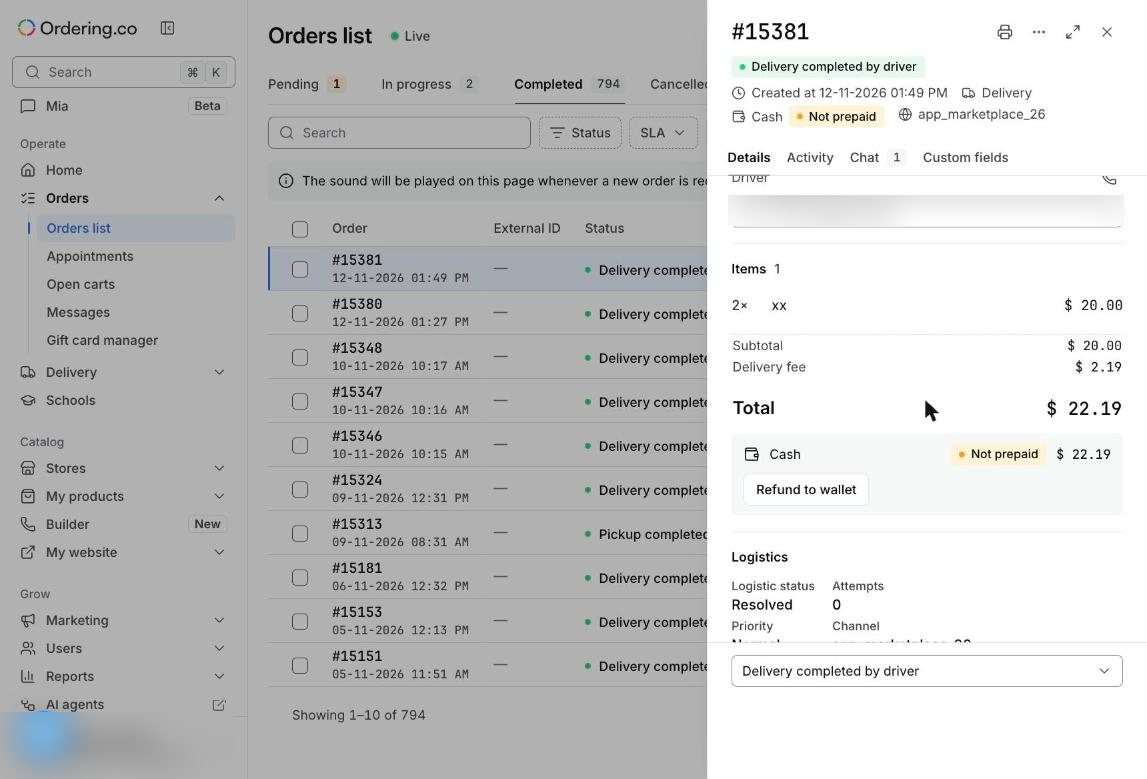
Open any delivery order in Orders → Orders list. Its Delivery fee is the fee of the customer's zone. This is the amount the driver's share is calculated on. The subtotal (the products) is not part of it.
3. Calculate the pay on the driver invoice
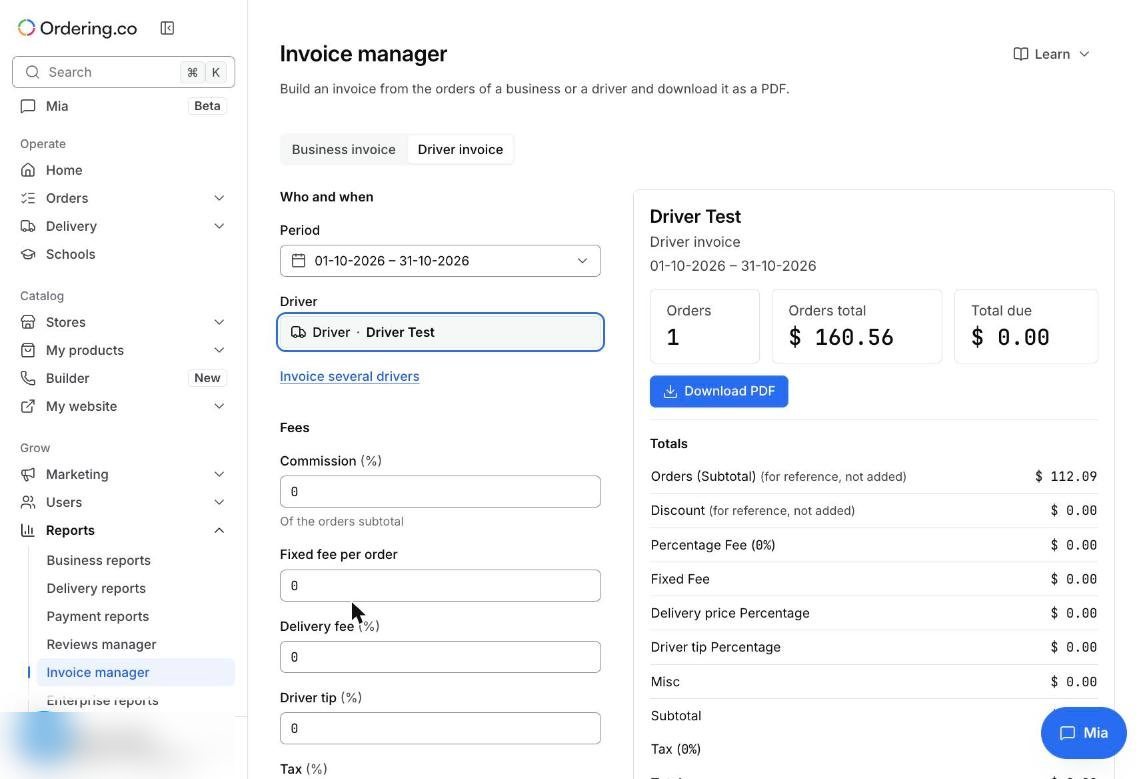
Open Reports → Invoice manager → Driver invoice, then pick the period and the driver.
- Orders total is the value of the orders the driver delivered, shown for reference. It is not the driver's pay.
- Total due is the driver's pay. It stays at 0 until you fill in the pay fields.
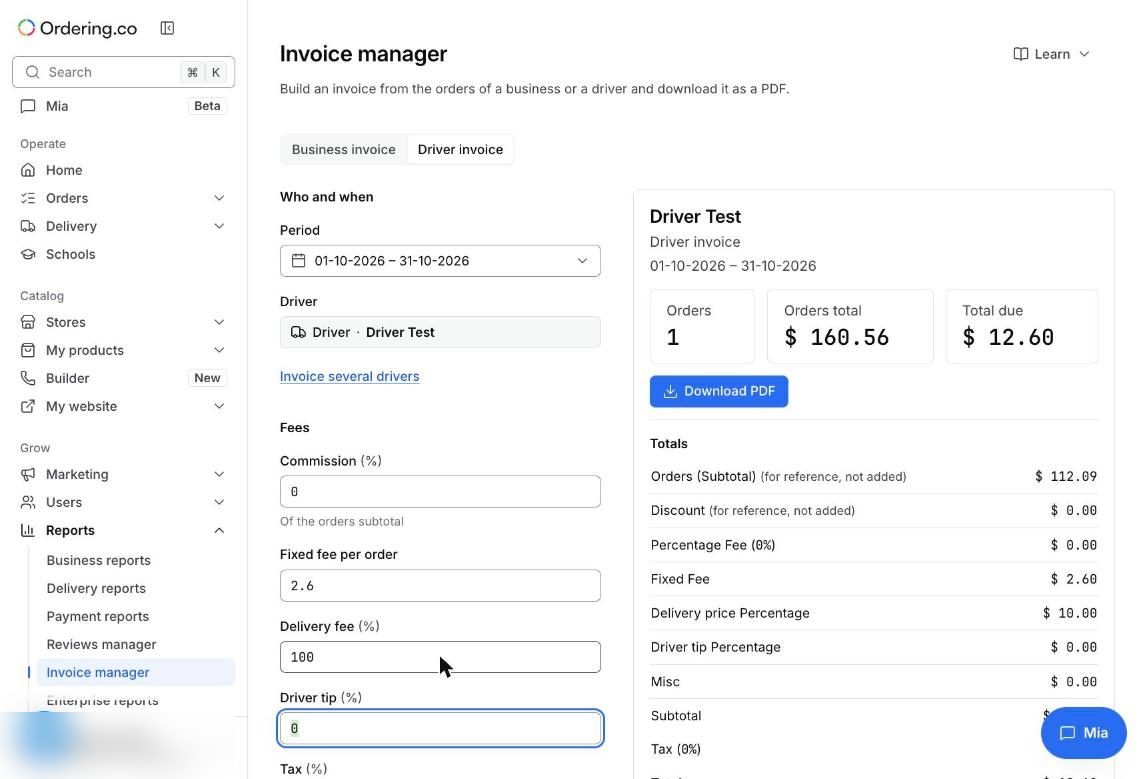
Enter the fixed amount in Fixed fee per order and 100 in Delivery fee (%). In this example, 2.60 plus an order with a 10.00 delivery fee gives a Total due of 12.60.
Only completed orders count. Use Payment methods to separate card and cash orders, then Download PDF. To prepare every driver's statement for the same period, use Invoice several drivers (up to 50 at a time). See Manage driver invoices.
4. Pay automatically with Stripe Connect
The driver invoice is a statement: it doesn't move money, and it doesn't read amounts saved in a driver's Stripe account. To pay drivers automatically for card orders, open Settings → Payments → Stripe Connect, turn on Stripe Connect payouts, and use the same numbers in Configuration → Driver payment: Per order 2.60 and Delivery fee 100%.
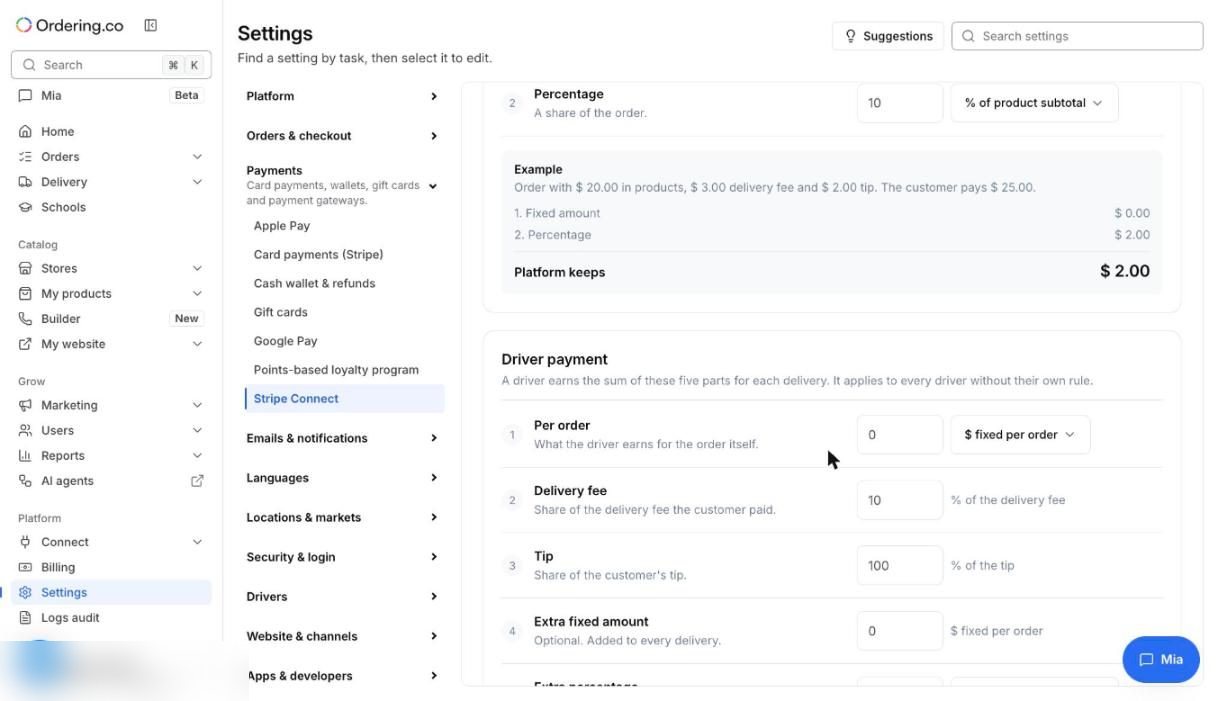
The driver's share is transferred when the delivery is completed. Each driver needs a Stripe Express account that can receive transfers. See Stripe Connect payouts.
Check that it works
- Place one test order in your cheapest zone and one in a longer zone, then complete both.
- On the driver invoice, check that Total due matches the table above for each zone.
- With Stripe Connect payouts on, place one test card order and confirm the driver's transfer in Stripe before your drivers start.
Limits to keep in mind
- Cash orders don't go through Stripe. Settle them with the driver invoice for the period.
- Changes to the Stripe Connect rule apply to orders placed after you save.
- Tips are separate: set Driver tip (%) to 100 if drivers keep their tips.