Your website and apps: who uses what
A marketplace has three kinds of users: customers who order, merchants who prepare, and drivers who deliver. Each one has its own tool.
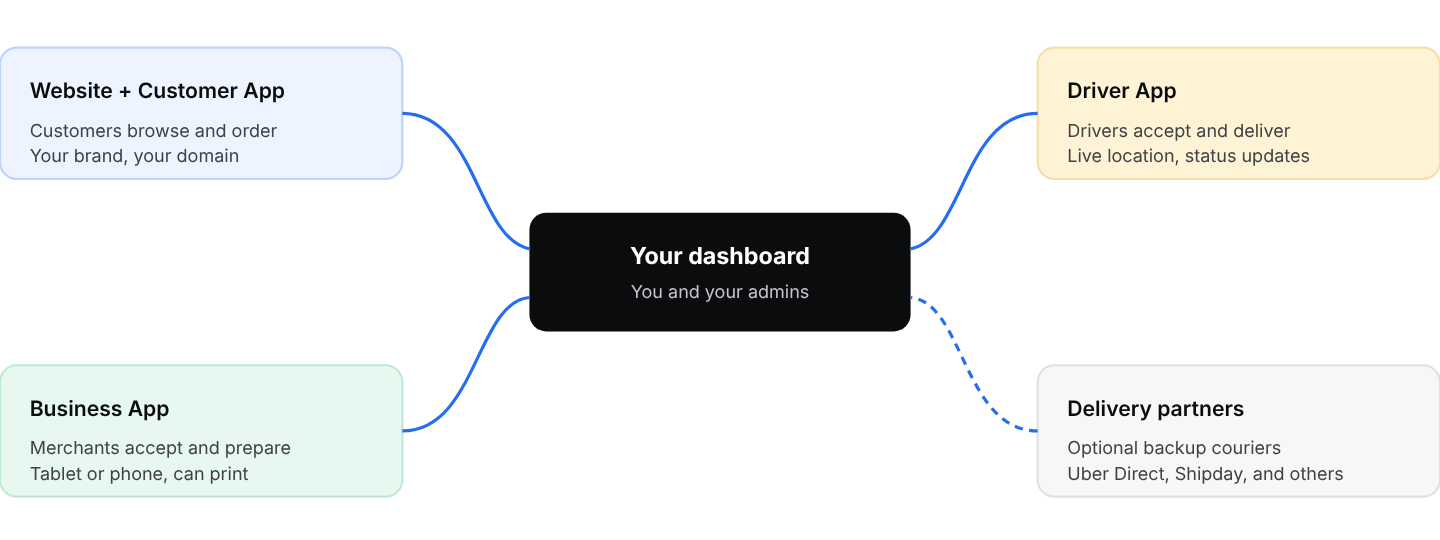
Every app talks to the same dashboard, so an order moves between customer, merchant, and driver in real time.
Marketplace website
Your storefront on the web. Customers enter their address, see the stores that deliver to them, browse by category, order, pay, and track the order. It is live from day one and needs no app store approval, which is why many owners launch on the web first.
Customer App (iOS and Android)
The same experience as the website, as a native app under your name and logo. It is published in the App Store and Google Play under your own developer accounts, so customers see your business as the publisher. Push notifications, saved addresses, reorder, wallet, and loyalty all live here.
Business App
What your merchants use to run orders: a new-order alert with sound, accept or reject, set preparation time, update the status, message the customer or driver, and print tickets. It runs on a tablet or phone. Merchants sign in with your project name and their business owner login. Chapter 23 shows how to set merchants up on it.
Driver App
What your riders use: turn availability on, receive offered orders, accept, navigate, update each step (picked up, arrived, delivered), message the customer, and capture a signature. Drivers sign in with your project name and their driver login.
Depending on your plan, the Business App and Driver App can be published under your brand or used as the ready-made Ordering.co versions from the app stores. Both work the same way. Check your welcome email or ask support which applies to you.
"Can merchants use a POS terminal or an Android POS device instead of a tablet?"
Yes. Android POS devices such as Sunmi can run the Business App and print directly. Merchants that use Square or Clover can also connect their POS (Chapter 23).