Turn a first purchase into a second visit
Prepare a second-purchase incentive for customers with exactly 1 order recorded in the platform, a minimum purchase, and one use per customer.
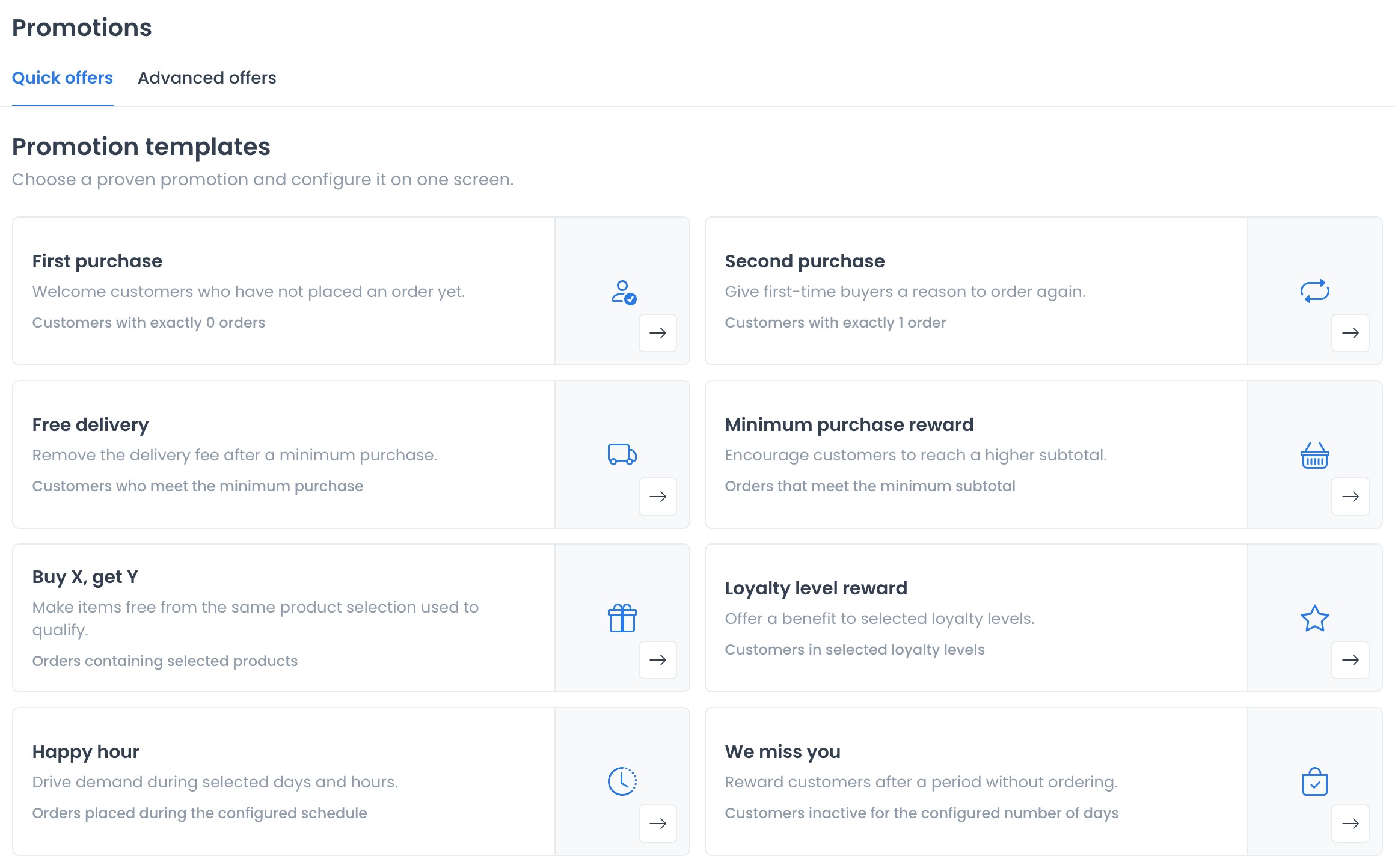
1. Choose Second purchase
Open Marketing → Advanced offers → Quick offers and select Second purchase.
2. Set the benefit
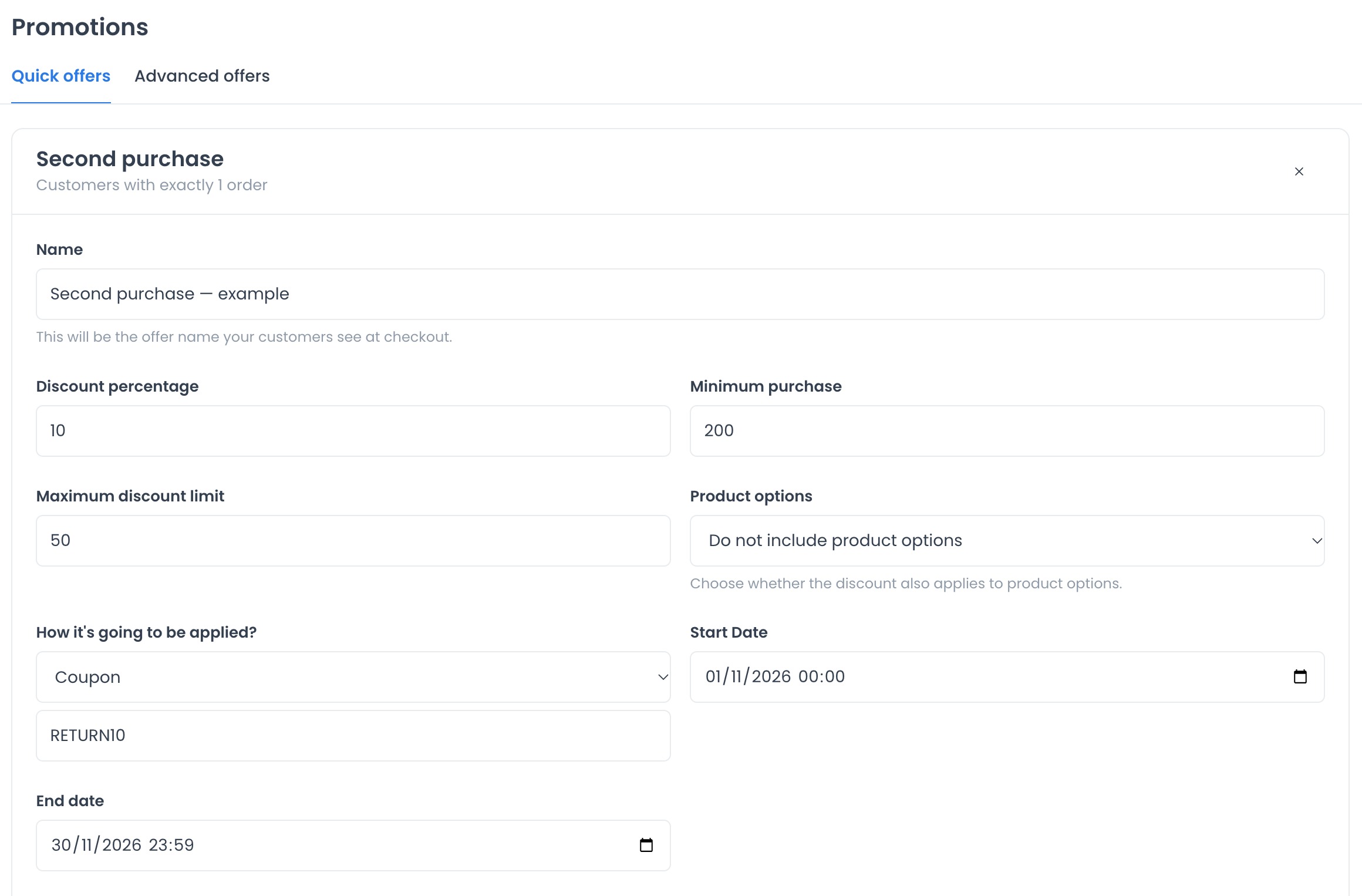
Enter a name, percentage, minimum purchase, and maximum discount. Example: 10%, minimum 200, and maximum 50 in the project currency.
Review Automatic offer, selected initially. To share a code, choose Coupon and enter one, such as RETURN10.
3. Choose when and where it applies
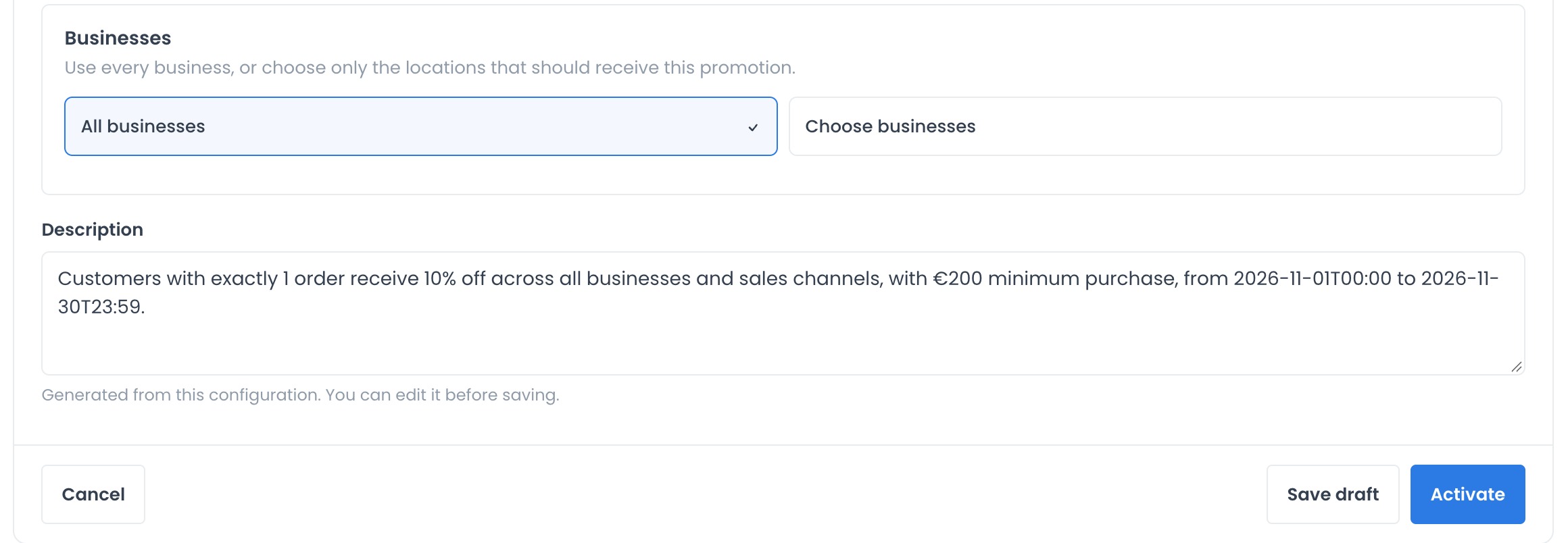
Set Start Date and End date, including times. Review Businesses: keep all businesses or choose only those taking part.
4. Save and check
Save with Save draft. To test it, reopen the draft under Your promotions → Edit promotion and use Activate in your test environment. Check eligibility and the final amount before offering it to customers.
Limits and more settings
The order count is platform-wide, not branch-specific. Check which cancelled or historical orders the test account includes. The incentive does not guarantee another purchase.
To adapt the offer to your repeat-purchase and retention strategy, see Quick Offers and the Advanced offers editor.
Share the offer
Share it in a Marketing campaign, choosing the audience and channel following that guide. If you use a coupon, include its code and conditions; for an automatic offer, explain the benefit. Creating the offer does not send the campaign automatically.